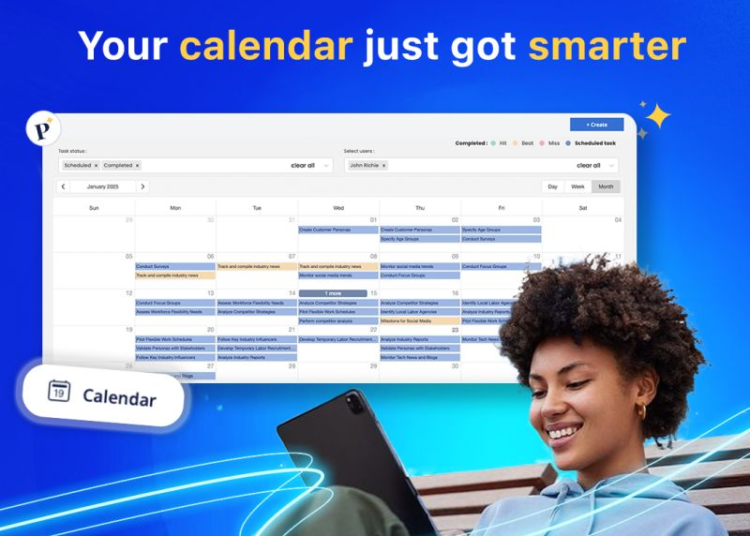
Plansom is an AI planning tool that reads your files, such as PDF, Word and Excel, turns them into a prioritized plan, then recommends the next action most likely to move your goal forward. It is useful for anyone running a project or juggling several responsibilities who wants to focus on results, not just ticking off tasks.
Key features
- Plan from your files: Up to five files (20 MB total) turned into a prioritized plan.
- AI Coach: Scores tasks and recommends the next action.
- Success metrics and reporting: Tracks progress toward the results you define.
- Bottleneck alerts: Flags work at risk of slipping.
- Shareable plans: By link, with no account needed for viewers.
- Multiple platforms: Web, iOS, Android and Microsoft Teams.
Pricing
| Plan | Price | What you get |
|---|---|---|
| Free | Free | 5 goals, 100 tasks, 1 AI plan per month |
| Pro | About $28 per user/month | Unlimited goals and tasks, full AI features |
| Enterprise | Custom | Organizational needs |
A 7-day free trial is available with no credit card. Prices are in US dollars, so your bank may add currency conversion fees.
Prices can change, so check Plansom’s official pricing page before you subscribe.
Pros and cons
| Pros | Cons |
|---|---|
| A prioritized plan from files you already have | Pro costs more than simple task apps |
| Focus on results, not only task status | The free plan allows one AI plan a month |
| Share plans without accounts for viewers | Results depend on the quality of uploaded files |
Use cases
- Turning a project document into a plan: Upload your idea or requirements document and get prioritized goals and tasks.
- A plan to learn a new skill: Set your goal and success metric, and let the Coach suggest the next step.
- A small team with many responsibilities: Track priorities and spot slipping work early.
- Sharing progress with a mentor: Send a goal link to a supervisor or adviser without them creating an account.
Plansom vs Todoist
Todoist is a simple, flexible task list. Plansom builds the plan itself from your files, ranks priorities and tracks results with AI.
Who it’s best for
Anyone running a project or small team who wants an organized plan tied to results.
Skip it if you only need a simple to-do list. A simpler, cheaper tool will do.
How to get started
Start on the free plan, upload one file for a real project, and review and adjust the generated plan.
FAQ
Which file types are supported? PDF, Word, PowerPoint, Excel, CSV and others, up to five files totaling 20 MB.
Do viewers need an account? No. Goals and tasks can be shared by link.
Is there a free trial? Yes, 7 days with no credit card.
Disclosure: al-khwarizmi may earn a commission if you sign up for Plansom through links in this article. This does not change the price you pay, and it does not influence which tools we cover.