
Managing modern IT infrastructure is complex. Teams need a unified platform to control endpoints, ensure security, and automate tasks. This is where a dedicated management solution delivers immense value.
The right software gives IT departments and managed service providers (MSPs) complete control. It combines remote monitoring, patch automation, and secure access into one service. This approach protects data, maintains system health, and ensures compliance.
This in-depth review analyzes a leading platform in this space. We will examine its core features, security protocols, and pricing structure. Our goal is to see if it meets the specific needs of your organization.
Key Takeaways
- This platform is a cloud-native endpoint management and remote monitoring solution.
- It is designed to simplify IT operations for MSPs and internal IT teams.
- Core tools include automated patch management and secure remote access.
- Global enterprises trust this software for their critical infrastructure.
- The review will provide a detailed analysis of features, security, and pricing.
- A comparative look at competitors will help assess its overall value.
- The final assessment aims to help you decide if it fits your operational needs.
Introduction: A Top-Tier Platform for IT Management
User ratings and industry reports consistently highlight a select few platforms that dominate the IT management space. NinjaOne stands out with a 4.7 out of 5 rating on G2 from over 1,600 reviews. It ranks at the top for endpoint management, patch management, MDM, and RMM in G2’s 2025 Winter Report.
This acclaim establishes it as a premier, cloud-native solution. It is trusted by enterprises and managed service providers worldwide. The core value lies in centralizing and simplifying the management of diverse endpoints and IT workflows.
The platform is built on a design philosophy focused on reducing IT complexity. It achieves this through powerful automation and an intuitive interface. Praised for its ease of use and robust features, it turns chaotic monitoring into a streamlined process.
This management approach suits both MSPs and internal enterprise IT teams. These groups face the challenge of securing and supporting hybrid workforces. The right tools are critical for their performance and success.
Users report key outcomes like reduced system downtime and faster issue resolution. An improved security posture is another major benefit. Proactive alerts and remote monitoring help teams address needs before they become problems.
Major global corporations rely on this software for their critical infrastructure. This underscores its reliability and massive scalability. The following sections will detail its core capabilities and intended audience.
What is NinjaOne? Core Capabilities and Target Audience
A comprehensive endpoint management solution acts as the central nervous system for IT infrastructure. It provides the tools needed for complete oversight and control.
This platform delivers a unified approach to IT operations. Its core purpose is to simplify the complex task of managing diverse technology assets.
Remote Monitoring and Management (RMM) as the Foundation
The entire system is built on a robust remote monitoring management engine. This foundation provides real-time visibility into every connected device.
IT teams gain a centralized dashboard for all endpoints. This includes computers, servers, and mobile devices across the network.
Proactive monitoring is a key capability. The system tracks hardware health, software status, and performance metrics.
Customizable alerts notify staff about issues before they cause downtime. This proactive approach is crucial for maintaining system health.
Automated endpoint management tasks reduce manual work. Scripts can handle routine maintenance, software deployments, and inventory updates.
This level of automation ensures consistency and saves valuable time. Secure remote access allows technicians to fix problems instantly from anywhere.
The RMM foundation is vital for security in distributed networks. It enables rapid response to threats and ensures compliance policies are enforced.
Centralized control over data and device settings protects the entire organization. This makes remote monitoring management a non-negotiable service.
Built for MSPs and Enterprise IT Teams
NinjaOne is engineered for two primary professional groups. Its design directly addresses their distinct operational needs.
For Managed Service Providers, the platform offers powerful multi-tenant management. A single dashboard can oversee multiple client environments securely.
This architecture supports massive scalability. MSPs can efficiently grow their client base without adding complexity.
Internal enterprise IT teams benefit from simplified management of large device fleets. The cloud-native design is perfect for supporting hybrid and remote workforces.
Employees can be supported seamlessly, regardless of location. The platform’s features prioritize the control and security that large organizations require.
Understanding this target audience explains the platform’s priorities. Its automation, reporting, and endpoint management capabilities are built for scale and efficiency.
The pricing and packaging also reflect these professional use cases. NinjaOne provides the robust tools that IT service businesses and corporate departments rely on daily.
NinjaOne’s Key Features and Tools
Beyond a unified dashboard, the specific capabilities of a solution define its daily value for IT professionals. This platform delivers a powerful suite of integrated tools designed for modern operational demands.
Each feature addresses a critical pain point, from security gaps to inefficient workflows. Together, they form a cohesive system for comprehensive IT management.
Automated Patch Management Across Multiple OS
Manual patching is a major source of risk and wasted time. This automated patch management system eliminates that burden entirely.
It provides comprehensive coverage for Windows, Mac, and Linux operating systems. Support extends to over 200 third-party software applications.
The process enables zero-touch identification, approval, and deployment. This automation can reduce an organization’s security vulnerabilities by up to 75%.
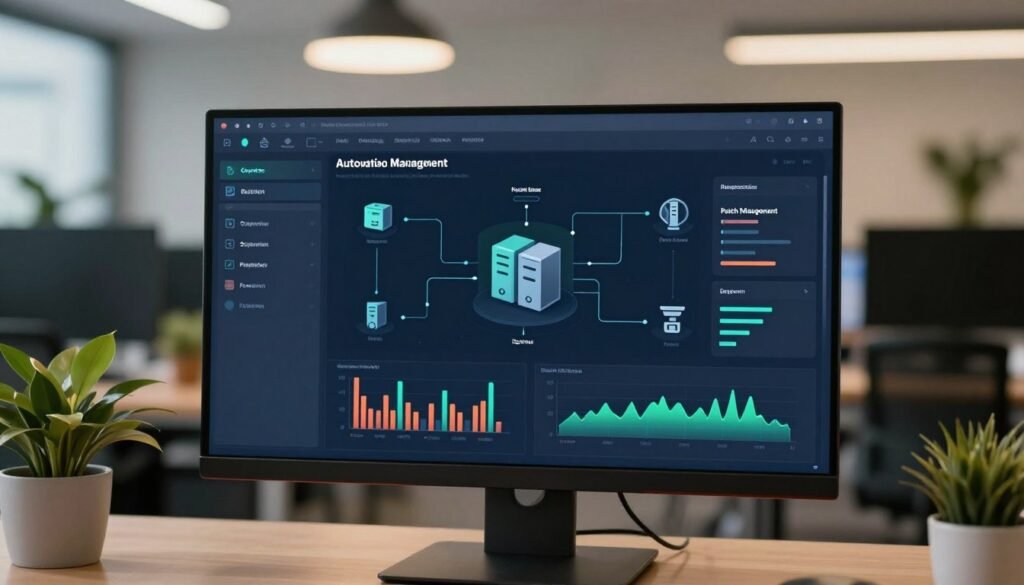
Proactive patch management ensures all endpoints are consistently updated. IT teams gain peace of mind without constant manual intervention.
Customizable policies allow for staged rollouts and testing. This prevents new updates from causing widespread system issues.
Secure Remote Access and Control
Providing instant support requires fast and secure connections. The remote access tool is built with this priority in mind.
Connections are protected by x25519+XSalsa20+Poly1305 encryption. This enterprise-grade standard ensures all data in transit remains private.
The technology dynamically adjusts bandwidth for a reliable experience. A built-in technician toolset facilitates efficient troubleshooting.
Features like secure credential injection streamline common maintenance tasks. Technicians gain full control to resolve issues on the first try.
This access capability is vital for supporting hybrid and remote workforces. It turns geographical distance into a non-issue for IT support.
IT Automation and Scripting Capabilities
Repetitive tasks are prime targets for efficiency gains. The platform’s automation features turn routine work into background processes.
Pre-built automation handles patch management, antivirus checks, and backup verification. It also manages remote control sessions and drive encryption status.
For custom needs, a powerful scripting engine allows the creation of bespoke workflows. User-friendly Dynamic Script Forms simplify input for complex scripts.
These capabilities significantly reduce manual workload across the IT team. While some advanced scripting parameters are basic, the core automation is robust.
Automated inventory collection and hardware health checks run continuously. This provides always-current data for reporting and decision-making.
Integrated Helpdesk and Ticketing System
Streamlining the service desk is crucial for user satisfaction. The integrated helpdesk ties directly into endpoint management.
Automated IT ticketing workflows create tickets from alerts, emails, or user submissions. Tickets are then routed based on customizable rules.
A self-service client portal allows users to submit and track requests. This reduces call volume and empowers end-users.
Full IT asset management context is attached to every incident. Technicians see the user’s device, software, and history instantly.
Some users note that ticket view customization could be more flexible. Overall, the integration eliminates data silos between support and operations teams.
Mobile Device Management (MDM)
Corporate data now lives on phones and tablets. The MDM features provide essential control over these mobile endpoints.
It supports both Android and iOS devices. Remote enrollment simplifies the onboarding process for new employees.
IT admins can manage app deployment, enforce security policies, and configure kiosk modes. Geolocation and remote screen-share capabilities aid in support and recovery.
These tools secure company-owned devices and manage BYOD scenarios. Policy enforcement ensures compliance standards are met across all mobile access points.
Comprehensive mobile management closes a critical gap in modern IT security. It protects data wherever the workforce operates.
Interface and Ease of Use: Navigating the Dashboard
A clean, logical dashboard is the command center for effective IT operations and monitoring. The user experience of a management platform directly influences technician productivity and speed.
This solution is widely praised for its intuitive interface and smooth navigation. It reduces the cognitive load during critical IT tasks.
The layout is built around two primary views. The System Dashboard provides a global view of all organizations and devices under management.
The Organization Dashboard zooms in on the endpoints belonging to a specific client or business unit. This logical separation matches common IT service workflows.
Navigation is straightforward. A left panel lists all connected endpoints. Clicking on any device instantly loads its real-time status and details in the main view.
This provides immediate control and visibility. Technicians can assess health, review performance metrics, and access tools without digging through menus.
A central health overview panel organizes critical data. It uses clear tabs for OS patches, installed software, management tools, and backup status.
This design presents complex inventory and hardware information in a digestible format. Customizable alerts are integrated directly into this view.
A notable feature is the platform’s use of full, detailed URLs for every page and list. This makes sharing specific device views or inventory reports with colleagues very simple.
It streamlines internal collaboration and documentation. The shareable links provide direct access to the exact context needed.
The learning curve for this platform is generally considered low. User reviews consistently praise the clean, modern interface.
Many note it is faster to learn and use compared to cluttered competitors. This efficiency speeds up onboarding for new team members.
Some users mention that the mobile app experience has limitations compared to the desktop dashboard. This is a minor point for a system primarily used from a workstation.
Overall, the interface meets the needs of technicians seeking clarity and speed. A well-designed dashboard is not just about looks.
It translates directly into operational efficiency and reduced time-to-value. This management solution delivers strong capabilities through a user-friendly lens.
Security, Compliance, and Data Protection
In today’s regulatory landscape, a platform’s security posture and compliance adherence are non-negotiable. Organizations must trust their IT management solution with sensitive data and critical systems.
The technical foundation for protection is robust. All data is secured using industry-standard AES-256 encryption, both at rest and in transit.
Remote access sessions are protected by strong key exchange protocols. This ensures complete control and privacy during technician workflows.
Administrative security controls are equally vital. Granular role-based access control (RBAC) defines precise permissions for each team member.
Mandatory multi-factor authentication (MFA) adds a critical layer of defense. These tools prevent unauthorized access to the management platform itself.
The platform meets a comprehensive set of global compliance standards. This includes GDPR for data privacy and HIPAA for healthcare information.
It also holds SOC 2 Type II and SOC 3 certifications for security practices. Voluntary adherence to PCI-DSS standards further demonstrates its commitment.
A standout feature is the secure credential exchange. It allows technicians to inject credentials for scripts or remote tasks.
The system never stores these credentials in plain text. This capability streamlines secure maintenance without compromising security.
Integrated data protection is provided through Ninja Data Protection. This umbrella covers backup and disaster recovery capabilities.
Teams can choose from three storage options: local, cloud, or a hybrid model. This flexibility meets diverse organizational needs for recovery point objectives.
Detailed audit logs track all technician activity within the system. Every action, from endpoint configuration to file access, is recorded.
These logs are essential for internal reviews and meeting regulatory compliance requirements. They provide a clear trail for security investigations.
This strong framework is critical for organizations in regulated industries. Financial, healthcare, and legal sectors have stringent data protection needs.
Some user reviews note that configuring the full suite of security policies requires careful planning. The initial setup demands attention to detail to align with specific workflows.
Overall, the security and compliance capabilities are a core strength. They provide the confidence needed to manage modern IT environments safely.
Protecting endpoint health and performance starts with a secure foundation. This platform delivers the necessary tools for that mission.
NinjaOne Pricing: Understanding the Cost Structure
Understanding how a software vendor structures its fees reveals much about its business model and target clientele.
The pricing for this platform follows a straightforward principle. Costs are calculated on a per-endpoint, per-month basis.
This means you pay for each computer, server, or mobile device under management. The final monthly fee depends on your total count of endpoints and the feature modules you select.
For larger deployments, the typical range is between $2 and $4 per endpoint. This applies to organizations managing over a thousand endpoints.
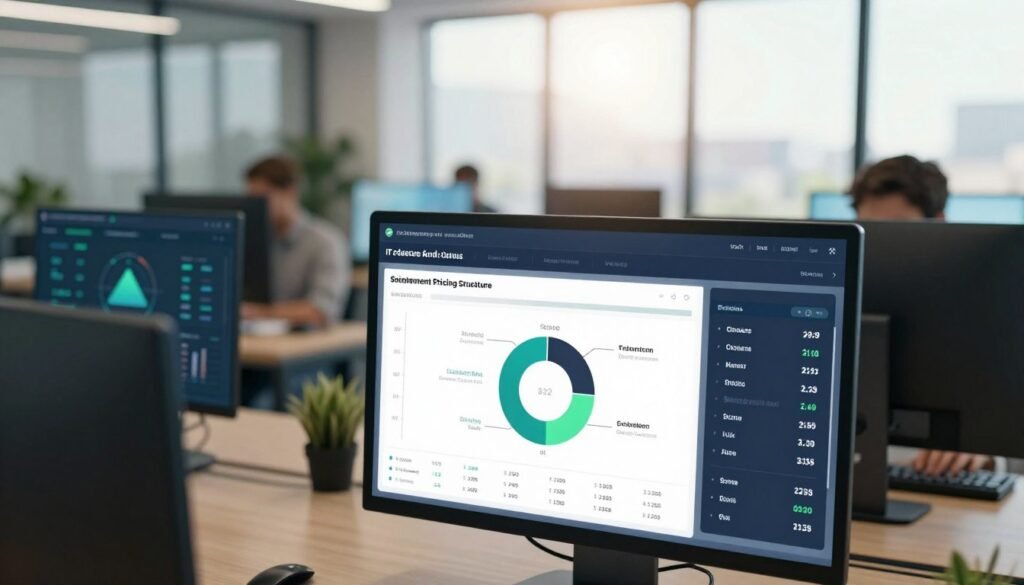
Smaller teams should expect a higher per-device cost. Volume discounts become significant as you scale up.
You must contact the sales team for a custom quote. This is standard practice for enterprise-grade software.
The quote will reflect your specific environment and needs. Factors include your total endpoint count and any required add-ons.
Standard billing is done annually. This commitment provides cost predictability for budgeting.
It also means evaluating your long-term needs is crucial. Smaller businesses with fluctuating counts should factor this in.
The quoted price includes significant value-added service. Free onboarding and comprehensive training are part of the package.
This support offsets the upfront cost by ensuring a smooth launch. It helps your team gain full value from the system quickly.
You can test the platform fully before committing. A 14-day free trial with all functionality is available.
This risk-free period lets you validate the management tools in your own environment. It is the best way to assess fit.
NinjaOne is not the cheapest option on the market. Competitors may advertise lower base rates.
The comprehensive nature of its features justifies the pricing. You get integrated remote access, patch management, and automation in one custom quote.
When negotiating, focus on your projected growth. Securing a favorable rate for future endpoints can lock in savings.
Always calculate the total cost of ownership. Consider the time saved by automation and the risk reduction from better security.
This holistic view of pricing provides a clear financial picture. It empowers you to make an informed investment decision for your IT operations.
User Feedback and Real-World Reputation
Before committing to an IT management solution, savvy buyers scrutinize the collective voice of its customer base. Authentic user feedback reveals how the software performs under daily pressure.
This reputation analysis aggregates reviews from platforms like G2. It provides a clear picture of real-world performance and support quality.
The platform holds an exceptional 4.7 out of 5-star rating from over 1,600 reviews. G2’s 2025 Winter Report ranked it #1 for endpoint management, patch management, MDM, and RMM.
These accolades signal a top-tier product trusted by professionals. Positive sentiments consistently highlight several key strengths.
Users praise the intuitive interface for its ease of use and clean layout. This reduces the learning curve during onboarding and speeds up daily tasks.
The powerful automation features receive significant acclaim. Automated patch deployment and scripted maintenance save teams countless hours.
Reliable monitoring and proactive alerts are also frequently mentioned. Technicians gain better control over endpoint health and data security.
Perhaps the most standout feedback surrounds customer support. The company reports a 98 Customer Satisfaction (CSAT) score.
Their average response time for support tickets is an impressive 65 minutes. This level of customer care adds tremendous value and peace of mind.
One user noted, “The support team is incredibly responsive and knowledgeable. They turn potential issues into solved problems quickly.”
However, no software is perfect. Honest critiques provide necessary context for a balanced assessment.
A common criticism points to the scripting environment being somewhat basic. While functional for common tasks, power users desire more advanced parameters and control.
Some users report occasional glitches with the ticketing system view. Customizing ticket layouts can be less flexible than desired for specific workflows.
Another frequent request is for a dark mode in the web app. This is a minor usability quirk rather than a functional shortfall.
It’s important to differentiate these points from critical flaws. The noted issues are generally related to feature refinement.
They do not typically impact core performance or system reliability. For most teams, they represent areas for future updates.
Overall, user feedback for NinjaOne is overwhelmingly positive. The high ratings and specific praise confirm its value as a comprehensive management tool.
This reputation analysis helps set realistic expectations. Prospective buyers can anticipate a robust platform with excellent support, alongside a few polish items on the roadmap.
NinjaOne vs. The Competition: How It Stacks Up
The market for IT management tools is crowded, with each platform claiming unique advantages. A smart evaluation requires a direct comparison against key rivals.
This analysis positions the primary solution within the broader landscape. We will examine alternatives based on their primary focus, target audience, and pricing model.
For small businesses or cost-sensitive users, tools like AnyDesk and TeamViewer offer lower entry points. They provide essential remote access and support capabilities.
These options can deliver savings for basic needs. However, they typically lack the depth in automated patch management and comprehensive monitoring found in more complete platforms.
Managed Service Providers (MSPs) should consider Atera and Kaseya VSA. Atera bundles Remote Monitoring and Management with Professional Services Automation (PSA) in a per-technician pricing model.
This can simplify workflows for some teams. Kaseya VSA is known for deep enterprise automation and customization, appealing to larger, more complex MSP operations.
The trade-off here is often between simplicity and advanced functionality. The right choice depends on your team’s specific workflows and technical depth.
Enterprises with a strong need for Unified Endpoint Management (UEM) may evaluate ManageEngine Endpoint Central. This software excels in compliance template libraries and granular policy management.
It is a powerful solution for organizations in heavily regulated industries. Its focus complements the core RMM and endpoint management strengths of other platforms.
Action1 represents a niche, cloud-native option focused squarely on patch management. Its freemium model is attractive for organizations where this is the primary need.
It streamlines a critical security function but does not aim to be a full IT operations platform. For comprehensive system management, a broader solution is required.
It’s also valuable to consider complementary tools. Platforms like Workwize specialize in IT asset lifecycle management, tracking hardware from procurement to disposal.
Siit focuses on service orchestration within Slack and Microsoft Teams. These tools fill specific gaps beyond core RMM capabilities, such as detailed inventory and communication workflows.
Pulseway offers a mobile-first experience, which is a standout feature for teams that require management on the go. Its dashboard and alerting are designed for smartphones.
This contrasts with solutions primarily optimized for desktop access. The best fit depends on your team’s operational style and mobility needs.
In summary, NinjaOne competes by offering a well-integrated, user-friendly suite. Its balanced approach to automation, monitoring, and endpoint management is its key advantage.
Competitors may win on specific points like cost, niche features, or deep customization. The final choice hinges on your organization’s scale, budget, and most pressing IT issues.
Pros and Cons: Our Expert Assessment
A balanced assessment of any IT management platform requires a clear-eyed look at both its powerful advantages and its practical limitations. This summary distills our analysis into key positives and negatives.
It serves as a quick-reference guide for your final decision. Weigh these points against your organization’s specific needs.
The software shines with an intuitive, modern user interface. This design reduces training time and improves daily technician efficiency significantly.
Its powerful automation engine is a major value driver. It handles patch management, maintenance, and other repetitive tasks with zero touch.
This drastically cuts manual workload for understaffed IT teams. The reliable remote monitoring foundation provides excellent control and visibility.
You gain deep insight into endpoint health and performance. Strong multi-platform support covers Windows, Mac, and Linux systems.
The cloud-native architecture ensures easy scaling and access. Integrated backup and data protection features enhance security and compliance.
Perhaps the standout pro is the top-tier customer support. Responsive teams with fast resolution times provide immense peace of mind.
Free onboarding and training help teams realize the solution’s full value quickly. These capabilities form a compelling package for professional IT management.
However, the platform carries a premium price tag. This higher pricing can be prohibitive for very small businesses or those with few endpoints.
You must contact sales for a custom quote, which lacks transparency for some buyers. The scripting environment, while functional, is considered basic by power users.
It may lack advanced parameters for complex automation needs. Reporting tools offer less flexibility for highly customized analytics.
The mobile app experience does not fully replicate all desktop dashboard features. This limits management on the go for some technicians.
In summary, NinjaOne delivers exceptional automation, monitoring, and support through a user-friendly lens. The cons primarily relate to cost and advanced customization.
For MSPs and enterprise IT teams seeking a robust, integrated solution, the pros likely outweigh the cons. Budget-conscious small teams should evaluate the value carefully.
This assessment provides the balanced view needed for an informed choice.
Conclusion: Is NinjaOne the Right IT Management Solution for You?
After a detailed review, the core question remains: which type of IT team benefits most from this comprehensive solution? The final verdict is clear. This platform stands out as a top-tier remote monitoring and management tool, particularly excelling in automated patch management.
It is an ideal fit for Managed Service Providers and mid-to-large enterprises managing over 500 endpoints. For smaller teams with limited budgets, the per-device pricing may be less justifiable.
Leverage the free trial to test its capabilities in your environment. Engage with sales for a precise custom quote. The platform’s ease of use, reliable support, and strong security are key decision factors.
If your priority is a powerful, all-in-one solution to streamline complex IT operations at scale, NinjaOne is a compelling choice. Take the next step and experience its features firsthand.