
In today’s digital marketplace, connecting with customers instantly is crucial. A leading chatbot platform helps businesses automate conversations and drive growth. This tool uses marketing through popular messaging apps.
Why focus on messenger marketing? Statistics show it vastly outperforms email. According to industry data, messenger messages can see an 80% open rate and a 56% click-through rate. This crushes email’s average 20% open rate. This means more interactions and better sales opportunities.
This guide provides a complete review. We will break down the features, pricing, and benefits you can expect. Our goal is to help you decide if this plan is right for your support and marketing needs.
The platform’s core appeal is its no-code, drag-and-drop builder. It makes chatbot creation simple for all users. It works on channels like Facebook Messenger and Instagram. This review will cover tools, pros and cons, and alternatives. Discover how it can enhance customer engagement and streamline your sales process.
Key Takeaways
- Messenger marketing via chatbots achieves much higher open and click rates than email campaigns.
- The platform offers a user-friendly, no-code builder for creating automated chat flows.
- It integrates directly with major social messaging apps like Facebook Messenger and Instagram.
- Businesses use these tools to automate customer support, lead generation, and sales conversations.
- This guide provides a detailed analysis of subscription plans, key features, and potential benefits.
- Implementing chat automation can significantly streamline operations and improve customer engagement.
- Understanding the pricing structure is essential for calculating the platform’s return on investment.
Introduction: The Power of Messenger Marketing
The digital conversation has moved from email inboxes to direct messaging apps. This shift defines messenger marketing. It is the strategy of using platforms like Facebook Messenger and WhatsApp to talk directly with your audience.
Customers now prefer this direct, conversational approach. It replaces interruptive advertising. People want quick answers and personalized interactions on the apps they use daily.
The numbers prove its effectiveness. Messenger messages achieve incredibly high open and click-through rates. This leads to far better campaign performance and a stronger return on investment.
Adoption is growing fast. Data shows 42% of B2C and 58% of B2B companies now use chatbot technology. These tools provide instant responses, cutting customer wait times and boosting satisfaction.
Automation is the key driver. A smart chatbot platform enables 24/7 customer interaction. It captures leads and answers common questions at any hour, without human delay.
This constant availability transforms lead generation. Chatbots nurture prospects with personalized, automated sequences. They guide users step-by-step toward a final purchase, increasing sales.
Effective messenger marketing does not operate in a vacuum. It integrates smoothly with existing sales and support workflows. This creates a seamless omnichannel experience for the user.
Platforms like ManyChat empower this strategy. They allow businesses to automate these critical conversations without needing to write code. This makes advanced marketing automation accessible to all.
Choosing a reliable chatbot solution is crucial. The right platform executes your strategy, drives engagement, and delivers measurable value for your customer service and growth goals.
What is ManyChat?
Launched in 2015, ManyChat emerged as a pioneer in making chatbot technology accessible without coding. It is a cloud-based, no-code platform for building and managing automated conversations. This service connects across multiple messaging channels.
The tools center on an intuitive drag-and-drop flow builder. Users design conversation workflows visually. This removes the need for technical skills. The platform automates interactions on Facebook Messenger, Instagram Direct, and WhatsApp. It also handles SMS, email, and Telegram.
Core Platform and Founding
Co-founders Mikael Yang, Konstantin Klyagin, and Anthony Zolotarev started the business. They identified a need for simple chat automation. The company has raised $23.1 million in funding. This includes an $18 million Series A round.
This financial backing shows strong investor confidence. It fuels the platform’s growth and development. ManyChat holds a 0.15% share of the chatbot platform market.
Its largest customer segments are marketing and advertising at 22%. The internet sector follows at 8%. Information technology and services make up 6% of users. This data points to broad adoption across digital industries.
Target Audience and Market Position
The primary audience is small to medium-sized businesses. E-commerce stores and digital marketing agencies also benefit. Online creators use it to engage their audience. The platform is built for non-technical users.
Its market position is as a user-friendly tool for conversational marketing. The focus is on lead generation and customer engagement. Core use cases include automating frequent support questions.
Chatbots nurture leads with personalized messages. They send broadcast updates and drive sales conversations. The system allows a team to manage live chat alongside automated flows.
Advanced features cater to scaling operations. These include detailed analytics and integrations with other business tools. Human agents can step in when needed. This blend of automation and human support creates a powerful chatbot solution for modern customers.
ManyChat Pricing Structure: Plans for Every Business
A clear pricing model allows businesses to forecast costs and align their chatbot investment with growth objectives. The platform uses a tiered subscription approach. This structure is designed to match different stages of company development.
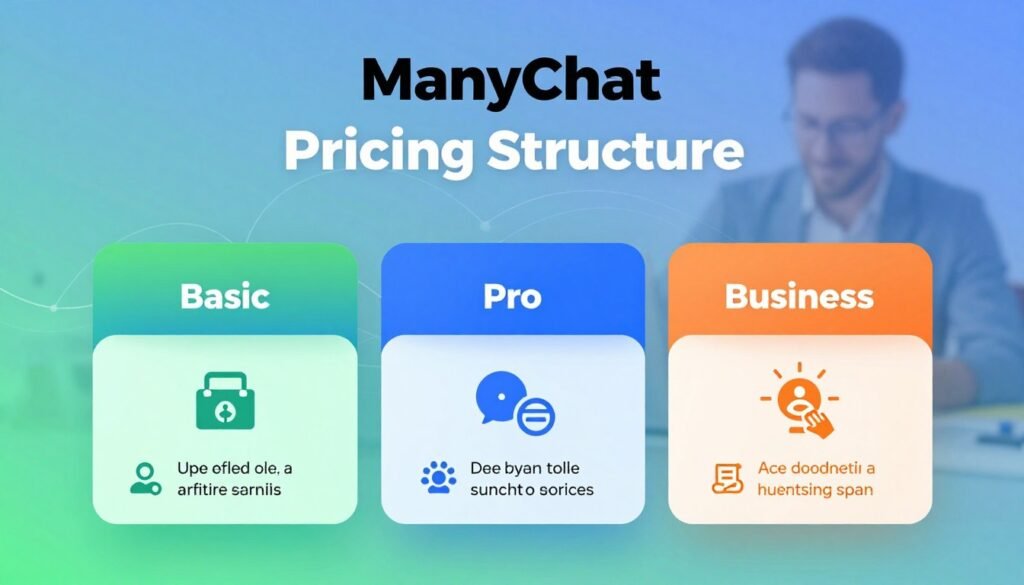
Each tier unlocks specific features and capacities. Understanding these details helps you select the right plan. It ensures you pay only for the tools you actually need.
Free Plan: Getting Started
The Free tier serves as a risk-free testing ground. It supports up to 1,000 contacts. This allows small-scale engagement and basic automation.
You get access to the core visual flow builder. This is essential for creating simple chatbot sequences. However, segmentation is limited to 10 tags.
Analytics are basic but provide key interaction data. This plan is ideal for solopreneurs or new users. It’s perfect for validating the concept before committing funds.
Pro Plan: Scaling Your Operations
The Pro subscription is the core offering for serious growth. It starts at $15 per month. This cost scales upward based on your number of contacts.
Key unlocks include unlimited segmentation tags. You gain access to advanced analytics and A/B testing for messages. The plan includes seats for three team members by default.
This tier is built for scaling business operations. It provides the tools needed for effective lead nurturing and support. Most small to medium-sized companies find their fit here.
Custom/Enterprise Plan: Tailored Solutions
Large organizations with complex needs require the Custom tier. Pricing is tailored through direct negotiation. It accommodates high-volume messaging across platforms.
Service includes dedicated onboarding and a customer success manager. Experts can craft sophisticated automations for your brand. Custom integration with internal systems is also possible.
This white-glove service suits enterprises needing robust security and scalability. It often includes priority access to live agents for assistance.
Choosing the correct tier depends on your audience size and goals. The Free version works for testing. The Pro tier powers most commercial growth.
The Custom option delivers enterprise-grade solutions. It manages vast contact lists and complex workflows.
Costs can escalate as your subscriber list grows. Add-ons like AI features or WhatsApp conversation fees increase the monthly bill. Budgeting for this growth is crucial.
The platform provides a 7-day free trial of Pro features. A 30-day money-back guarantee further reduces risk. This lets you evaluate the chatbot solution thoroughly.
Compared to other platforms, its pricing is accessible for small businesses. At scale, costs can become significant. The value lies in its specialized tools for conversational marketing.
Ultimately, the return on investment justifies the expense for active users. Automating text messages and support saves time and boosts sales. ManyChat offers a structured path from trial to enterprise deployment.
Key Features and Capabilities
Beyond basic messaging, a robust chatbot solution provides a suite of specialized tools designed for automation, growth, and support. These key features work together to create a powerful engine for customer interactions. Understanding each area helps you leverage the full potential of the platform.
AI-Powered Automation and Flow Builder
The visual flow builder is the core interface for creating automated conversations. This drag-and-drop editor requires no coding skills. You map out dialogue paths, set triggers, and define responses visually.
Advanced automation moves past simple keyword matching. AI Intents analyze user language to understand meaning. The AI Flow Builder Assistant can generate complete chatbot sequences from a simple description.
An AI step within a flow can dynamically answer unstructured questions. For enhanced writing, an AI Text Improver add-on is available for a monthly fee. These features make the chatbot builder more intelligent and adaptive.
Growth Tools for Lead Generation
A dedicated suite of growth tools captures leads directly from social media. Comment automation sends a message to users who comment on your posts. You can also trigger messages from story mentions and QR codes.
Broadcasts send bulk updates to your subscriber list. Sequences deliver timed, automated nurture campaigns. Rules can automate actions based on user behavior or contact tags. These tools turn passive viewers into engaged leads.
Live Chat and Omnichannel Inbox
Built-in live chat allows human agents to take over any automated conversation. This seamless handoff is crucial for complex service or sales issues. Team collaboration features let you assign chats and see internal notes.
Mobile apps keep your team connected on the go. Upgrading to Inbox Pro adds advanced analytics and auto-assignment rules. This blend of bot and human agent support ensures no customer query goes unanswered.
The platform operates as a true omnichannel hub. A single automation flow can work across Facebook Messenger, Instagram, WhatsApp, and SMS. It even supports TikTok and email.
Customer profiles merge interactions from all these channels into one view. This unified profile provides crucial context for every conversation.
Integrations and Ecosystem
Extensive integrations connect your chat automation to other critical business systems. Native connections include e-commerce platforms like Shopify and WooCommerce. CRM integration with HubSpot syncs lead data seamlessly.
Zapier connects to thousands more apps, including Google Sheets and MailChimp. Payment gateways like Stripe and PayPal enable transactions within chats. An integrated App Store offers over 60 additional tools.
These integrations are vital for creating a cohesive marketing and support engine. They eliminate manual data entry and keep information flowing. It’s important to note a couple of limitations.
The solution lacks a native website chat widget, requiring a workaround. Also, the most advanced AI capabilities come at an extra cost. Despite this, the feature set is comprehensive for conversational marketing.
Benefits for Modern Businesses
For modern companies, the strategic adoption of chat automation translates into concrete improvements across sales, support, and marketing. These tools deliver measurable value by optimizing resources and enhancing customer interactions.
Driving Sales and Lead Nurturing
A powerful chatbot directly fuels revenue growth. It automates critical touchpoints like abandoned cart reminders and personalized product recommendations.
These automated messages recover lost sales and facilitate purchases directly within the chat. For lead nurturing, automated sequences educate prospects and guide them through the funnel.
This process turns cold contact into warm leads ready for a sales conversation. Real-world results are compelling. Endeksa increased its lead generation by 138% after implementing this technology.
Streamlining Customer Support
Automated customer support provides instant, 24/7 responses to common questions. This frees human agents to tackle complex issues, dramatically improving response times.
A unified inbox manages conversations from all messaging platforms in one place. This streamlines operations for your service team.
The efficiency gains are significant. Axioma achieved an 89% resolution rate using an AI agent. Ad hoc Atelier reduced cart abandonment from 83% to 73% by integrating live chat support.
Enhancing Marketing Campaign Engagement
Marketing campaigns become deeply interactive with a chatbot. These tools can run quizzes, collect feedback, and deliver targeted content directly to users.
Audience segmentation using tags and custom fields allows for hyper-personalized messaging. This precision dramatically increases conversion rates and engagement.
Built-in analytics provide clear insights into campaign performance. Businesses can continuously optimize their marketing based on real customer behavior data.
In summary, a platform like ManyChat helps businesses achieve core goals. It increases revenue through better lead generation and sales automation.
It reduces operational costs by streamlining customer support. Most importantly, it builds stronger relationships through more responsive and engaging interactions.
How to Get Started with ManyChat
Launching your first automated messenger bot is a straightforward process that begins with a few simple steps. This guide walks you through bot creation and setup. You will learn to configure effective automation for your audience.
Following a clear plan ensures your chatbot works correctly from day one. We cover the initial setup and ongoing customization. These practices help you engage users and achieve your growth goals.
Step-by-Step Bot Creation
The first step is to sign up for an account on the platform. After registration, you must connect a messaging channel. This could be your Instagram, Facebook Page, or WhatsApp business account.
Ensure you connect the correct official business account. This grants the platform permission to send messages on your behalf. It is a crucial step for functionality.
Next, navigate to the Automation section in the dashboard. Click “New Automation” to begin. You will enter the visual flow builder interface.
Here, you choose between starting from scratch or using a pre-built template. Templates speed up setup for common uses like welcome messages or lead capture. They provide a proven structure.
Now, design your conversation path. Set up triggers that start the chatbot. Examples include receiving an Instagram DM or a comment on your post.
Then, add action blocks that define the bot’s responses. You can send text, images, or ask questions. The drag-and-drop builder makes this easy.
Use the AI assistant to help write engaging copy. This tool can generate dialogue based on your instructions. It improves the quality of your conversations.
Always preview and test your flow before publishing. Send test messages to see the user experience. Fix any errors in the logic or responses.
Finally, publish your bot to make it live for your audience. This final step activates your automation. Your bot is now ready to interact with contacts.

Best Practices for Setup and Customization
Effective customization makes your chatbot feel like part of your brand. Use your company’s voice and tone in all messages. This builds trust with users.
Set up helpful fallback responses for unanswered questions. A good fallback can redirect the conversation or offer human help. It prevents user frustration.
Personalize interactions using custom fields and tags. You can address people by name or reference past purchases. This increases engagement significantly.
Structure your flows logically. Keep conversations concise and focused on a single goal. Always include a clear call-to-action in key messages.
Thorough testing is non-negotiable. Use the preview mode to simulate real user journeys. Check all triggers and paths for smooth operation.
After publishing, monitor performance using built-in analytics. Track metrics like open rates and click-through rates. This data reveals what works.
Optimize your flows over time based on this analytics data. Update copy, adjust triggers, or shorten paths to improve results. Continuous improvement is key.
Explore integrations with other tools like your CRM or email platform. Connecting systems automates data sync and enriches conversations. It unlocks more growth potential.
Following these best practices ensures your chatbot delivers value from the start. It creates a positive experience for every contact.
Pros and Cons: An Honest Review
Evaluating any software requires a balanced look at its strengths and weaknesses. This analysis provides a clear picture of what to expect. It helps you decide if the platform fits your operational needs.
We examine the key advantages and challenges based on user experiences. This honest review covers both the powerful features and the potential limitations. The goal is to give you the full scope before making a choice.
Advantages of Using ManyChat
The platform offers several compelling pros for businesses. Its beginner-friendly interface stands out immediately. The drag-and-drop builder requires no coding skills.
This makes chatbot creation accessible to all users. You can design complex automation flows visually. It significantly reduces the learning curve.
Omnichannel automation is another major strength. You can manage conversations across Facebook, Instagram, and WhatsApp from one dashboard. This unified approach streamlines interactions.
Advanced segmentation allows for highly targeted messages. You can tag contacts based on behavior or preferences. This enables personalized text campaigns that boost engagement.
Robust integrations connect with popular e-commerce and CRM tools. This includes native links to Shopify and HubSpot. Data sync happens automatically, saving time.
Specific features like Instagram comment automation are powerful. The platform can instantly respond to comments with a direct message. This turns social engagement into leads.
The built-in live chat lets human agents step in seamlessly. AI tools assist with writing and flow generation. These features create a complete marketing and support system.
Challenges and Limitations
Despite its strengths, there are important cons to consider. A primary concern is platform dependency on Meta’s APIs. If Facebook or Instagram experience an outage, your bots may stop working.
This external reliance creates a vulnerability. It is a risk for businesses that depend heavily on these channels. You have limited control over these third-party systems.
Limited developer flexibility is another challenge. The platform does not support advanced scripting or real-time API calls for complex logic. Developers seeking deep customization may find it restrictive.
Managing chatbot conversations in multiple languages can be difficult. The system is not optimized for global multilingual support. This can be a barrier for international businesses.
Advanced AI capabilities often come at an extra cost. The AI Text Improver and similar tools are add-ons. This increases the total price beyond the base subscription.
Some users report issues with customer support responsiveness. While higher-tier plans offer better agent access, standard plans may face slower response times.
There is no native website chat widget. You must use a workaround or a separate tool for your website. This breaks the omnichannel experience for web visitors.
In summary, ManyChat excels in ease of use and marketing automation. It is ideal for businesses focused on social media lead generation. The visual builder and strong integrations are top advantages.
However, it may not suit companies needing deep technical control. Businesses with global multilingual audiences might face challenges. Industry reviews often give it a solid 4 out of 5 stars.
This balanced view helps you weigh the pros and cons effectively. Consider your need for analytics, triggers, and interfaces. The right choice depends on your specific business goals.
Top ManyChat Alternatives for 2024
Businesses seeking automation solutions have a growing array of alternatives to consider in 2024. Evaluating different chatbot platform options ensures you find the best fit for your specific needs.
Each platform brings unique features and strengths. Comparing them helps you invest in the right tools for growth.
Tidio: All-in-One Support and Chatbots
Tidio stands out as a comprehensive alternative. It bundles live chat, chatbots, and AI agents into one platform.
This creates a unified hub for all customer communication. A key feature is its native website chat widget.
This widget is crucial for businesses wanting to engage website visitors directly. The platform is ideal for companies needing robust support tools.
Its automation capabilities handle common queries and lead capture. Tidio’s integrations connect with popular e-commerce systems.
This makes it a strong alternative for holistic customer service and sales.
Voiceflow: Advanced AI and Team Collaboration
Voiceflow is a powerful choice for teams building sophisticated conversational AI. It is a no-code platform designed for creating advanced AI assistants.
The chatbot builder focuses on complex logic and dynamic responses. Its strength lies in team collaboration features.
Multiple users can design, comment, and test flows together in real-time. This is perfect for larger projects requiring input from various agents.
Voiceflow excels in scenarios needing deep automation logic and multi-turn dialogues. It is less focused on social media and more on custom AI bots.
Consider this alternative for projects demanding advanced AI and structured team workflows.
Chatfuel and MobileMonkey: Social-Focused Platforms
Chatfuel and MobileMonkey specialize in social media automation, similar to what Manychat offers. They are excellent alternatives for marketers invested in Facebook and Instagram.
Chatfuel focuses intensely on Facebook Messenger automation. Its builder is designed for quick campaign setup and lead generation.
MobileMonkey operates as a multi-channel chatbot for Facebook, SMS, and web chat. It has a strong lead generation focus with specific tools for list building.
Both platforms provide strong integrations for marketing stacks. They are ideal for driving sales conversations directly from social messages.
If your primary growth channel is social media, these are compelling options.
Other notable alternatives include GPTBots, which is a free platform with advanced AI supporting multiple LLMs. ChatBot.com emphasizes a visual builder for website chat.
Intercom is a premium solution combining live chat, support, and marketing messages. Each has unique selling points.
For businesses needing a website widget and unified support, Tidio is a top pick. Choose Voiceflow for projects requiring advanced AI logic and team-based design.
If your strategy revolves around Facebook and Instagram lead generation, explore Chatfuel or MobileMonkey. Always review pricing, analytics, and specific integrations before deciding.
The right platform aligns with your business goals, customer channels, and team capabilities.
Conclusion: Is ManyChat the Right Tool for Your Business?
Ultimately, the value of a chatbot platform is measured by its impact on your core business objectives. This solution provides accessible, powerful automation for messenger marketing and direct customer conversations. It is ideally suited for small to medium businesses, e-commerce stores, and digital creators.
Key features like the visual chatbot builder and growth tools make creating flows simple. The unified inbox streamlines support and live chat. While initial pricing is competitive, costs can increase as your contact list grows.
Consider its limitations, such as dependency on social media channels. For needs like a native website widget or advanced AI logic, explore alternatives like Tidio. These platforms may offer different integrations and analytics.
Rated highly for ease of use and value, it’s a strong choice for driving sales and lead generation on social apps. Test its service with the free plan to see if it aligns with your business goals.