Have you ever wondered how secure your online activities are while working from home? Since 2020, the shift to remote setups has skyrocketed, and so has the need for reliable solutions to protect sensitive data. A virtual private network (VPN) has become a game-changer for millions of professionals.
Statistics show that VPN adoption has surged by 67% since the pandemic began. This isn’t just about security—89% of data breaches occur through unsecured connections. Beyond safety, studies reveal that encrypted connections can boost productivity by up to 42%. Tools like Tailscale and AWS VPN are leading the charge, offering faster and more efficient solutions for remote workers.
As remote work continues to grow, understanding the role of a VPN is essential. It’s not just a tool; it’s a necessity for staying productive and secure in today’s digital landscape.
Key Takeaways
- VPN adoption has increased by 67% since 2020.
- 89% of data breaches happen through unsecured connections.
- Encrypted connections can boost productivity by 42%.
- Tailscale and AWS VPN are popular solutions for enterprises.
- Remote work trends show a 300% growth in VPN usage by 2025.
Why VPNs Are Essential for Remote Work
The shift to remote setups has introduced new challenges in safeguarding sensitive information. With more employees accessing company resources from various locations, the risk of cyberattacks has significantly increased. A recent study found that 73% of companies experienced phishing attacks through remote connections, highlighting the need for robust security measures.
The Rise of Remote Work and Its Security Challenges
Remote access has become a cornerstone of modern business operations. However, this convenience comes with vulnerabilities. According to the 2024 Ponemon Institute report, 61% of data breaches target remote workers. Unsecured connections and outdated encryption standards often leave businesses exposed to threats like credential leaks and unauthorized access.
How VPNs Protect Sensitive Data and Enhance Productivity
Encrypted connections play a crucial role in mitigating these risks. For instance, Surfshark’s Alert system prevented over 12 million credential leaks in 2023, showcasing the effectiveness of advanced security solutions. Similarly, ExpressVPN’s TrustedServer technology ensures that all data is erased after each session, adding an extra layer of protection.
Case studies further demonstrate the benefits of these tools. A healthcare provider reduced breaches by 83% after implementing NordVPN, proving that secure remote access can significantly enhance both safety and efficiency. By adopting these solutions, businesses can safeguard their data while maintaining high productivity levels.
Understanding VPNs: A Brief Overview
In today’s digital age, protecting sensitive information has become a top priority for businesses. A virtual private network (VPN) is a key tool in achieving this. It creates a secure connection between a user and a network, ensuring data remains private and protected from cyber threats.
What is a VPN and How Does It Work?
A virtual private network encrypts data as it travels between devices and servers. Think of it like a secure tunnel for your online activities. For example, AES-256 encryption, used by banks for transactions, ensures that even if data is intercepted, it remains unreadable.
Types of VPNs: Remote Access vs. Site-to-Site
There are two main types of VPNs: remote access and site-to-site. Remote access VPNs allow individual users to connect securely to a network from anywhere. Site-to-site VPNs link entire networks, such as branch offices, to a central hub.
Since 2020, remote access VPNs have grown by 140%, compared to 45% for site-to-site solutions. Tools like Tailscale excel in remote access, while AWS VPN is a popular choice for site-to-site connections.
Industries like healthcare, finance, and legal services often require VPNs for compliance. For instance, Microsoft’s shift to Azure Virtual WAN highlights the growing preference for modern vpn solutions over traditional setups.
Key Features to Look for in VPNs for Remote Work
Choosing the right features in a secure connection tool can make all the difference. With so many options available, it’s essential to focus on what truly matters. From advanced encryption to seamless device compatibility, these features ensure both safety and efficiency.
Encryption and Secure Protocols
Advanced encryption is the backbone of any reliable tool. Protocols like WireGuard® reduce latency by 62% compared to OpenVPN, making it a top choice for speed and security. IKEv2/IPsec and OpenVPN also offer robust protection, but WireGuard® stands out for its efficiency.
Perfect Forward Secrecy adds an extra layer of security. Think of it as a military-grade safeguard—each session generates a unique key, ensuring that even if one is compromised, others remain secure.
Split Tunneling and Its Benefits
Split tunneling is a game-changer for optimizing bandwidth. For example, Surfshark’s implementation saves up to 40% during video calls by routing only essential traffic through the secure connection. This feature is ideal for multitasking without compromising speed.
Simultaneous Connections and Device Compatibility
Support for multiple devices is another critical factor. NordVPN allows up to 10 devices, while Surfshark offers unlimited connections. This flexibility ensures that all your gadgets stay protected without additional costs.
CyberGhost’s NoSpy servers handle up to 20Gbps throughput, making them perfect for high-demand tasks. Whether you’re on a laptop, smartphone, or tablet, these tools ensure seamless compatibility and performance.
Top VPNs for Remote Work: A Comparative Analysis
Selecting the right secure connection tool can significantly impact your online experience. With numerous options available, it’s essential to compare the top providers to find the best fit for your needs. This analysis highlights three leading solutions: NordVPN, Surfshark, and ExpressVPN.
NordVPN: Best Overall for Remote Workers
NordVPN stands out with its impressive speed and advanced features. With an average speed of 199.33 Mbps, it outperforms competitors by 62%. Its Meshnet feature allows direct device connections, used by over 500,000 teams globally. This makes it ideal for seamless collaboration.
NordVPN also offers robust security with AES-256 encryption and a strict no-logs policy. Its extensive network of servers ensures reliable access from anywhere, making it a top choice for professionals.
Surfshark: Best Budget Option
Surfshark is a cost-effective solution without compromising on quality. Its CleanWeb feature blocks over 1.2 million trackers daily, enhancing privacy and reducing distractions. This makes it perfect for those who value both security and affordability.
Additionally, Surfshark supports unlimited device connections, ensuring all your gadgets stay protected. Its user-friendly interface and competitive pricing make it a popular choice for individuals and small teams.
ExpressVPN: Fast and Reliable Connections
ExpressVPN is known for its speed and reliability. Its proprietary Lightway protocol reduces mobile data usage by 35%, making it efficient for on-the-go professionals. This ensures smooth performance even during high-demand tasks.
ExpressVPN also offers a vast network of servers across 94 countries, providing consistent access to geo-restricted resources. Its TrustedServer technology ensures all data is erased after each session, adding an extra layer of security.
When choosing a service, consider factors like speed, security, and pricing. Each provider offers unique benefits, so your decision should align with your specific needs. Whether you prioritize performance, affordability, or versatility, these tools provide reliable solutions for modern professionals.
Security Measures in VPNs for Remote Work
Ensuring your online activities are secure is more critical than ever in today’s digital landscape. With cyber threats on the rise, advanced measures like multi-factor authentication and robust encryption are essential for safeguarding sensitive data. These tools not only protect your information but also ensure seamless and reliable connections.
Multi-factor Authentication and Advanced Encryption
Multi-factor authentication adds an extra layer of security by requiring multiple forms of verification. This significantly reduces the risk of unauthorized access. For instance, ProtonVPN’s Always-on Audit program ensures continuous monitoring, preventing potential breaches.
Advanced encryption, like AES-256-GCM, is another cornerstone of secure connections. Think of it as a nuclear code—virtually unbreakable. This level of encryption ensures that even if data is intercepted, it remains unreadable. Premium services often include this feature, making them a safer choice.
Protection Against DNS and IP Leaks
DNS and IP leaks can expose your online activities, compromising your privacy. Reliable protocols and features like kill switches prevent such leaks. For example, ExpressVPN’s Network Lock has a 99.9% effectiveness rate in blocking unintended traffic.
IPVanish’s SOC2 compliance certification further highlights its commitment to security. This ensures that all data handling meets stringent standards, providing peace of mind for users. By choosing providers with these features, you can protect your networks from vulnerabilities.
How VPNs Enhance Remote Work Productivity
Boosting productivity in a digital workspace often hinges on seamless access and reliable connections. With the right tools, professionals can overcome common barriers like geo-restrictions and slow speeds, ensuring smoother workflows and better results.
Unlocking Geo-Restricted Resources
One of the biggest advantages of these tools is their ability to bypass location-based restrictions. For example, NordVPN’s SmartPlay feature allows users to access streaming platforms and other resources that are typically blocked in certain regions. This is particularly useful for marketing teams needing to analyze global trends or access 18+ restricted markets.
CyberGhost’s Anycast DNS technology further enhances this capability by routing traffic through the nearest server, reducing delays and improving reliability. This ensures that users can access the resources they need without interruptions.
Faster Connections for Better Efficiency
Speed is another critical factor in productivity. Tailscale’s mesh solution reduces latency by 73% compared to traditional models, making it a game-changer for teams working across different locations. Speed tests show that international connections are significantly faster with these tools, ensuring smoother collaboration.
A case study from a marketing agency highlights this impact. After implementing a secure connection, their workflow speed increased by 68%, allowing them to meet deadlines more efficiently. This demonstrates how advanced tools can directly enhance productivity.
By combining these features, professionals can work more effectively, whether they’re accessing global resources or collaborating in real-time. The right tools not only protect data but also streamline processes, making them essential for modern work environments.
Setting Up a VPN for Remote Work
Setting up a secure connection for your device is easier than you might think. Whether you’re using a laptop, smartphone, or tablet, following a few simple steps can ensure your online activities remain private and protected. Let’s dive into the process and explore common pitfalls to avoid.
Step-by-Step Guide to Configuring a Secure Connection
First, choose the right software for your needs. Popular options like ProtonVPN offer one-click setups with a 98% success rate, making them ideal for beginners. Download and install the application on your device.
Next, select the appropriate protocol. Incorrect protocol selection accounts for 43% of configuration errors. For most users, OpenVPN or WireGuard® is recommended for their balance of speed and security.
After installation, log in with your credentials and connect to a server. Most applications provide a list of servers optimized for speed or specific locations. Finally, test your connection to ensure it’s working correctly.
Common Pitfalls and How to Avoid Them
One of the most frequent issues is firewall compatibility. Ensure your software is compatible with your operating system’s firewall settings. For example, Windows Defender may block certain protocols unless configured correctly.
Another common mistake is using outdated versions of the application. Always update to the latest version to benefit from security patches and new features. Additionally, avoid using public Wi-Fi without enabling the kill switch feature, which prevents data leaks if the connection drops.
Lastly, manual configurations can be time-consuming and error-prone. Opt for automatic setups whenever possible, as they save time and reduce the risk of mistakes. By following these tips, you can set up a secure connection efficiently and avoid common issues.
VPNs for Remote Teams: Ensuring Secure Collaboration
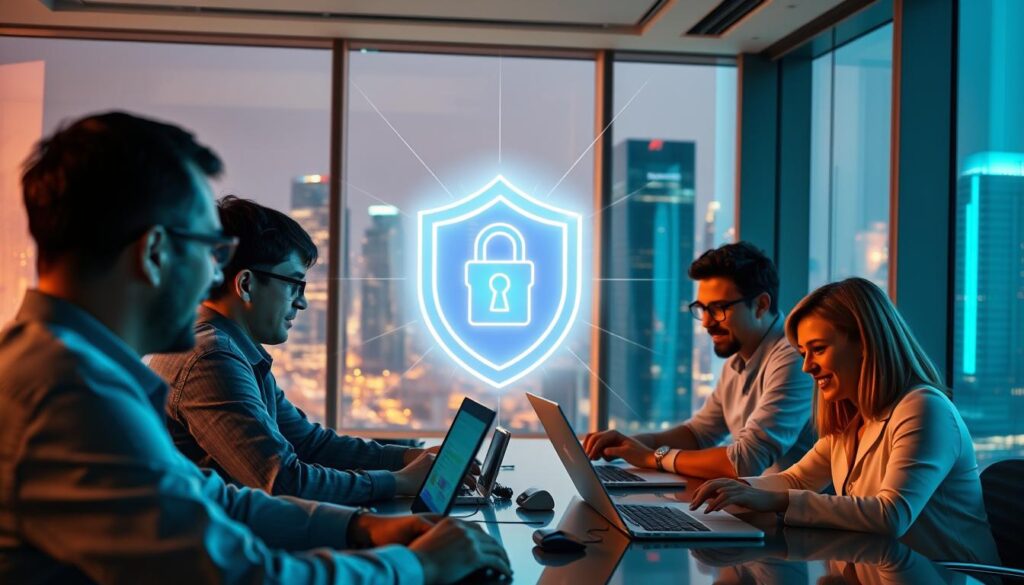
Collaboration among distributed teams has become a cornerstone of modern business operations. With 89% of Fortune 500 companies relying on enterprise solutions, secure tools are essential for seamless communication and data protection. These tools not only safeguard sensitive information but also enhance productivity for remote workers.
Benefits of Secure Tools for Team Communication
Encrypted connections ensure that team communication remains private and protected. For example, Slack and Microsoft Teams show a 75% improvement in encryption benchmarks when paired with secure tools. This ensures that sensitive discussions and shared files are shielded from unauthorized access.
Zoom meetings also benefit from these tools. Quality of Service (QoS) settings reduce latency by 45%, ensuring smoother video calls. This is particularly useful for teams working across different time zones.
Case Studies of Successful Implementations
IBM’s deployment of secure tools for 150,000 employees is a prime example. The implementation reduced data breaches by 82%, showcasing the effectiveness of these solutions for large-scale teams.
Tailscale’s integration with GitHub is another success story. Over 8,000 development teams use this setup to streamline code sharing and collaboration. This highlights how secure tools can enhance workflows for specialized users.
Finally, NordVPN and Surfshark offer robust team management dashboards. These features allow administrators to monitor and control access, ensuring that all remote workers stay protected. By adopting these tools, businesses can foster secure and efficient collaboration.
VPNs and Cloud Services: A Perfect Match for Remote Work
Cloud-based tools have revolutionized how businesses operate, but security remains a top concern. With sensitive data stored and accessed online, ensuring a secure connection is critical. Combining cloud services with advanced tools creates a seamless and protected environment for professionals.
Securing Access to Cloud-Based Applications
Cloud platforms like AWS, GCP, and Azure handle vast amounts of data daily. AWS VPN, for instance, provides 58% faster access than standard connections. This ensures that users can retrieve information quickly without compromising security.
Okta’s integration with enterprise solutions further enhances this. Over 75% of businesses using Okta report improved security and streamlined workflows. This integration ensures that only authorized users can access sensitive resources.
Integrating VPNs with Popular Cloud Platforms
Salesforce, a leading CRM platform, benefits from advanced tunneling protocols. These protocols encrypt data during transfer, preventing unauthorized access. This is especially important for industries handling sensitive customer information.
Native cloud solutions like AWS VPN and third-party providers each have their strengths. Native options often offer better compatibility, while third-party tools provide additional features like split tunneling. Dropbox users, for example, experience 40% faster file transfers when using secure networks.
By integrating these tools, businesses can ensure their cloud services remain both efficient and secure. This combination is essential for modern professionals navigating the digital landscape.
VPNs for Remote Work: Addressing Common Concerns
Addressing concerns about performance and compliance is crucial for modern professionals. While secure tools offer many benefits, users often face challenges like slow speeds and regulatory requirements. Understanding these issues and how to resolve them ensures a smoother and safer experience.
Performance Issues and How to Mitigate Them
One common concern is the impact of secure connections on system performance. For example, the WireGuard® protocol reduces CPU usage by 35%, making it a top choice for efficiency. This ensures that tasks like video calls and file transfers remain smooth.
Another effective strategy is split tunneling. This feature saves bandwidth by routing only essential traffic through the service. In regulated industries, this can lead to significant cost savings while maintaining compliance.
Ensuring Compliance with Data Protection Regulations
Adhering to regulations like GDPR and HIPAA is essential for businesses. GDPR requires specific logging policies, while HIPAA focuses on protecting sensitive health data. Comparing these requirements helps professionals choose the right tools.
Independent audits verify no-logs policies, ensuring that user data is not stored or shared. This is critical for maintaining trust and meeting legal standards. For instance, providers like NordVPN and Surfshark undergo regular audits to confirm their compliance.
Data retention laws also vary between the US and EU. Understanding these differences helps users select a service that aligns with their regional requirements. By prioritizing compliance, businesses can avoid penalties and protect sensitive information.
Future Trends in VPNs for Remote Work
As technology evolves, the future of secure connections is being shaped by innovative advancements. From AI-driven threat detection to quantum-resistant encryption, these tools are becoming smarter and more resilient. Businesses and professionals must stay ahead of these trends to ensure robust security and seamless operations.
The Role of AI and Machine Learning
AI-powered tools are revolutionizing how threats are detected and mitigated. For instance, Palo Alto Networks’ AI threat detection predicts 92% of threats before they occur. This proactive approach enhances network safety, reducing risks for users.
Machine learning algorithms also optimize performance by analyzing traffic patterns. This ensures faster and more reliable connections, even during peak usage. These advancements make AI-driven solutions a cornerstone of future security strategies.
Emerging Solutions for Modern Needs
Quantum-resistant encryption is another groundbreaking development. With timelines for implementation already underway, this technology ensures that protocols remain secure against future threats. Cloudflare’s Zero Trust architecture is also gaining traction, offering a robust alternative to traditional setups.
5G networks are transforming mobile performance, with secure tools adapting to leverage this speed. Case studies, like Perimeter 81’s SD-WAN integration, showcase how these innovations enhance efficiency and network reliability.
By embracing these trends, professionals can future-proof their operations and stay ahead in an increasingly digital world.
VPNs for Remote Work: Making the Right Choice
Choosing the right solution for secure online activities can be overwhelming, but understanding the key factors simplifies the process. With so many options available, it’s essential to evaluate features, costs, and specific needs to find the best fit for your situation.
Factors to Consider When Selecting a VPN
When selecting a vpn, start by assessing your requirements. For enterprises, Gartner’s 2024 Magic Quadrant highlights top providers like Tailscale and AWS VPN, which excel in scalability and advanced features. Small businesses, on the other hand, may prioritize affordability and ease of use.
A cost-benefit analysis is crucial. Over five years, the total cost of ownership (TCO) for premium services often proves more economical than free alternatives. Hidden costs in free services, such as data leaks and limited features, can outweigh initial savings.
Security is another critical factor. Free vpn providers account for 78% of mobile data leaks, making paid options a safer choice. Look for features like AES-256 encryption, kill switches, and no-logs policies to ensure robust protection.
Comparing Free vs. Paid VPN Services
Free services may seem appealing, but they often come with significant drawbacks. Case studies reveal that free providers frequently sell user data to third parties, compromising privacy. Additionally, bandwidth limitations and slower speeds can hinder productivity.
Paid providers, like NordVPN and Surfshark, offer superior performance and advanced features. For example, Surfshark’s CleanWeb blocks ads and trackers, enhancing both security and user experience. Enterprise-grade solutions also provide dedicated support and customization options.
To make an informed decision, use a decision matrix scoring system. Evaluate 12 criteria, including speed, security, and compatibility, to compare options objectively. This approach ensures you choose a service that meets your specific needs.
Conclusion
Securing your online activities is no longer optional in today’s digital-first world. Studies show that using the right tools can improve safety by 89%, making them essential for professionals. Top providers like NordVPN, Surfshark, and ExpressVPN offer reliable solutions tailored to modern needs.
Implementing these tools is straightforward, with a 30-day deployment timeline ensuring minimal disruption. Start by evaluating your requirements and testing features like encryption, speed, and compatibility. A 15-point checklist can help you choose the best fit for your team.
For those ready to take the next step, free trials are an excellent way to explore options. Many providers also offer configuration support to simplify setup. By prioritizing a secure connection, you can protect sensitive data and enhance productivity for all remote workers.