Did you know that 60% of small and medium-sized businesses face cybersecurity attacks? With threats on the rise, protecting sensitive data has never been more critical. But here’s the real question: Are traditional authentication methods enough, or is it time to embrace modern alternatives?
According to CISA, implementing multi-factor authentication can reduce the risk of hacking by 99%. However, newer solutions like passkeys are gaining traction as a passwordless option. These innovations promise enhanced security and a smoother user experience.
Major players like Microsoft and Google are already integrating passkeys into their ecosystems. But for resource-constrained businesses, choosing the right solution can be challenging. This article dives into the pros and cons of each method, helping you make an informed decision for your business.
Key Takeaways
- Cybersecurity attacks target 60% of small and medium-sized businesses.
- Multi-factor authentication reduces hacking risks by 99%.
- Passkeys offer a modern, passwordless authentication alternative.
- Major tech companies like Microsoft and Google are adopting passkeys.
- Choosing the right solution depends on security, usability, and resources.
Introduction to MFA and Passkeys for SMEs
Cybersecurity is no longer optional for businesses—it’s a necessity. With 43% of cyberattacks targeting small businesses, adopting robust authentication methods is critical. Yet, 63% of SMEs still don’t use multi-factor authentication, leaving them vulnerable to breaches.
Traditional passwords are increasingly risky. They’re prone to theft, reuse, and phishing attacks. Modern solutions like multi-factor authentication (MFA) and passkeys offer stronger protection. MFA adds layers of security by requiring multiple credentials, such as a password and a one-time code.
Passkeys, on the other hand, eliminate passwords entirely. Built on the FIDO2 standard, they use public/private key cryptography for secure, passwordless logins. This method relies on biometric or physical verification, enhancing both security and user experience.
Both MFA and passkeys combat common threats like credential stuffing and phishing. Major tech companies like Apple and Google are already integrating passkeys into their ecosystems, signaling a shift toward passwordless authentication.
For resource-constrained businesses, choosing the right solution involves weighing costs, implementation complexity, and long-term benefits. The urgency to act is clear—cyberattacks are rising, and small businesses are prime targets.
What is Multi-Factor Authentication (MFA)?
Businesses today face increasing cybersecurity threats, making robust authentication essential. Multi-factor authentication (MFA) adds layers of protection by requiring multiple credentials. These credentials fall into three categories: something you know (like a password), something you have (like a device), and something you are (like a fingerprint).
Types of MFA
SMS or email one-time passwords (OTPs) are the most common, with 67% adoption. They’re convenient but vulnerable to SIM-swapping attacks. Authenticator apps, like Google or Microsoft Authenticator, generate time-bound codes and are used by 42% of businesses. These apps are more secure than SMS but still rely on a device.
Hardware tokens, such as YubiKey, provide physical verification and are the most secure option. Only 18% of businesses use them due to higher costs. Push notifications are another method, sending access requests to a mobile device for approval. While user-friendly, they depend on internet connectivity.
When comparing security levels, hardware tokens outperform apps, which are better than SMS. For example, Mercari reported an 82.5% success rate with passkeys compared to 67.7% with SMS OTPs. Additionally, MFA complies with regulations like PCI DSS and HIPAA, making it a reliable choice for businesses.
What are Passkeys?
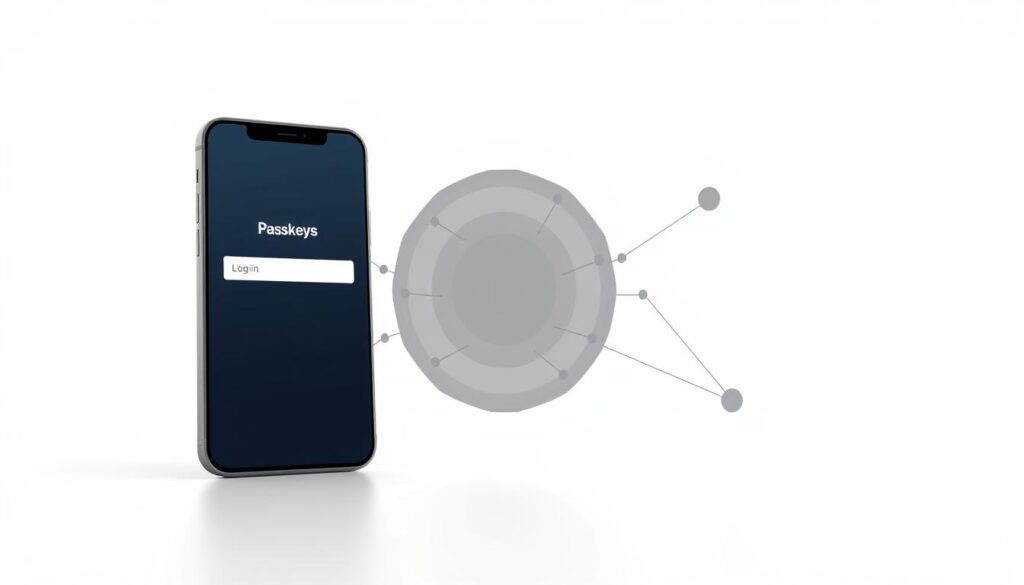
Passkeys are transforming the way businesses approach authentication. Built on the FIDO2 and WebAuthn standards, they provide a secure, passwordless login experience. Unlike traditional methods, passkeys use asymmetric cryptography, ensuring private keys never leave the user’s device.
How Passkeys Work
During registration, a public/private key pair is generated. The private key stays securely on the user’s device, while the public key is shared with the service. This setup eliminates shared secrets, making passkeys resistant to phishing attacks.
To log in, users verify their identity using biometrics like fingerprints or facial recognition. This process is quick and seamless, enhancing both security and user experience. Passkeys also support cross-device sync via encrypted cloud storage, allowing access from multiple devices.
Another key feature is domain binding, which prevents authentication on fake websites. This ensures users only log in to legitimate platforms. Companies like Google and PayPal have already implemented passkeys, showcasing their effectiveness.
For businesses using legacy systems, passkeys offer fallback options like one-time codes. This ensures compatibility while transitioning to a passwordless future. With their advanced features, passkeys are setting a new standard in authentication.
MFA vs Passkeys: Key Differences
Choosing the right authentication method can significantly impact your business’s security and efficiency. While both multi-factor authentication and passkeys aim to protect sensitive data, they differ in their approach, usability, and implementation. Understanding these differences is crucial for making an informed decision.
Security Mechanisms
Multi-factor authentication relies on layered checks, combining something you know (like a password) with something you have (like a device). This method reduces risks but can still be vulnerable to SMS interception or phishing. In contrast, passkeys use cryptographic proofs, ensuring private keys never leave the user’s device. This makes them resistant to phishing and credential theft.
CISA recommends phishing-resistant MFA, which aligns with passkeys’ advanced security features. While MFA adds layers, passkeys eliminate shared secrets entirely, offering a more robust solution.
User Experience
MFA often involves multi-step flows, which can frustrate users and lead to login abandonment. Passkeys, on the other hand, provide a one-tap authentication experience. For example, MyGov saw 200,000 users adopt passkeys in just three months, highlighting their ease of use.
Passkeys also reduce login abandonment by 30%, thanks to their seamless integration with biometrics like fingerprints or facial recognition. This enhances both security and user experience, making them a preferred choice for modern businesses.
Implementation Complexity
MFA is relatively easy to implement, often requiring plugin integrations or SMS-based codes. However, it comes with ongoing costs, such as $0.05 per SMS. Passkeys, built on the FIDO2 standard, require more initial setup but cost just $0.0001 per authentication in the long run.
Legacy systems may pose challenges for passkey adoption, but fallback options like one-time codes ensure compatibility. For businesses, the choice depends on balancing upfront complexity with long-term benefits.
Benefits of MFA for SMEs
Protecting sensitive data is a top priority for businesses in today’s digital landscape. Multi-factor authentication (MFA) offers a robust solution to enhance security and reduce risks. By requiring multiple verification steps, MFA ensures that only authorized users gain access to critical systems.
One of the key advantages of MFA is its ability to prevent 99.9% of account compromise attacks, according to Microsoft. This makes it an essential tool for businesses looking to safeguard their operations. Additionally, MFA helps organizations meet compliance requirements like GDPR and CCPA, ensuring they avoid costly penalties.
MFA also supports remote workforce security, enabling employees to work safely from anywhere. This flexibility is crucial in today’s hybrid work environment. Moreover, implementing MFA can reduce helpdesk costs by 31%, as reported by Gartner, by minimizing password-related issues.
Case Studies
A healthcare provider reduced data breaches by 78% after adopting MFA, showcasing its effectiveness in high-risk industries. In another example, a financial SME blocked a $450,000 phishing attempt using hardware tokens. These real-world cases highlight the tangible benefits of MFA for businesses.
An e-commerce store cut credential stuffing attacks by 89% with app-based MFA, improving both security and customer trust. Similarly, a legal firm achieved SOC2 compliance by implementing adaptive MFA, demonstrating its value in meeting regulatory standards.
These examples illustrate how MFA can protect businesses from cyber threats while enhancing operational efficiency. For SMEs, adopting MFA is a strategic move to ensure long-term security and success.
Benefits of Passkeys for SMEs
In today’s digital age, businesses are constantly seeking ways to enhance security while improving user experience. Passkeys offer a modern solution that addresses both needs effectively. By eliminating passwords, they reduce vulnerabilities and streamline the login process.
One of the standout benefits is cost savings. Businesses spend an average of $70 per user annually on password resets. Passkeys remove this expense entirely. Additionally, they enable customer logins in just three seconds, boosting efficiency and satisfaction.
Passkeys also help businesses achieve FIDO2 certification, which is often required for tenders and contracts. This certification demonstrates a commitment to advanced authentication standards, enhancing credibility and trust.
Real-World Success Stories
A SaaS startup saw a 22% increase in conversions after implementing magic links, a feature enabled by passkeys. This improvement highlights how seamless user experience can drive business growth.
In the banking sector, a financial institution reduced fraud losses by $1.2 million by adopting biometric passkeys. This case underscores their effectiveness in preventing phishing and other cyber threats.
Finally, a university streamlined access for 50,000 students using passkeys. This adoption simplified the login process while maintaining high security standards, proving their scalability for large organizations.
These examples demonstrate how passkeys can transform authentication for businesses of all sizes, offering both security and convenience.
Challenges of Implementing MFA and Passkeys
Implementing advanced authentication methods can be a game-changer for businesses, but it’s not without its hurdles. From upfront costs to integration complexities, organizations must navigate several challenges to ensure a smooth transition.
Cost Considerations
One of the primary concerns is the cost of deployment. Hardware tokens, for example, can range from $15 to $100 per user. While this may seem steep, it’s essential to weigh these expenses against the potential savings. The average cost of a data breach is $4.35 million, making investments in security a smart long-term strategy.
Businesses should also consider the return on investment (ROI). For instance, implementing multi-factor authentication costs around $5 per user annually. Compared to the financial impact of a breach, this is a small price to pay for enhanced protection.
Technical Challenges
Integrating new systems with legacy infrastructure can be a significant hurdle. Many organizations rely on outdated technology that may not support modern authentication methods. This requires careful planning and potentially costly upgrades.
Employee training is another critical factor. Ensuring staff understand and adopt new processes can be time-consuming. Additionally, compatibility issues with biometric sensors or backup workflows can complicate the implementation process.
Despite these challenges, the benefits of advanced authentication methods far outweigh the obstacles. By addressing these issues proactively, businesses can build a more secure and efficient organization.
How to Choose Between MFA and Passkeys for Your SME
Deciding on the best authentication method for your business requires careful evaluation. With 68% of customers abandoning password-only sites, it’s clear that outdated methods no longer suffice. The choice between multi-factor authentication and passkeys depends on several factors, including risk levels, user needs, and compliance requirements.
Factors to Consider
Start by auditing your current authentication pain points. Identify areas where users face friction or where access is vulnerable. This step helps pinpoint which method aligns best with your business goals.
Next, map out regulatory requirements like PCI DSS Level 3. Ensuring compliance is critical for avoiding penalties and maintaining trust. Evaluate your workforce and customer tech literacy to determine which solution they can adopt seamlessly.
Assess your existing IT infrastructure readiness. Some systems may require upgrades to support advanced authentication methods. Calculate the total cost of ownership, including setup, maintenance, and potential savings from reduced risk.
Prioritize high-risk accounts first, such as admin or financial systems. Finally, plan a phased rollout strategy to minimize disruptions and ensure smooth adoption. By considering these factors, you can make an informed decision that enhances both security and user experience.
Future Trends in Authentication for SMEs
The landscape of authentication is evolving rapidly, driven by advancements in technology and the need for stronger cybersecurity. As businesses face increasing threats, adopting innovative solutions is no longer optional—it’s essential for survival.
By 2026, 74% of enterprises plan to adopt passkeys, signaling a significant shift toward passwordless authentication. This trend is fueled by the growing demand for seamless user experiences and robust security measures.
Emerging Technologies
Passwordless adoption is growing at a 32% CAGR, reflecting its effectiveness in reducing vulnerabilities. AI-driven behavioral authentication is also gaining traction, using machine learning to analyze user patterns and detect anomalies.
Quantum-resistant cryptography is another area of focus, ensuring that systems remain secure even as quantum computing advances. Decentralized identity standards (DIDs) are being developed to give users more control over their data.
IoT device authentication solutions are addressing the unique challenges of connected devices, while predictive threat detection integrates AI to anticipate and prevent attacks before they occur.
These innovations are shaping the future of authentication, offering businesses new ways to protect their assets and enhance user trust. Staying ahead of these trends is crucial for long-term success in a digital-first world.
Conclusion
Securing your business data is a critical step in today’s digital world. Multi-factor authentication (MFA) has proven its effectiveness, blocking 99% of breaches. This method adds layers of protection, ensuring only authorized users gain access.
On the other hand, passkeys offer a seamless balance between security and user experience. They eliminate passwords, reducing friction and boosting conversions by 22%. This makes them a strong contender for modern authentication needs.
For critical systems, a hybrid approach combining MFA and passkeys can provide optimal protection. Start with a clear implementation roadmap, prioritizing high-risk areas. Assess your business size and industry to choose the best solution.
Take action today by evaluating your current security measures. A proactive approach ensures your business stays protected in an ever-evolving threat landscape.