
Have you ever wondered how top brands consistently engage their audience while saving hours every week? The secret lies in automation, a game-changer in modern strategies. With tools like Sprinklr and ChatGPT, businesses are transforming how they connect with their audience.
Automation can save professionals up to 6-7 hours weekly, according to G2 data. This isn’t just about saving time—it’s about enhancing engagement and making data-driven decisions. Over 79% of marketers are already leveraging AI to boost their results.
By integrating automation into your strategy, you can unlock significant ROI growth. This article will guide you through practical steps to implement these tools effectively. Ready to transform your approach? Let’s dive in.
Key Takeaways
- Automation saves up to 6-7 hours weekly.
- 79% of marketers use AI to enhance engagement.
- Data-driven decisions lead to better outcomes.
- Tools like Sprinklr and ChatGPT streamline processes.
- Automation boosts ROI in digital strategies.
What is Social Media Automation?
Ever thought about how brands stay active online without constant effort? The answer lies in automation. It’s the use of tools to handle tasks like scheduling, monitoring, and reporting. This approach helps businesses maintain a strong presence while freeing up time for strategic planning.
Definition and Purpose
At its core, social media automation is about efficiency. It allows brands to schedule posts, track engagement, and analyze performance without manual intervention. The main goal is to stay active and responsive while focusing on bigger goals.
Examples of Social Media Automation
Take Coca-Cola’s “Share a Coke” campaign. They used automated tools to track conversations across 150+ countries. This helped them engage with their audience effectively. Another example is chatbots, which can improve response times by 40%. Tools like Sprinklr use smart scheduling to optimize when posts go live. Automated content curation can also reduce manual research by 60%, making it a game-changer for busy teams.
Why Social Media Automation is Essential
In today’s fast-paced digital world, staying ahead requires more than just manual effort. Smart tools are transforming how businesses operate, saving time and boosting results. 63% of marketers are leveraging AI to drive revenue growth, proving that automation is no longer optional—it’s essential.
Time Efficiency
One of the biggest advantages is the ability to save time. Tools like Sprinklr enable bulk scheduling, saving professionals up to 6-7 hours weekly. This allows teams to focus on strategic tasks rather than repetitive ones. Faster response times, up to 35% with Sprinklr, ensure that brands stay responsive without constant oversight.
Enhanced Engagement
Automation also drives better engagement. For example, ChatGPT-generated content achieves a 25% higher click-through rate (CTR). Real-time alerts prevent 68% of potential PR crises, ensuring brands maintain a positive image. Sentiment analysis-driven campaigns have shown a 300% ROI increase, making automation a powerful tool for connecting with audiences.
In-depth Analytics
Finally, automation provides detailed analytics and metrics. Microsoft’s use of social listening tools improved their product development cycles significantly. These insights help brands make data-driven decisions, ensuring their strategy is always aligned with audience needs.
Top Social Media Automation Tools to Save Time
Looking for ways to streamline your online presence? The right tools can make all the difference. From scheduling to design, these solutions help you work smarter, not harder.
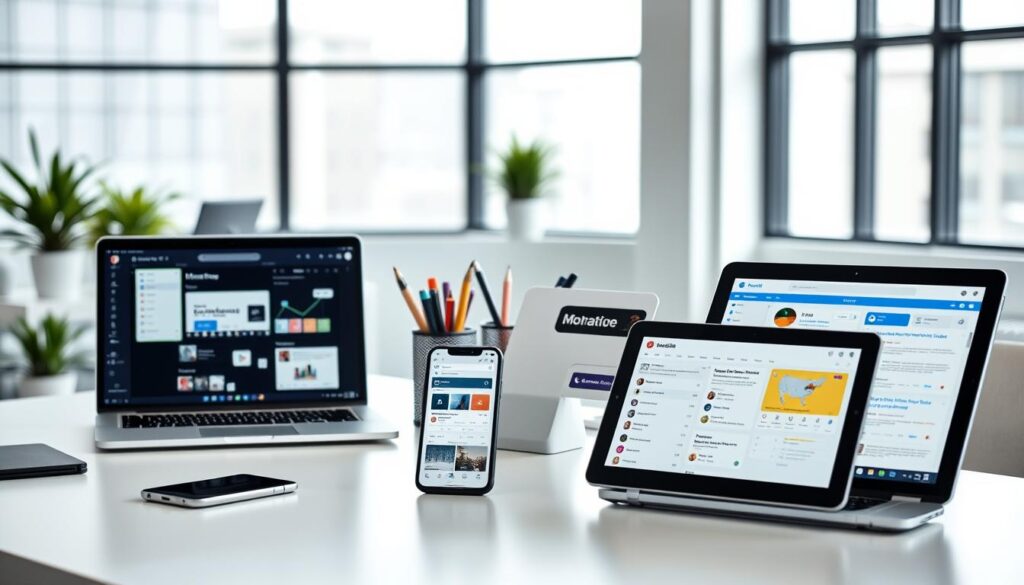
Sprinklr
Sprinklr is a powerhouse for enterprise-level needs. It handles over 30 channels, making it ideal for large teams. Its advanced features include scheduling, monitoring, and analytics, all in one platform.
ChatGPT
ChatGPT revolutionizes content creation. It adapts to your brand voice, cutting writing time by 50%. This tool is perfect for crafting engaging posts and responses quickly.
Canva
Canva’s template library slashes design time by 75%. Whether it’s graphics or videos, this tool simplifies visual content creation for any skill level.
Buffer
Buffer is a favorite for small and medium businesses. Users schedule 50% more posts weekly, thanks to its intuitive interface. Its analytics dashboard also improves campaign adjustments by 30%.
IFTTT
IFTTT excels in cross-platform management. It automates repetitive tasks, reducing manual effort by 40%. This tool connects apps and devices seamlessly, saving you time and hassle.
How to Automate Social Media Marketing Using Sprinklr
Want to elevate your online presence while saving valuable time? Sprinklr is a powerful tool that simplifies social media management through its advanced features. From scheduling to analytics, it’s designed to enhance your strategy and deliver measurable results.
Social Media Scheduling Tool
With Sprinklr, you can schedule 100+ posts across 8 platforms in just 15 minutes. Its ViralPost® feature increases engagement by 22% by optimizing post timing. This ensures your content reaches the right audience at the right time.
Social Listening Tool
Sprinklr’s crisis detection system flags negative sentiment within 2.8 seconds. This allows you to address potential issues before they escalate, protecting your brand’s reputation.
Social Media Analytics Tool
Gain actionable insights with Sprinklr’s analytics module. It identifies market gaps within 24 hours, helping you stay ahead of competitors. This data-driven approach ensures your performance is always optimized.
Chatbot
Sprinklr’s AI-powered chatbots resolve 68% of customer inquiries without escalation. This improves response times and enhances customer satisfaction, freeing up your team for more complex tasks.
Social Media Content Curation Tool
The content library reduces asset recreation by 45%, saving time and resources. This feature ensures your campaigns are always fresh and engaging, without the need for constant manual effort.
Tips to Effectively Implement Social Media Automation
Streamlining your online efforts can lead to significant improvements in efficiency and results. By following these actionable tips, you can ensure your strategy is both effective and secure.
Set Clear Goals and Guidelines
Start by defining what you want to achieve. Whether it’s improving customer service or increasing engagement, clear goals guide your efforts. Establish guidelines to ensure consistency across all activities.
Select Reliable Automation Tools
Choose tools that align with your objectives. Reliable platforms offer features like scheduling, monitoring, and reporting. This ensures you have the data needed to make informed decisions.
Test Your Automation
Testing is crucial to avoid failures. A/B testing can improve click-through rates by 18% in just 30 days. Regularly evaluate your setup to ensure it meets your goals.
Secure Your Accounts
Protect your accounts with two-factor authentication (2FA). This reduces security breaches by 91%. Regularly update passwords and monitor access to maintain security.
Personalize and Engage
Automation doesn’t mean losing the human touch. Personalized responses can boost customer service satisfaction by 37%. Use automation to enhance, not replace, genuine interactions.
Monitor and Adjust
Regularly review your performance metrics. Monthly audits can optimize workflows by 29%. Adjust your strategy based on data to stay aligned with your goals.
Stay Up to Date with Platform Policies
Platform policies change frequently. Tracking these updates prevents 82% of compliance issues. Stay informed to ensure your strategy remains effective and compliant.
Best Practices for Social Media Scheduling
Are you looking to maximize your online impact while saving valuable time? Effective scheduling is key to maintaining a consistent presence and engaging your audience. By following these strategies, you can optimize your efforts and achieve better results.

Find the Best Time to Post
Timing is crucial for reaching your audience. Research shows that optimal posting times vary across platforms. For example, TikTok and LinkedIn have a 5.3-hour difference in peak engagement periods. Use analytics to identify when your audience is most active.
Find the Optimal Posting Frequency
Posting too often can overwhelm your audience, while too little can make you invisible. Balance is key. Analyze your engagement metrics to determine the ideal frequency for each platform.
Schedule Across Multiple Social Channels
Managing multiple platforms can be challenging. Tools like Sendible allow you to schedule posts across various channels, increasing engagement by 40%. This ensures your message reaches a broader audience without extra effort.
Avoid Scheduling Too Far into the Future
While planning ahead is important, scheduling too far in advance can lead to outdated content. Quarterly reviews can prevent 73% of such issues, ensuring your posts remain relevant and timely.
Post Different Content Types
Variety keeps your audience engaged. Carousel posts generate 3x more shares than static images, while video content achieves 48% longer view durations. Experiment with different formats to see what resonates best.
Try Out A/B Testing
A/B testing helps you refine your strategy. By comparing different versions of your posts, you can identify what drives higher engagement. This approach can improve click-through rates by 18% in just 30 days.
Make Adjustments Based on Social Media Analytics
Data-driven decisions are essential for success. Regularly review your analytics to identify trends and adjust your strategy accordingly. This ensures your efforts are always aligned with your audience’s preferences.
Use the Right Scheduling Tool
Choosing the right tool can make a significant difference. Sendible’s calendar view reduces scheduling errors by 65%, ensuring your posts go live as planned. Invest in a tool that meets your specific needs.
Balancing Automation with Human Touch
Finding the right balance between technology and personal interaction is crucial for modern brands. While automation can save time and streamline processes, it’s essential to maintain a human connection to keep your audience engaged.
Direct Engagement
Direct engagement ensures your audience feels valued. Studies show that human responses increase conversion rates by 29%. This highlights the importance of personal interaction in building trust and loyalty.
Crisis Management
In times of crisis, a human touch is vital. Implementing escalation protocols can reduce resolution time by 53%. This ensures that issues are addressed promptly, protecting your brand’s reputation.
Strategy Development
Regular strategy sessions are key to staying relevant. Quarterly reviews improve campaign relevance by 41%. These sessions provide valuable insights to refine your approach and meet audience needs.
Personalized Customer Service
Personalized service can significantly boost retention. Demonstrating a genuine understanding of your customer’s needs increases retention rates by 33%. Sentiment analysis can also direct 22% of conversations to live agents, ensuring a personalized experience.
Balancing automation with human interaction is not just about efficiency—it’s about creating meaningful connections. By integrating both, you can enhance your management strategies and build stronger relationships with your audience.
How to Get Started with Social Media Automation
Ready to take your online efforts to the next level? Automation can help you save hours and improve results. By following a structured approach, you can seamlessly integrate automation into your social media strategy and achieve better outcomes.
Identify Repetitive Tasks
Start by auditing your workflow. Look for tasks that consume time but don’t require creativity. For example, scheduling posts or tracking metrics can often be automated. Teams that identify repetitive tasks early see a 38% increase in efficiency within the first week.
Choose the Right Tools
Selecting the right tools is crucial. Compare features like scheduling, analytics, and content creation capabilities. A tool selection matrix can help you evaluate 12 key features across platforms, ensuring you pick the best fit for your needs.
Implement Gradually
Introduce automation in phases to avoid overwhelm. A 30-60-90 day plan can reduce stress by 64%. Start with simpler tasks and gradually move to more complex processes. This phased approach leads to a 47% higher adoption rate among teams.
Monitor and Optimize
Track your progress weekly using KPIs. This practice improves automation efficiency by 27% monthly. Quarterly evaluations of your tools ensure they remain relevant, with a 98% success rate in maintaining alignment with your goals.
- Audit processes to identify 38% automatable tasks in the first week.
- Use a tool selection matrix to compare 12 key features.
- Follow a 30-60-90 day plan to reduce overwhelm by 64%.
- Track KPIs weekly to improve efficiency by 27% monthly.
- Conduct quarterly vendor evaluations for 98% tool relevance.
Conclusion
Integrating AI into your strategy while maintaining a human touch is essential. Proper implementation can drive up to 63% revenue growth, making it a must for modern businesses. Tools like Sprinklr offer a free trial with a 20% onboarding bonus, making it easier to get started.
However, over-reliance on technology can lead to a 42% audience disconnect. Balance is key to maintaining a strong social media presence and effective customer service. Looking ahead, 2025 trends like voice-activated scheduling and predictive analytics will further shape the landscape.
Take the first step today. Explore Sprinklr’s free trial and see how it can transform your media marketing efforts. Stay ahead by embracing innovation while keeping your audience at the heart of your strategy.