
Choosing the right email marketing software is a critical decision for any business. This platform has earned a strong reputation for making that choice simple. With over 1,000,000 companies using it each month, its popularity is undeniable.
It has also won the “Best Email Marketing Tool For Ease of Use” award for three consecutive years. This review provides a current, hands-on analysis of its capabilities. We will examine if it lives up to the hype for your specific needs.
The core appeal lies in its blend of simplicity, power, and value. It offers a robust set of features designed to grow with you, from basic campaigns to advanced automation. The recent launch of its updated version marks a significant evolution, phasing out the older “Classic” interface.
This guide will break down everything from pricing and key tools to comparisons with other options. Our goal is to give you the clear, practical information required to make a confident decision. Let’s dive into the details of this acclaimed marketing platform.
Key Takeaways
- This platform is a popular, award-winning choice for email marketing, recognized for its ease of use.
- The purpose of this review is to deliver a comprehensive, current analysis of its features and value.
- Its main strengths are simplicity, affordability, and a feature set suitable for beginners and growing businesses.
- The service is actively evolving, with a new version now replacing the older “Classic” system.
- It serves a massive user base of over one million companies worldwide.
- This article acts as a practical guide to help you decide if it fits your marketing strategy.
- We will cover core functionality, pricing plans, and how it stacks up against competitors.
Introduction: A Top Contender for Simplicity and Value
For many small businesses, the search for an affordable yet capable marketing solution ends here. This platform cuts through the noise with a modern, clean design philosophy.
It stands in direct contrast to more complex competitors that often overwhelm new users. The focus is on intuitive workflows and an uncluttered interface designed for efficiency.
Behind the software is a progressive company with a fully remote, global team. This operational model supports customer service in English, Spanish, and Polish.
The commitment to accessibility is a core value. It ensures users worldwide can get help in their preferred language.
A major evolution occurred in 2023 with the launch of its completely updated version. This overhaul phased out the older “Classic” interface for good.
The new system features a streamlined design, improved usability, and enhanced automation tools. This shift marks a significant step forward for the entire platform.
Why is this service considered a top contender? The answer lies in its award-winning easy use combined with a surprising depth of features.
It has won the “Best Email Marketing Tool For Ease of Use” award for three consecutive years. This accolade solidifies its reputation for user-friendliness.
The initial impression a user gets is one of clarity and purpose. Tools are logically arranged, and tasks feel straightforward from the start.
This simplicity directly fuels its strong value proposition. It is especially powerful for users on a tight budget or those new to email marketing.
You get a robust set of tools without a steep learning curve. The platform grows with your business, from sending your first campaign to managing advanced automations.
This introduction sets the stage for a detailed examination of its capabilities. The following sections will break down the specific features, pricing, and performance you can expect.
For anyone evaluating email marketing solutions, this option deserves a very close look. It successfully balances power with approachability.
What is MailerLite? A Modern Email Marketing Platform
The journey from a simple email tool to a comprehensive marketing platform began nearly two decades ago. Today, it stands as a primary choice for businesses focused on effective audience communication.
This service provides a complete hub for creating and managing professional email campaigns. Its design philosophy prioritizes a clean, intuitive user experience above all else.
Company Background and Core Philosophy
Founded in 2005, the company has experienced steady growth. It now supports over a million users worldwide with their digital outreach needs.
The core mission has always been to demystify email marketing. The goal is to offer substantial power without the typical complexity.
This philosophy of accessible sophistication guides every update. Users get a modern marketing platform that feels both capable and approachable.
It empowers small teams and solo entrepreneurs to execute campaigns that rival larger organizations. The focus remains firmly on user success and clarity.
The Shift from “Classic” to the New Platform
A major evolution was launched in 2023. This update introduced a fully reimagined system, phasing out the older “Classic” version.
The new platform features a streamlined, faster interface. Key improvements include multi-trigger automation workflows and updated pricing tiers.
For existing users, a choice was provided. They could migrate to the new system or remain on the Classic version with its original pricing structure.
This transition period acknowledged that change can be challenging. The company allowed a lengthy grace period to ease the move for all customers.
The update directly addresses the needs of contemporary marketing strategies. It ensures the toolset remains relevant and competitive.
This commitment to continuous improvement defines the platform’s current identity. It is built not just for today’s email needs but for tomorrow’s as well.
The result is a more cohesive and powerful experience. Users benefit from a unified environment designed for growth.
Key Features & Capabilities at a Glance
Effective email marketing demands a robust toolkit of essential capabilities. This platform provides a comprehensive suite that moves far beyond simple broadcast messaging.
It equips users with everything needed to create, automate, and optimize their audience outreach. The features form a cohesive system designed for campaign success.
Drag-and-Drop Email Campaign Builder
Creating professional email campaigns is straightforward with the visual editor. You build messages by dragging pre-designed content blocks into place.
The system offers over 20 versatile modules. These include video blocks, product showcases, countdown timers, and interactive surveys.
This approach removes the need for any coding knowledge. You gain full creative control with an intuitive, smooth functionality.
The result is polished, engaging emails that render well on all devices. It turns campaign creation from a chore into a simple design task.
Marketing Automation Workflows
Nurturing subscribers automatically is a core strength. The workflow editor lets you build sequences triggered by specific subscriber actions.
Common triggers include joining a group, clicking a link, or updating a profile field. You can welcome new contacts, re-engage inactive ones, or deliver a course.
A library of pre-built templates helps you start quickly. It is important to note that complex, multi-trigger automation is reserved for higher-tier plans.
This capability transforms your strategy from manual sends to intelligent, timed communication. It ensures the right message reaches the right person at the perfect moment.
A/B Testing and Campaign Optimization
Data-driven decisions improve your results over time. The built-in A/B testing, or split testing, tool is vital for this.
You can test different subject lines, email content variations, and even “From” names. The system sends the winning version to the majority of your list automatically.
This takes the guesswork out of optimizing your campaigns. You learn what truly resonates with your audience and boost open and click rates.
Sign-up Forms and Pop-ups
Growing your list is just as important as emailing it. The platform provides powerful tools to capture leads directly from your website.
You can create embedded forms, pop-ups, and promotional bars. Each type is highly customizable to match your site’s branding.
Advanced triggers, like exit-intent detection, help maximize conversions. These tools are central to building a permission-based subscriber list for your email marketing efforts.
These core features are integrated with other powerful tools. For instance, connecting Stripe allows you to sell products directly on a landing page.
This hints at the broader capabilities of the built-in landing page builder and website builder, which we will explore in detail later.
Together, these features create an essential toolkit for executing modern email campaigns. Mastering this editor and workflow suite is the first step to success.
The next logical question is: how easy is it to actually use all this power? The answer explains why the platform consistently wins awards for user-friendliness.
Ease of Use: Why It Wins Awards for User-Friendliness
Award-winning ease of use isn’t just a claim; it’s the foundation of the entire platform. The experience from signing up to sending your first campaign is deliberately streamlined.
This focus on reducing friction explains the consistent industry recognition. It turns a potentially complex marketing task into a series of clear, logical steps.
Onboarding and Initial Setup Process
Account creation takes about a minute. You immediately encounter a helpful three-step checklist guiding your first actions.
This checklist walks you through adding a sender email, importing contacts, and creating a campaign. It provides a clear roadmap, eliminating the “what now?” feeling common with new software.
A key setup step is domain authentication. This process verifies you own the domain you’re sending from, which boosts deliverability.
The system attempts automatic detection for major DNS providers. If successful, it configures the records for you with one click.
For other providers, manual setup is required. While this can be a hurdle for beginners, detailed guides and support are available to help.
Navigating the Clean Interface
The dashboard presents a logical and uncluttered layout. Main functions like Campaigns, Subscribers, and Automations are prominently displayed in the left-hand menu.
This intuitive structure drastically reduces the learning curve. You can find what you need without searching through nested menus.
The heart of the easy use experience is the drag-and-drop email editor. Building a message is a visual process.
You select from over 20 content blocks—like text, images, buttons, or videos—and place them where you want. The drop editor functionality is smooth and responsive.
Real-time previews let you see how your email looks on different devices as you build. This immediate feedback is invaluable for creating professional campaigns.
There are minor usability quirks. An undo button exists, but a re-do function is not present.
Also, you cannot preview an email with personalization tags applied. You must send a test to yourself to see the final, personalized version.
Compared to more complex platforms, this editor feels refreshingly straightforward. User reviews consistently praise this simplicity.
Some note that initial technical steps, like domain setup, may require a glance at the knowledge base or a quick support chat. This is a common experience across many marketing tools.
The platform’s design philosophy successfully minimizes friction. It empowers beginners to start quickly while providing the efficiency that seasoned users appreciate.
This thoughtful approach to the user experience is a significant competitive advantage. It makes advanced email tactics feel accessible.
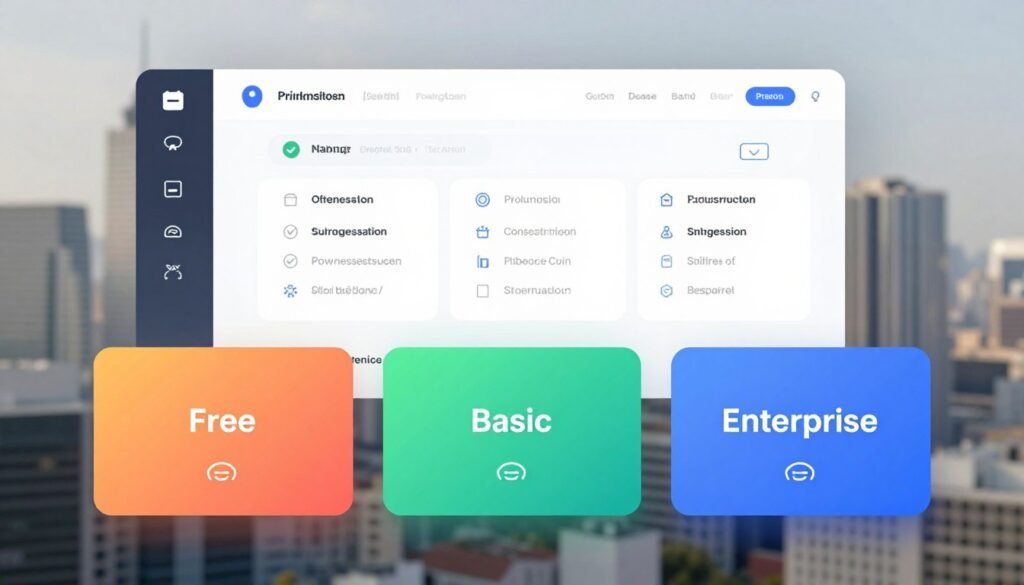
MailerLite Pricing Structure: From Free to Enterprise
From a generous free tier to scalable enterprise solutions, the pricing structure is built for flexibility. Understanding your costs is straightforward with a transparent, tiered model.
This approach makes it a strong value contender against pricier competitors. You pay based on your number of active subscribers, not for bloated features you won’t use.
The “Free Forever” Plan: What You Really Get
The free forever plan is a standout offering for beginners. It allows up to 500 subscribers and 12,000 emails per month.
This free version includes core tools like single-trigger automation and a survey maker. You also get access to the landing page builder, though without pre-designed templates.
It’s a powerful way to start your email marketing journey at zero cost. The main limitations are the subscriber cap and monthly send limit.
Growing Business Plan: Core Paid Features
Upgrading to the first paid plan unlocks significant value. Pricing starts at $9 monthly for 500 contacts.
This tier offers unlimited email sends, which is a major upgrade. You gain access to a library of professional templates and A/B testing tools.
Custom tracking domains improve your brand presence and deliverability. It represents the best balance of cost and capability for most small businesses.
Advanced and Enterprise Plans: For Scaling Needs
The Advanced plan introduces multi-trigger automation workflows. This allows for more sophisticated, behavior-based campaigns.
It adds Facebook Custom Audiences integration and promotional pop-ups. Users also receive trial access to the AI landing page generator.
The Enterprise level is custom-priced for lists over 100,000 subscribers. It includes dedicated IP addresses and direct deliverability consultations.
A key policy is fair subscriber counting. Only active, subscribed contacts count toward your limit.
Unsubscribed or cleaned addresses do not affect your pricing. This policy ensures you pay for your actual audience.
For concrete context, a list of 10,000 subscribers costs approximately $50 per month on the Growing Business tier. This is often half the cost of comparable plans from other major platforms.
The value is evident even on the free plan, which includes a functional landing page builder. As your needs grow, the paid tiers offer a clear path forward.
Choose your plan based on your current list size and automation requirements. If you need complex, multi-path workflows, the Advanced tier is necessary.
For most, starting free and upgrading to the core paid features provides everything needed for effective marketing.
Landing Page & Website Builder: Beyond Just Emails
A powerful landing page builder transforms a simple email service into a complete marketing hub. This integrated toolset is a standout feature that adds tremendous value.
It allows you to capture leads, promote offers, and even sell products without leaving the platform. You move beyond just sending messages to creating full web experiences.
This capability pushes the service into “all-in-one marketing platform” territory. It is especially useful for solopreneurs and small teams.
Creating Pages with the Drag-and-Drop Editor
Building a landing page uses the same intuitive, drag-and-drop editor as the email campaign tool. The experience is consistent and familiar.
You simply drag content blocks like text, images, buttons, and forms onto the page. The builder provides real-time previews across devices.
Advanced plan users get access to an AI-assisted creation tool. This helps generate initial page layouts based on a simple prompt.
A handy feature lets you save designed sections as reusable blocks. This speeds up the creation of future landing pages.
Template Availability and Custom Domain Hosting
Template access depends on your plan. Paid users can choose from over 30 professionally designed landing page templates.
Free users must start every page from a blank canvas. This is a significant limitation of the free tier.
Everyone can publish up to 10 landing pages and one full website for free. The website builder supports multiple pages, making it a hub for simple sites.
Hosting options vary. Free accounts use a MailerLite subdomain (e.g., yoursite.mailerlite.com).
Paid plans allow you to connect a custom domain. This gives your pages a professional, branded web address.
Selling Digital Products with Stripe Integration
A major advantage is built-in e-commerce. The platform integrates directly with Stripe to handle payments.
You can sell digital products, services, or subscriptions directly on your landing page. Customers complete the purchase without being redirected.
This turns your page into a direct sales channel. It is a powerful feature for creators and online businesses.
Advanced tools include basic SEO settings and split testing for pages. You can optimize different page versions to improve conversions.
Some limitations exist. You cannot upload files like PDFs directly; links to cloud storage are needed.
Also, dynamic content personalization on pages is not available. Every visitor sees the same static content.
Despite these points, the page builder is a robust and valuable addition. It extends the platform’s utility far beyond basic email marketing.
Email Templates & Design Flexibility
Your email’s appearance directly impacts open rates, click-throughs, and overall brand perception. This platform provides a suite of design tools to create professional communications without needing a designer.
The system balances ready-made options with custom building blocks. This approach caters to both speed and creative control.
Template Library for Paid Users
Paid subscribers unlock a library of over 90 modern email templates. These are categorized for newsletters, promotions, and welcome sequences.
Every template is fully mobile-responsive. They adjust perfectly to screens of any size.
This is a significant marketing advantage for busy teams. You can launch a polished campaign in minutes.
Free plan users face a notable limitation. They must build every email from a blank canvas using basic blocks.
Working with Content Blocks and Dynamic Content
All users construct emails with a drag-and-drop system of pre-built modules. These features include text, images, buttons, and social media icons.
You simply choose a block and place it in your layout. The visual editor provides instant feedback.
A powerful tool is the dynamic content block. It lets you show or hide specific content based on subscriber data.
For example, you can display a special offer only to contacts tagged as “VIP.” The setup requires duplicating blocks and setting conditions for each variation.
AI Writing Assistant for Content Creation
Overcoming writer’s block is easier with the integrated AI assistant. It can generate compelling subject lines, product descriptions, or full email text.
The tool also translates content into up to 30 languages. This supports global campaigns.
A unique visual feature lets you embed YouTube videos. They appear as animated GIFs directly within the email editor.
For brand consistency, global style settings define your default fonts and colors. This ensures every send aligns with your identity.
The html editor is available for manual code adjustments. Overall, the design flexibility is robust for most business needs.
Advanced designers might desire more granular control over spacing and element styling. For the majority, however, the tools provided are more than sufficient.
List Management and Segmentation Tools
The true power of any email marketing strategy lies in how well you understand and organize your audience. A messy list leads to irrelevant sends and poor results.
This platform provides a comprehensive system for subscriber organization. Its tools turn a simple contact list into a dynamic asset for targeted communication.
Importing Contacts and Managing Subscribers
Getting started is straightforward. You can import contacts via a CSV file or connect directly from Mailchimp.
The system automatically checks for and merges duplicate entries. This keeps your list clean from the start.
You can create custom fields for any subscriber data you need. Capture birthdays, job titles, or purchase dates to personalize future campaigns.
A subscriber can belong to multiple lists or groups. They are only counted once against your plan limit, which is a major organizational advantage.
Creating Groups, Tags, and Advanced Segments
Organization happens through groups and tags. Groups are often used for broad categories, like “Newsletter Subscribers.”
Tags are for more specific labels, such as “Downloaded Ebook” or “Attended Webinar.” You can assign them manually or automatically via forms and automation workflows.
The real power unlocks with the segment builder. You create dynamic lists using a combination of criteria.
Filter subscribers by their custom field data, engagement behavior, or automation status. For example, target contacts who opened your last three email but did not click.
You can also segment based on inactivity. This helps you run re-engagement campaigns before removing stale addresses.
Fair Subscriber Counting Policy
A standout feature is the fair subscriber counting policy. You are only billed for active, subscribed contacts.
Unsubscribed, cleaned, or bounced addresses do not count toward your limit. This policy offers better value than many competitors.
Maintaining list hygiene is simple. A dedicated tab helps you find and remove inactive subscribers.
This practice protects your sender reputation and improves overall deliverability. It is a crucial part of professional list management.
These features provide the organizational power needed for effective marketing. You move from blasting everyone to sending smart, relevant messages.
Good segmentation directly fuels the success of your automations and broadcast email. It ensures the right message reaches the right person.
For most small to medium-sized businesses, these tools are both straightforward and powerful enough. They form the essential backbone of a data-driven email marketing approach.
Reporting, Analytics, and Deliverability
The success of your outreach hinges on two pillars: measurable results and inbox placement. This platform provides the tools to track performance and maintain a strong sender reputation. Understanding both areas is key to running effective email marketing.
Essential Campaign Performance Metrics
After sending an email campaign, you get a clear report. It shows opens, clicks, unsubscribes, and bounces.
You can see which domains and email clients your audience uses. This data helps you understand what works.
For online stores, purchase tracking is a useful feature. It connects with Shopify and WooCommerce to show revenue from campaigns.
This is great for basic ROI tracking. It is not a full analytics suite, but it provides valuable insight.
Domain Authentication and Sender Reputation
Getting your email to the inbox is critical. Domain authentication is the first step.
The service supports SPF, DKIM, and DMARC records. It offers auto-setup for major DNS providers to simplify the process.
For others, detailed guidance is provided. Proper setup protects your domain and drastically improves deliverability.
The platform has a strong stance on sender reputation. It partners with list-cleaning services and bans purchased lists.
This policy keeps sending environments healthy for all users. It is a form of proactive support for your marketing success.
Limitations in Advanced Reporting
The reporting is solid for core metrics but has gaps. There is no built-in spam or design testing tool.
You cannot create custom reports or filter out Apple Privacy opens. There are also no heatmaps or email client previews.
For deeper analysis, use third-party tools. Services like Litmus can test designs, and Google Analytics tracks detailed web behavior.
A helpful deliverability feature is MailerLite’s “Smart Send.” It schedules campaigns based on a subscriber’s local timezone.
This practice boosts open rates by avoiding late-night sends. It is a smart, automated best practice.
Overall, the analytics are sufficient for basic to intermediate needs. Users requiring deep data dissection may find it limiting.
For many small businesses, the strong focus on deliverability fundamentals is more valuable than complex reports. It ensures your messages are seen.
Integrations and Third-Party Connections
No marketing software operates in a vacuum. Its true power emerges when it connects with your other tools.
These bridges allow data to flow and automate tasks across your entire business stack. A robust marketing platform should act as a central hub.
Key Native Integrations (Shopify, WooCommerce, WordPress)
The service offers about 130 direct native connections. These cover the most common scenarios for small businesses.
For e-commerce, integrations with Shopify and WooCommerce are vital. They let you automatically add products to your email marketing campaigns.
You can showcase items directly within a newsletter. Purchase tracking for basic ROI analysis is also enabled.
For content creators, the WordPress plugin is a key feature. It automates sign-ups from your website forms.
Subscribers can flow directly into your lists. This seamless connection saves time and reduces errors.
Other native links include Google Analytics and Facebook. These provide essential data sync and ad audience building.
Using Zapier and the API for Extended Connectivity
When a native link isn’t available, Zapier becomes your powerful bridge. This connection opens the door to over 5,000 additional applications.
You can connect to project management tools, advanced CRMs, or niche software. Workflows like adding new leads to a Trello card become simple.
For developers, a public API offers deep customization. You can build custom, two-way integrations tailored to unique business processes.
This extends the platform far beyond its out-of-the-box features.
It’s fair to note the native list isn’t as extensive as some larger competitors. Deep CRM or advanced analytics integrations may feel limited.
Always check the official integration directory if you rely on a specific tool. The available support for setup is generally clear and helpful.
Overall, the integration options make this marketing platform a versatile hub. While not the most extensive, they cover essentials for most small businesses.
Zapier and the API effectively fill any gaps. This connectivity ensures the software fits neatly into your existing workflow.
Customer Support and Learning Resources
Access to reliable help and educational materials can make or break your experience with any software. This platform provides a tiered system for assistance alongside a rich library of self-service options.
Live Chat and Email Support Availability
The level of personal support you receive depends directly on your subscription plan. This is a key differentiator between the free and paid tiers.
Users on the Free plan get 14 days of personal assistance after sign-up. After that, they must rely on the knowledge base.
The Growing Business plan includes 24/7 email support. The Advanced plan unlocks 24/7 chat support for immediate help.
It is important to note there is no phone support available. This may be a drawback for users who prefer verbal communication.
In practice, the support agents are generally fast, friendly, and effective. User reviews frequently praise the helpfulness of the team, especially over live chat.
MailerLite Academy and Knowledge Base
For self-guided learning, the resources are exceptional. The searchable knowledge base contains thorough, step-by-step help articles for almost every task.
The standout educational tool is the MailerLite Academy. It offers free, structured online courses designed to make you a certified email marketing expert.
This academy is a significant value-add. It helps users grow their skills and maximize their use of the platform.
The frequent need for support in reviews is telling. Even with an intuitive design, users often need help with technical setup like domain authentication.
Overall, the customer assistance is above average for the price point. Paid plan subscribers, in particular, get responsive and useful help.
The Advantages: Pros of Using MailerLite
Evaluating an email marketing tool requires a clear view of its concrete benefits. This platform delivers a compelling set of strengths that address common business challenges.
Its advantages are particularly impactful for small businesses and first-time users. Let’s examine the key pros that make it a top choice.
Exceptional Value and Affordable Pricing
The free plan is a standout feature. It offers a generous starting point with core tools.
You get up to 500 subscribers and 12,000 sends monthly. This allows genuine testing without financial risk.
Paid tiers provide remarkable value. The Growing Business plan costs roughly 76% less than comparable Mailchimp plans.
You pay only for active subscribers. Unsubscribed contacts don’t count toward your limit.
This fair billing practice saves money as your list evolves. It’s a major cost advantage for growing teams.
Intuitive Design Ideal for Beginners
Award-winning easy use is a proven reality. The clean interface minimizes the learning curve from day one.
New users follow a clear onboarding checklist. The drag-and-drop email editor makes campaign creation visual and simple.
You don’t need technical skills to build professional campaigns. This design philosophy reduces frustration and saves time.
It empowers solo entrepreneurs to execute strategies that feel complex elsewhere. The focus on clarity is a significant productivity boost.
Powerful Built-in Landing Page Creator
Having a robust landing page builder within the same platform is a huge benefit. It eliminates the need for a separate, expensive tool.
You can create high-converting landing page experiences using the same intuitive builder. This includes forms, pop-ups, and even full websites.
Paid users access a library of professional templates. The integration with Stripe lets you sell products directly on a page.
This turns the service into an all-in-one marketing hub. It consolidates tasks and simplifies your tech stack.
Additional strengths reinforce its value. The platform provides solid deliverability setup guidance and tools.
An integrated AI writing assistant helps overcome content creation blocks. The MailerLite Academy offers free, certified courses to build your skills.
Customer support on paid plans is responsive and helpful. These pros create a complete package for effective audience growth.
For budget-conscious businesses, these advantages are compelling reasons to choose this solution. The next section will provide a balanced view by examining potential limitations.
The Drawbacks: Cons and Limitations to Consider
While the platform excels in many areas, certain limitations are important to acknowledge. Every marketing tool involves trade-offs, especially those focused on value and simplicity.
Understanding these constraints helps you decide if this is the right fit. The following points provide an honest assessment of its weaker areas.
Limited Advanced Automation and CRM Features
The automation capabilities are solid for basic workflows. However, they lack the depth found in specialized email marketing tools.
You cannot create triggers based on website visits or complex user behavior. There is no built-in CRM, lead scoring, or detailed contact timeline.
This makes it less ideal for sophisticated nurture sequences. Businesses needing behavioral triggers may find the features restrictive.
Compared to platforms like ActiveCampaign, it is a simpler system. It focuses on core email and form-based automation paths.
Strict Approval Process and Account Stability Concerns
New accounts undergo a rigorous verification process. This is stricter than many competing marketing platforms.
Users sometimes report sudden account locks during reviews. Providing business documentation may be required to regain access.
While this policy protects sender reputations, it can disrupt workflow. It’s a notable point of friction in user reviews.
Account stability after approval is generally good. Yet, the initial hurdle is a significant consideration for some.
Template Restrictions on the Free Plan
The free version offers great value but has a major design limitation. You get zero pre-designed email or landing page templates.
Every campaign must be built from a blank canvas using basic blocks. This can slow down beginners who want a professional head-start.
It contrasts with some competitors that offer templates even on free tiers. This restriction pushes users toward paid plans for design efficiency.
Other drawbacks are worth noting for a complete picture. The reporting suite is basic, with no built-in spam testing tools.
Form customization options are somewhat limited compared to standalone tools. Migrating from the old “Classic” version could be complex for some users.
There is also no direct phone support, which some businesses prefer. These factors represent the trade-offs for an affordable, easy-to-use platform.
For most small businesses, these cons are manageable. Advanced users with complex needs might see them as reasons to look elsewhere.
Evaluating email marketing platforms means weighing these limitations against the clear advantages. MailerLite’s value proposition remains strong for its core audience.
MailerLite vs. The Competition: Where It Stands
The landscape of email marketing software is vast, with options ranging from simple to incredibly complex. Finding your perfect fit means understanding where each tool excels.
This platform carves out a distinct position. It delivers a high percentage of essential features at a remarkably low price point.
Comparison with Mailchimp on Price and Features
Mailchimp is often the first name people think of. A direct comparison reveals a compelling value story for MailerLite.
For similar core features, this service is about 76% cheaper. A list of 10,000 contacts costs roughly $50 per month here versus over $200 with Mailchimp.
A major financial advantage is fair subscriber counting. You only pay for active, subscribed contacts.
Unsubscribed or cleaned addresses do not count toward your limit. Mailchimp charges for all contacts in your database, which can inflate costs.
Both platforms offer drag-and-drop editors, automation, and landing pages. The key difference is cost structure and overall user-friendliness.
For budget-conscious businesses, the choice is clear. You get powerful email campaigns without the premium price tag.
Contrast with Advanced Platforms like ActiveCampaign
On the other end of the spectrum are tools like ActiveCampaign and Brevo. These are built for deep marketing and sales alignment.
They offer advanced automation based on website visits and lead scoring. Integrated CRM systems track detailed contact timelines.
This platform lacks those sophisticated capabilities. Its automation is form and email-trigger based, which is simpler.
Reporting here is also more basic. You won’t find the complex analytics of a dedicated marketing software suite.
The trade-off is clear. You gain superior ease of use and a much lower cost.
For users who don’t need behavioral triggers, this is a smart compromise. It provides ample power for most small business campaigns.
Other competitors highlight different niches. GetResponse includes social media ad tracking.
Beehiiv is optimized for creators with paid newsletters. This platform fits between these specialized tools and the basic free options.
Its competitive advantage is delivering core functionality exceptionally well. You get a clean, intuitive email and page builder at an affordable rate.
For users who prioritize cost and ease, it wins. Those needing advanced sales alignment should look at more complex suites.
Who is MailerLite Best For? (Ideal User Profiles)
Certain user groups will find this tool exceptionally aligned with their goals and resources. Its design and pricing create a sweet spot for specific needs.
Understanding these profiles helps you decide if it’s your ideal email marketing solution. Let’s explore who gets the maximum value.

Small Businesses and Solopreneurs on a Budget
For small businesses watching every dollar, this platform delivers outstanding value. The generous free plan allows genuine testing without cost.
You can manage up to 500 subscribers and send 12,000 emails monthly. This is perfect for launching your first campaigns.
Upgrading to a paid plan remains affordable. The focus on core functionality per dollar is a major strength.
A freelancer might use it to send a client newsletter and host a service page. All tasks are managed from one simple dashboard.
Bloggers, Creators, and First-Time Email Marketers
Bloggers and content creators benefit from specific integrations. The RSS-to-email feature automates newsletter creation from new blog posts.
WordPress integration simplifies subscriber capture. First-time marketers appreciate the guided onboarding and intuitive interface.
The free MailerLite Academy provides certified courses. This educational support builds confidence and skills quickly.
Video marketing tools let you embed content directly into emails. It’s a powerful way to engage an audience.
Users Needing a Simple All-in-One Marketing Hub
Some users want to consolidate their tools into one platform. This service acts as a simple all-in-one hub.
You can create emails, build landing pages, and even host a basic website. The integrated builder uses the same drag-and-drop editor.
For example, a solopreneur can launch a product using a promotional campaign and a sales page. Everything connects seamlessly without switching apps.
This consolidation saves time and reduces software subscription costs. It’s ideal for those who prefer a unified workflow.
If you identify with these profiles, MailerLite is likely a strong fit. Its blend of simplicity, power, and cost-effectiveness serves these groups well.
The next section details who might need to look for an alternative solution.
Who Should Look for a MailerLite Alternative?
A clear-eyed assessment means acknowledging who this service is *not* designed for, saving potential frustration. While it excels for many, some business needs simply exceed its scope.
Identifying these mismatches early can save you significant time and effort. Let’s explore the specific profiles that should strongly consider other email marketing tools.
Businesses Requiring Complex, Behavioral Automation
If your strategy depends on triggers like website visits or app activity, this platform may feel limited. Its automation is excellent for form submissions and email interactions.
It lacks native tools for lead scoring or dynamic page tracking. For sophisticated nurture sequences based on user behavior, you need a more advanced system.
In this case, a platform like ActiveCampaign is a powerful alternative. It specializes in visual automation builders with deep behavioral triggers.
Users Needing Deep CRM Integration or Advanced Reporting
Sales teams that manage deals within their marketing platform will find the built-in tools too basic. There is no full CRM with contact timelines or deal stages.
The reporting suite is solid for opens and clicks but lacks custom reports. Data analysts needing heatmaps or multi-touch attribution will be disappointed.
For deep CRM features, HubSpot offers a seamless sales and marketing alignment. For analytics, pairing a basic tool with Google Analytics might be necessary.
Those Uncomfortable with a Rigorous Approval Process
The sign-up and verification process is notably strict to protect deliverability. Some users report sudden account reviews requiring business documentation.
If you need to launch email campaigns immediately without verification, this can be a hurdle. The platform also does not offer phone support, which some businesses prefer.
Other marketing tools have a more lenient initial onboarding process. If a stringent approval is a concern, explore alternatives with lighter verification.
For the ideal user profiles outlined earlier, these points are likely non-issues. Their needs align perfectly with the platform’s core features and value.
Honestly evaluate if your requirements include complex behavioral triggers, a built-in sales CRM, or advanced data dissection. If so, researching other email marketing platforms is a responsible next step.
Conclusion: Final Verdict on MailerLite
The aggregate data from users and experts points to a consistent recommendation. With scores of 4.2/5 from EmailTooltester, 4.7 on Capterra, and 4.6 on G2, this mailerlite review confirms it as a top pick.
Its strongest suits are exceptional value for money, award-winning ease of use, and a capable built-in landing page builder. For small businesses, solopreneurs, and beginners, it delivers a powerful, all-in-one marketing platform.
The trade-off is less advanced automation, reporting, and CRM features than premium tools. We do not recommend it for larger teams needing complex behavioral triggers.
The clear next step is to test its free plan. This is the risk-free way to evaluate if it fits your email marketing strategy.