
Choosing the right email marketing tool is a critical decision for any business. This platform has been a leader in the space since its founding in 1998.
Our review provides a clear, transactional look at what this veteran service offers in 2025. We analyze costs, features, and overall value to help you make an informed choice.
The company supports over 100,000 small businesses and solo entrepreneurs worldwide. It builds its reputation on reliability and user-friendly design.
This makes it a strong contender for creators and business owners who need a dependable system. The core question is whether its long history means it’s the best fit for modern strategies.
We will break down each plan’s pricing and included features. The guide also covers automation, AI tools, and e-commerce capabilities.
Finally, we compare its value against the market and give a straightforward recommendation.
Key Takeaways
- AWeber is a long-established email marketing platform founded in 1998.
- This review provides a detailed analysis of its 2025 pricing and features.
- The platform serves over 100,000 small businesses and entrepreneurs globally.
- It is designed for reliability and ease of use, targeting creators and small business owners.
- Modern features include AI design tools and e-commerce integrations.
- The article will help determine if this is the right choice for current marketing needs.
Introduction: What Is Aweber?
Email marketing’s evolution is deeply intertwined with the development of key automation technologies. This service stakes a foundational claim in that history, asserting it invented the modern autoresponder.
That legacy creates a unique position. It must balance proven reliability with the need for constant innovation.
A Legacy Platform in a Modern Market
For any veteran tool, the central question is relevance. Has it kept pace with agile, feature-rich competitors?
The company actively promotes a suite of contemporary capabilities. These include a robust landing page builder and direct e-commerce functions.
You can sell digital products or paid subscriptions through the platform. Integrations with channels like Etsy and YouTube help capture leads.
A standout feature is the AI-powered Smart Designer. This tool pulls colors and logos from your website to draft professional email templates instantly.
This review investigates if these updates offer compelling value. We compare them against often more affordable modern alternatives.
Who This Aweber Review Is For
This analysis targets specific decision-makers. It is for small business owners, freelancers, and content creators.
These users prioritize a dependable system for core email marketing tasks. They need reliable automation and clear reporting without overwhelming complexity.
Our assessment is methodical and based on hands-on testing. We draw from practical experience with dozens of competing marketing tools.
The goal is a clear, transactional evaluation. We will determine if this platform’s legacy and features justify its cost for your 2025 strategy.
Aweber Pricing: A Detailed Breakdown of Plans and Costs
The value of an email platform is directly tied to its pricing and included features. This service structures its costs across four distinct tiers.
Each plan scales with your subscriber count and unlocks different marketing tools. We will examine the Free, Lite, Plus, and “Done For You” options.
Understanding these details prevents surprise costs. It also helps you select the right level for your business needs.
The Free Plan: Generous but Limited
The free tier is a notable starting point. It allows up to 500 subscribers and sends 3,000 emails per month.
This is a solid offer for testing core functionality. However, critical limitations exist for growing campaigns.
You are restricted to a single email list. There is no option for custom segmentation based on subscriber behavior.
Basic automation and reporting are included. For many, this plan acts as an extended trial before upgrading.
The Lite Plan: Entry-Level Paid Features
The Lite plan starts at roughly $15 monthly for 500 contacts. It introduces paid features but with restrictive caps.
You gain one custom segment and can build three landing pages. The plan also allows for three separate automation workflows.
Sales tracking is not available at this level. This makes it less ideal for creators focused on direct revenue.
It suits users who need slightly more than the free offer. The jump to the next tier is needed for serious marketing.
The Plus Plan: Unlocking Core Functionality
The Plus plan is where the platform’s core tools become available. Pricing begins around $30 per month for 500 subscribers.
This tier removes the caps on automations, landing pages, and segments. You get unlimited use of these essential marketing features.
Advanced reporting and sales tracking are also included. For most businesses, this plan represents the true starting point.
It provides the functionality needed for effective campaign management. The value proposition improves significantly here.
The “Done For You” Plan: Full-Service Management
This is a unique, full-service managed option. It uses the Plus plan features but adds personalized setup and account management.
There is a one-time $79 setup fee. The monthly cost is the same as the Plus plan for your subscriber level.
A dedicated expert builds your first campaign and provides ongoing support. This is ideal for users who want hands-off management.
It transforms the tool from a software platform into a service. The setup fee is the main additional cost to consider.
Understanding Subscriber Counts and Send Limits
Your monthly bill is primarily based on your total number of subscribers. Send limits are typically 10 to 12 times your subscriber count.
For example, 500 subscribers equates to 5,000-6,000 emails per month. This ratio scales directly with each pricing plan.
These limits are usually sufficient for standard newsletter sends. High-frequency broadcast campaigns may require monitoring.
The Catch: Unsubscribed Contacts Count Toward Your Bill
A significant pricing catch requires attention. The platform counts both subscribed and unsubscribed contacts in your total.
This can inflate your monthly costs if old lists are not cleaned. You must manually delete unsubscribed contacts to avoid paying for them.
Regular list hygiene is essential for cost control. This policy is different from many competitors and impacts long-term value.
Discounts are available for annual payments, saving 16% to 33%. Students and non-profit organizations may also qualify for reduced rates.
Always calculate your cost based on your actual, engaged subscriber count. This ensures you select the most efficient plan for your marketing budget.
Key Features and Tools: What Does Aweber Offer?
Beyond pricing, the tools and features within a platform define its real-world application. This section examines the core functionality that powers your marketing efforts.
We look at the creative, automation, and integration tools available. Understanding these helps you gauge the platform’s daily utility for your campaigns.
Drag-and-Drop Email Editor and Template Library
Creating visually appealing messages is straightforward with the drag-and-drop email editor. This tool is designed for simplicity, allowing you to arrange elements without technical skills.
You have access to a library of over 700 responsive HTML email templates. These templates are customizable for various industries and campaign types.
The editor supports real-time previews across devices. This ensures your final email looks great on both mobile and desktop screens.
The Smart Designer: AI-Powered Template Creation
The Smart Designer is an AI tool that attempts to accelerate brand consistency. You provide your website URL, and it pulls colors, logos, and imagery.
It then generates a set of branded email templates for your use. The results can be impressive if your site has a clear structure and defined branding.
Performance is mixed with complex or minimally designed websites. It serves as a useful starting point but often requires manual tweaks.
Landing Page Builder with E-Commerce Focus
A built-in landing page builder is included with all paid plans. It offers a selection of over 160 professionally designed templates.
The builder has a distinct focus on e-commerce and lead generation. Templates are categorized for webinars, product sales, and newsletter sign-ups.
You can customize these pages using the same intuitive drag-and-drop interface. This eliminates the need for a separate page building tool for simple campaigns.
Automation and Autoresponder Capabilities
Automation features are managed through a visual tool called “AWeber Campaigns.” This builder lets you create sequences based on subscriber actions.
You can trigger emails when a contact opens a message, clicks a link, or receives a tag. Setting up welcome series or basic nurture flows is a simple process.
These capabilities cover fundamental needs for most small businesses. The platform provides the essentials for automated email marketing.
List Management and Segmentation Tools
Managing your audience is central to effective marketing. You can tag subscribers based on their behavior, purchases, or form responses.
These tags help you create targeted segments for more relevant campaigns. A significant limitation exists in the lower-tier Lite plan. It restricts you to just one custom segment.
This makes advanced audience targeting impractical until you upgrade. Proper list hygiene is crucial due to the pricing model counting all contacts.
Integrations with Etsy, Shopify, WordPress, and More
Connecting to other business tools expands what you can achieve. The service boasts over 750 third-party app integrations.
Key native connections include Shopify, WordPress, PayPal, and Etsy. These are vital for sellers and content creators.
Zapier support bridges gaps to thousands of other applications. Additional creative tools are integrated directly into the platform.
You can access Canva for design and Unsplash for free stock photos. This creates a cohesive toolkit for building your marketing campaigns.
Ease of Use and User Interface
A clean, intuitive user interface is often the deciding factor for long-term platform adoption. This section examines how this email marketing tool performs in daily use, from first login to sending a campaign.
Onboarding and Getting Started
New users find the onboarding process straightforward. Clear guidance helps beginners set up their first email list and campaign quickly.
The system walks you through essential steps. You verify your domain and import contacts with minimal friction.
This focused approach reduces initial confusion. It gets you to the core marketing features faster.
Navigating the Dashboard
The overall dashboard navigation is functional and clean. All major sections like campaigns, lists, and reports are easy to locate.
However, the visual design feels dated compared to modern competitors. The layout prioritizes function over a sleek aesthetic.
This does not hinder core tasks. But it may lack the polished feel some users expect from contemporary software.
Building Your First Campaign: A Step-by-Step Feel
Creating your initial email campaign is a logical process. You start by selecting a template from the large library.
The drag-and-drop editor then lets you customize content. Adding images, text, and buttons is intuitive for most users.
Finally, you schedule the send or dispatch it immediately. The entire workflow is designed for clarity, not speed.
Help resources and support are accessible directly within the dashboard. This contributes to the platform’s reputation for being beginner-friendly.
You can find articles, tutorials, and contact options without leaving your workspace. This integrated support system is a significant advantage for new marketers.
The interface performance is generally quick and responsive. Pages load without noticeable delay, aiding efficient campaign management.
This speed ensures you spend time on strategy, not waiting for screens to refresh. It supports a smooth user experience for common tasks.
The simplicity excels for basic email marketing operations. Composing broadcasts and managing lists is straightforward.
Yet, users seeking advanced, streamlined workflows for complex operations may find limitations. The tool organizes features clearly but can feel compartmentalized.
Moving between automation, segmentation, and reporting isn’t as fluid as in some newer platforms. This is the trade-off for its approachable design.
Email Design and Customization
Design flexibility and template quality form the cornerstone of effective email marketing campaigns. The ability to create visually compelling messages directly influences open rates and subscriber engagement.
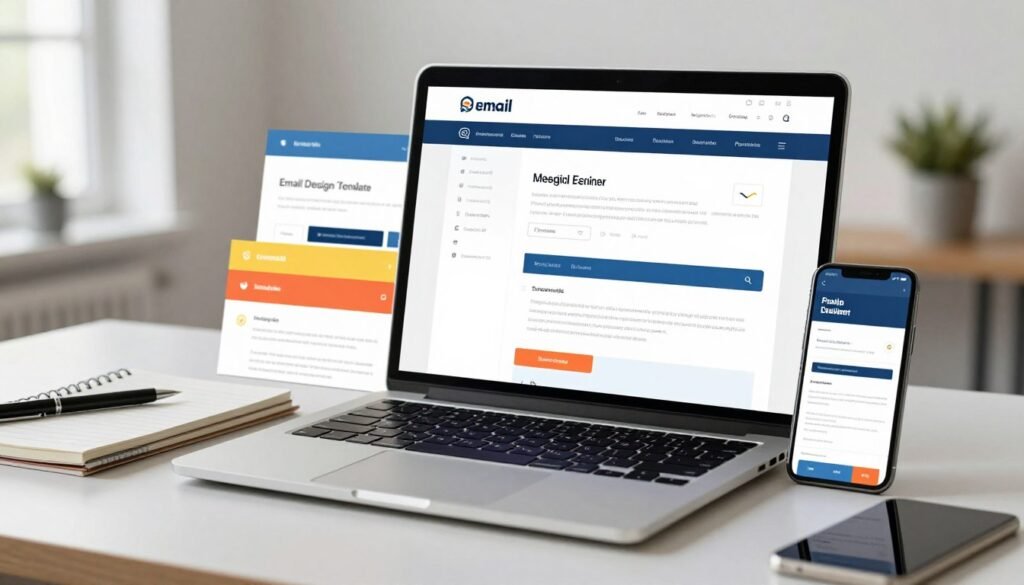
This section examines the creative tools available for crafting your emails. We assess the template library, builder flexibility, and advanced customization features.
Quality and Variety of Email Templates
The platform provides access to 169 core responsive email templates. This large library covers many industries and campaign types, from newsletters to promotions.
You will find designs for holidays, product launches, and welcome sequences. The templates are mobile-optimized, ensuring they display correctly on any device.
Some designs feel functional rather than cutting-edge. While numerous, a portion of the collection shows its age compared to more modern competitors.
The variety is sufficient for most small business needs. Users can quickly find a suitable starting point for their marketing efforts.
Flexibility of the Drag-and-Drop Builder
The drag-and-drop email editor is intuitive for beginners. You can freely move elements like text blocks, images, and buttons anywhere within the layout.
Undo and redo functions are readily available, allowing for easy experimentation. A built-in media library helps you manage uploaded images and assets directly.
This editor simplifies the entire design process. It turns email creation into a visual task rather than a technical one.
You can preview your work in real-time before sending. This feature ensures your final campaign looks exactly as intended.
Advanced Options: HTML Editing, AMP for Email, and Web Fonts
For users with technical skills, full HTML editing is available. This allows complete customization beyond the standard template designs.
You can create or import entirely custom-coded email templates. This is a powerful feature for brands with specific design requirements.
A standout option is support for AMP for Email. This technology enables interactive elements like polls, accordions, and dynamic content directly inside the inbox.
Implementing AMP requires coding knowledge. It is not a point-and-click feature, limiting its use to developers or advanced users.
The service includes 13 web fonts, such as Lato, Open Sans, and Roboto. Global font style settings let you enforce brand consistency across all campaigns.
This moves you beyond basic “web-safe” fonts. It enhances your email’s visual identity and professionalism.
The “Magic Links” tool is a notable time-saver. When you paste a URL into the editor, it automatically expands into a formatted preview card.
This card includes an image, title, and description pulled from the linked page. It creates attractive content blocks without manual design work.
Direct integrations with Canva and Unsplash add significant value. You can access Canva’s design suite and Unsplash’s free stock photo library without leaving the email editor.
These features provide powerful creative resources. They help you produce high-quality visual content for your marketing campaigns efficiently.
Automation and Campaign Management
Automation transforms static email lists into dynamic, revenue-generating channels. This capability is central to modern email marketing.
It allows you to send timely, relevant messages without manual effort. We examine the tools available for managing these automated campaigns.
Setting Up Basic Autoresponder Sequences
Getting started is straightforward with pre-built campaign templates. These include welcome series, lead magnet follow-ups, and re-engagement drips.
You select a template and customize the content and timing. A time-based sequence sends emails at set intervals after a subscriber joins your list.
This is ideal for nurturing new leads or onboarding customers. The process requires no coding and guides you step-by-step.
Visual Automation Builder (AWeber Campaigns)
The platform provides a visual editor called “AWeber Campaigns.” This tool uses a flowchart interface to design workflows.
You drag and connect actions based on subscriber behavior. Triggers include when a contact opens an email, clicks a link, or receives a specific tag.
This visual approach makes complex sequences easier to map. You can see the entire customer journey at a glance.
It supports adding delays, sending broadcasts, and applying tags. The builder is intuitive for users familiar with basic automation concepts.
Strengths and Limitations Compared to Advanced Platforms
The automation features excel in reliability and ease of setup. They are perfectly suited for standard welcome and nurture sequences.
Small businesses appreciate the dependable execution. You can trust the system to deliver your emails on schedule.
However, significant limitations exist for advanced marketing. The platform lacks triggers based on purchases or specific page visits.
Complex conditional logic, like IF/THEN/ELSE branching, is not available. This restricts creating sophisticated, multi-path journeys.
Plan restrictions further limit functionality. The Free and Lite plans cap the number of active automations.
The Lite tier allows only three automation workflows. This severely hinders growing businesses needing multiple campaigns.
In conclusion, these tools are robust for essential email marketing. They handle fundamental automation needs effectively.
Yet, they are not designed for data-driven or complex e-commerce brands. Those requiring deep behavioral targeting should evaluate more advanced platforms.
Landing Pages and Sign-Up Forms
Lead generation hinges on converting website visitors into engaged subscribers. This process is powered by effective landing pages and sign-up forms.
Built-in tools for creating these assets are a major convenience. They keep your entire marketing workflow within a single platform.
Template Selection and Customization
The service offers a library of over 100 landing page templates. These designs provide a solid starting point for various campaigns.
You will find layouts for lead magnets, webinars, and product launches. The quality is professional, though some templates feel functional rather than cutting-edge.
Customization happens in a drag-and-drop landing page editor. This builder is easy to use for basic changes like text, images, and colors.
It may lack advanced design flexibility for complex layouts. Most users, however, will find it sufficient for creating conversion-focused pages quickly.
Form Types and Trigger Options
The form builder supports several display types to suit your site. You can create inline forms, pop-ups, and lightbox modals.
Each type is fully customizable. You control colors, fields, headlines, and button text to match your brand.
Smart trigger options help optimize your conversion rates. You can set forms to appear after a time delay, when a user scrolls, or on exit intent.
This level of control ensures you present your offer at the right moment. It is a key feature for effective email marketing.
Effectiveness for Lead Generation
These tools are highly effective for growing your list. Seamless integration means new contacts are added to your chosen email list automatically.
You can also add specific tags to contacts upon sign-up. This enables immediate segmentation for targeted follow-up campaigns.
A valuable feature is the ability to run A/B tests on your forms. You can experiment with headlines, colors, or button text to improve performance.
One important limitation exists on the Lite plan. It allows only three active landing pages.
This constraint can hinder businesses running multiple concurrent campaigns. It’s a factor to consider when scaling your marketing efforts.
Overall, the lead capture tools are robust and user-friendly. They provide everything needed to build a subscriber base efficiently.
E-Commerce and Sales Features
The true power of an email list is unlocked when you can seamlessly convert subscribers into paying customers. This section examines the built-in monetization tools that move beyond basic communication.
These features aim to create a streamlined sales funnel directly within your marketing platform. They reduce the need for multiple disconnected services.
Selling Digital Products and Paid Newsletters
This platform provides direct capabilities for selling digital downloads, physical goods, and paid newsletter subscriptions. You can create a product, set a price, and link it to a campaign or landing page.
This turns your email list into a direct revenue channel. It is a convenient all-in-one solution for creators and small businesses with simple sales funnels.
You manage inventory, delivery, and customer access from a single dashboard. The system handles the entire transaction process for you.
Sales Tracking and PayPal Integration
Tracking campaign revenue is crucial for measuring marketing success. The sales tracking feature requires inserting a small JavaScript code snippet into your website.
This tool, called AWeber Web Analytics, then attributes sales back to specific email campaigns. You see this data directly in your reporting dashboard.
The PayPal integration is particularly powerful. It does more than just process payments. All your PayPal sales data syncs into the platform.
You can see transaction details and trigger automated marketing actions based on purchases. This enables targeted follow-up sequences for customers.
Transaction Fees and Checkout Pages
Payment processing comes with standard fees from Stripe or PayPal. However, the platform offers a competitive rate on its Pro plan.
Using Stripe on this tier incurs a low 0.6% transaction fee on top of Stripe’s standard rate. This can provide cost savings for high-volume sellers.
You are not limited to basic payment links. The service includes over 100 professionally designed templates for sales pages and checkout pages.
These are fully customizable to match your brand. They provide a professional storefront without needing a separate e-commerce website.
Overall, these e-commerce features offer strong value for solo creators and small teams. They consolidate essential selling tools into one familiar interface.
A significant limitation exists for larger online stores. The integration is less advanced than dedicated platforms like Shopify.
Complex automation for abandoned cart recovery is not available. Businesses with intricate inventory or fulfillment needs will likely require a more specialized solution.
Analytics, Reporting, and Deliverability
Measuring campaign success requires robust analytics and reliable email delivery. These two pillars determine if your marketing efforts reach the inbox and resonate with your audience.
This platform provides a set of reporting tools to track performance. Understanding their scope and limitations is key for evaluating your return on investment.
What Metrics Does AWeber Track?
The service tracks all fundamental email marketing metrics in its reports. You can see open rates, click-through rates, and unsubscribe counts for each campaign.
It also records web visits generated from email links. A visual click heatmap shows which parts of your message attracted the most engagement.
This data helps you understand subscriber behavior at a glance. You can filter these reports by specific tags or audience segments.
This allows you to analyze performance for different customer groups. Time-based reporting helps identify the best days and hours to send your campaigns.
Understanding Deliverability Rates and Reputation
Email deliverability is critical for any marketing strategy. Your messages must land in the primary inbox, not the spam folder.
The platform enforces essential authentication protocols for all customers. These include SPF, DKIM, and DMARC records to verify your sending domain.
Industry reports suggest an average deliverability rate of approximately 83% for this service. This is a solid baseline, but not the highest in the market.
Maintaining a clean list and following best practices improves your own sender reputation. The system provides basic guidance but lacks advanced spam testing tools.
Reporting Depth vs. Competing Platforms
The reporting interface is functional for a basic performance review. You can see how each campaign performs over time.
However, significant gaps exist for data-driven marketers. There is no way to build custom reports tailored to specific business questions.
A major shortcoming is the inability to filter out non-human clicks. Bot traffic and opens from Apple’s Mail Privacy Protection can inflate your open rate data.
This makes accurate performance analysis challenging. The platform also lacks advanced e-commerce attribution features.
You cannot easily tie sales revenue back to individual email touches or automation paths. More advanced reporting features are locked behind higher-tier paid plans.
These include detailed automation reports and form performance analytics. For complex needs, competing platforms offer deeper insights and greater flexibility.
The provided tools are sufficient for checking basic campaign health. They fall short for marketers who rely on deep data to guide strategy.
Customer Support and Resources
Investing in an email marketing service means evaluating not just its tools, but the team behind them. When technical issues arise or strategy questions emerge, accessible help defines the real-world value of a platform.
This service structures its support as a core feature, not an afterthought. It provides a comprehensive safety net for entrepreneurs and small teams.
24/7 Support: Phone, Chat, and Email
Round-the-clock assistance is available through multiple channels. Users can reach a live agent by phone, email, or live chat at any hour.
This level of access is rare, even on entry-level paid plans. Many competing platforms restrict phone support to their highest tiers or offer only ticket-based email help.
The consistent availability acts as a major differentiator. It ensures you are never stuck waiting for business hours to resolve a critical campaign issue.

Knowledge Base, Tutorials, and Educational Content
An extensive library of self-service resources empowers users to learn independently. The searchable knowledge base contains detailed articles covering every platform feature.
Video tutorials and podcast episodes provide step-by-step guidance for common tasks. Content is designed with first-time email marketers in mind, breaking down complex concepts.
This educational focus helps users build skills beyond basic software operation. You gain strategic insights into list growth and campaign optimization.
Quality of Support Responses
Interaction quality receives consistent praise from the user community. Support agents are noted for being fast, friendly, and deeply knowledgeable.
They provide helpful, non-scripted guidance on both technical and strategic questions. Instead of just quoting documentation, they often offer tailored advice for your specific marketing goals.
This proactive approach transforms the support team into a valuable consulting resource. For freelancers and small businesses without a dedicated marketing department, this expert access is invaluable.
The overall support system represents a significant strength for this email tool. It reduces the anxiety of managing campaigns alone and adds tangible value to the subscription.
When comparing services, prioritize this level of accessible, expert help if you value a guided partnership. It can be the deciding factor for long-term success with your email marketing efforts.
The Pros: Where Aweber Excels
Evaluating an email marketing platform requires a clear understanding of its standout advantages. This service builds its reputation on several core strengths that deliver real value.
These benefits define its ideal use case and justify the investment for many users. We examine the areas where this tool consistently performs above average.
Rock-Solid Reliability and Uptime
Stability is the foundation of any marketing platform. This service offers rock-solid reliability honed over two decades of operation.
Its email deliverability infrastructure ensures messages consistently reach the inbox. Industry data shows a strong average deliverability rate of approximately 83%.
This reliability means your campaigns launch on schedule without technical hiccups. You can trust the system to handle your communication needs day after day.
Exceptional, Accessible Customer Support
Access to expert help transforms the user experience. This platform provides exceptional 24/7 support through phone, chat, and email.
This level of accessible assistance is rare on entry-level plans. Many competing tools restrict live agent access to higher pricing tiers.
The support team is known for fast, friendly, and knowledgeable responses. They offer strategic guidance beyond basic technical troubleshooting.
For entrepreneurs managing campaigns alone, this support is a critical asset. It reduces the risk and stress associated with email marketing.
User-Friendly for Beginners
The learning curve for new users is intentionally gentle. An intuitive drag-and-drop editor makes creating professional emails straightforward.
Clear onboarding guides you through list setup and your first campaign. The overall interface prioritizes function and clarity over unnecessary complexity.
This design philosophy makes the platform an excellent choice for beginners. You can achieve capable results without prior technical experience.
Integrated help resources and tutorials are always within reach. This supportive environment encourages skill development and confidence.
Strong Landing Page Builder
Effective lead generation often starts with a high-converting landing page. The built-in builder is more comprehensive than those offered by many email-focused competitors.
It provides over 100 professionally designed templates for various campaigns. You can create pages for webinars, lead magnets, or product launches.
The drag-and-drop customization is simple yet effective. While not a dedicated page builder, it handles most small business needs perfectly.
This feature keeps your entire marketing workflow within one platform. It eliminates the need for a separate, often more expensive, page building service.
Other notable strengths enhance the overall package. A generous free plan includes basic automation for up to 500 subscribers.
Direct integrations with Canva and Unsplash provide powerful creative resources. You can design images and find photos without leaving the email editor.
Real-time analytics with click heatmaps offer immediate campaign feedback. You see which parts of your message drive the most engagement.
For users whose priorities are reliability, support, and ease of use, this platform presents a compelling package. Its strengths align perfectly with straightforward, dependable email marketing.
The Cons: Aweber’s Drawbacks and Limitations
A clear-eyed assessment of any platform must also account for its weaknesses and potential deal-breakers. This service has several areas where it falls short of modern competitors.
These limitations can significantly impact cost, efficiency, and growth potential. Understanding them is key to determining if this is the right tool for your business.
Pricing Premium for Basic Features
The cost structure presents a major hurdle for value-conscious users. You pay a premium for a feature set that is often basic.
More affordable competitors like MailerLite offer similar or better core email marketing tools at a lower monthly price. This makes the platform’s value proposition difficult to justify for many small businesses.
Essential capabilities are locked behind higher-tier plans. You need the Plus plan to unlock unlimited segments and advanced reporting.
This pricing model charges extra for functionality that is standard elsewhere. It directly affects the return on investment for your marketing budget.
Outdated Interface and User Experience
While functional, the user interface feels dated. It lacks the modern, intuitive design of platforms like Mailchimp or ConvertKit.
Navigation can feel clunky and less streamlined. The visual design prioritizes utility over a pleasant user experience.
This older interface may slow down workflow for teams accustomed to contemporary software. It can make the platform feel less engaging to use daily.
The experience is serviceable but not inspiring. For a tool used frequently, this is a notable drawback.
Limited Advanced Segmentation and Automation
The platform’s automation and segmentation capabilities are basic. They work well for simple welcome sequences and broadcasts.
However, they lack the sophistication needed for data-driven campaigns. There is no support for dynamic, behavior-based segmentation in real-time.
Advanced conditional logic, like IF/THEN/ELSE branching, is not available. This restricts the creation of complex, personalized customer journeys.
The Lite plan imposes a restrictive cap of just one custom segment. This severely limits targeting options for growing accounts.
E-commerce brands will find the automation features insufficient. Triggers based on specific purchases or cart value are missing.
List-Based Model Can Inflate Costs
The contact management system uses an outdated list-based model. A subscriber on multiple lists is counted multiple times toward your total.
This can lead to duplicate contacts and artificially inflated subscriber counts. You end up paying for the same person several times over.
This policy directly increases your monthly costs without adding value. It requires manual list hygiene to avoid wasted spending.
Modern platforms use a subscriber-based model. They count each person once, regardless of how many lists they join.
The list-based approach is an unnecessary complication. It adds administrative overhead and reduces cost efficiency.
Other significant cons include fewer native integrations than larger ecosystems. The reporting suite is basic and lacks depth for advanced analysis.
Collaboration features for teams are minimal. These drawbacks make the service a less suitable choice for growing e-commerce brands.
Data-driven marketers or teams needing advanced features should look elsewhere. The limitations are too great for complex marketing needs.
Aweber vs. The Competition: Key Comparisons
Selecting an email marketing service requires comparing its strengths directly against leading alternatives. This head-to-head analysis clarifies where each platform provides unique value.
We will examine three major competitors. The goal is to give you a clear framework for your final decision.
Aweber vs. Mailchimp: The Veteran Battle
Both services are long-standing leaders in the email marketing space. The choice between them hinges on your core priorities.
This platform wins decisively on customer support. It provides 24/7 access to live agents via phone, chat, and email on all paid plans.
Mailchimp often restricts direct support to higher tiers. For entrepreneurs who value accessible help, this is a major advantage.
Mailchimp counters with a more modern interface and a broader feature set. Its design tools and analytics feel more contemporary.
It also offers more innovative marketing tools out of the box. Choose based on whether you prioritize reliable support or cutting-edge features.
Aweber vs. GetResponse: Features vs. Simplicity
This comparison highlights a trade-off between power and ease of use. GetResponse is built for marketers who need advanced capabilities.
It includes powerful marketing automation workflows and built-in webinar hosting. Conversion funnels are also a core part of its toolkit.
These features make it a strong choice for complex, data-driven campaigns. The learning curve, however, is steeper.
In contrast, the service reviewed here is simpler and more straightforward. Its automation covers the essentials without overwhelming complexity.
GetResponse is the clear winner for users who need sophisticated automation. The other platform is better for those who value a gentler learning curve.
Aweber vs. MailerLite: Value for Money
This is perhaps the most challenging comparison for the veteran service. MailerLite has emerged as a champion of value.
It often provides more features at a lower cost for similar subscriber tiers. This includes a more modern user interface and intuitive design.
Many advanced tools are available on MailerLite’s entry-level plans. These are locked behind higher pricing tiers on the other platform.
MailerLite delivers significantly better value for money for most small businesses. The cost-benefit analysis strongly favors this competitor.
You get capable email marketing, automation, and landing pages for less. This makes it a top choice for budget-conscious marketers.
Who Should Choose Which Platform?
Your ideal platform depends entirely on your primary needs. Use this guidance to narrow your search.
Choose this service if you prioritize reliable, accessible customer support and straightforward simplicity. It’s for those who want a dependable workhorse.
Select Mailchimp if brand recognition and best-in-class design tools matter most. Its modern interface suits creative-focused teams.
Opt for GetResponse when powerful marketing automation and webinar hosting are non-negotiable. It’s for advanced, conversion-focused marketing.
Pick MailerLite for the best combination of features, modern design, and low cost. It offers outstanding value for growing businesses.
This review of the competitive landscape should help you make an informed choice. Match the platform’s strengths directly to your marketing goals.
Who Is Aweber Best For? (Ideal User Profile)
The ideal user profile for a marketing platform reveals where it delivers maximum value and where its limitations become apparent. This analysis helps you self-identify as a match for its core design.
Freelancers and Solopreneurs Needing Reliability
Independent professionals need a dependable, “set-it-and-forget-it” email marketing tool. This service provides that stability without a steep learning curve.
You can manage your list and run basic campaigns with confidence. The focus is on reliable delivery and essential features.
Small Businesses with Straightforward Newsletter Needs
Local shops, service providers, and nonprofits fit perfectly here. Their primary goal is sending regular newsletters and updates to a community.
The platform’s straightforward campaign tools handle this core task well. It removes complexity for businesses that don’t need advanced marketing automation.
Beginners Who Value Strong Customer Support
Complete beginners should strongly consider this option. The 24/7 customer support acts as a valuable safety net during the learning process.
You get live help for both technical setup and strategic questions. This accessible support is rare on entry-level plans from other services.
Creators Selling Digital Products or Newsletters
Coaches, consultants, and content creators can leverage the built-in e-commerce sales features. You can sell digital products, courses, or paid subscriptions directly.
This turns your email list into a revenue channel without extra software. The integration keeps your sales and marketing in one place.
The generous free plan is a viable starting point for many. It includes 500 subscribers and basic automation for building an initial audience.
However, this platform is not ideal for everyone. Rapidly scaling e-commerce brands will find its automation and reporting insufficient.
Data-driven marketers requiring deep segmentation and analytics should look elsewhere. Agencies needing multi-user collaboration tools will also face limitations.
In summary, the ideal user values reliability, accessible support, and simplicity over cutting-edge, complex features. If your needs are straightforward and you prioritize a dependable partner, this tool offers strong value.
Conclusion: Is Aweber the Right Email Marketing Tool for You?
The final verdict on this email marketing service hinges on a clear trade-off between support and sophistication. Our review finds a reliable, support-focused platform with a solid foundation. Yet, it shows its age in interface design and advanced functionality.
Its major strengths are exceptional 24/7 customer support and a strong built-in landing page builder. The significant drawbacks include premium pricing for basic features and limited advanced automation.
This tool is best for freelancers, small businesses, and beginners who prioritize dependable help and ease of use. For most users seeking the best value, platforms like MailerLite or GetResponse offer more features for a similar or lower price. You can test the service with the AWeber free plan for up to 500 subscribers.
Is it the right email marketing tool? Yes, if your top priorities are rock-solid reliability and accessible expert support. It is likely the wrong choice if you need advanced automation, modern analytics, or the absolute best price.