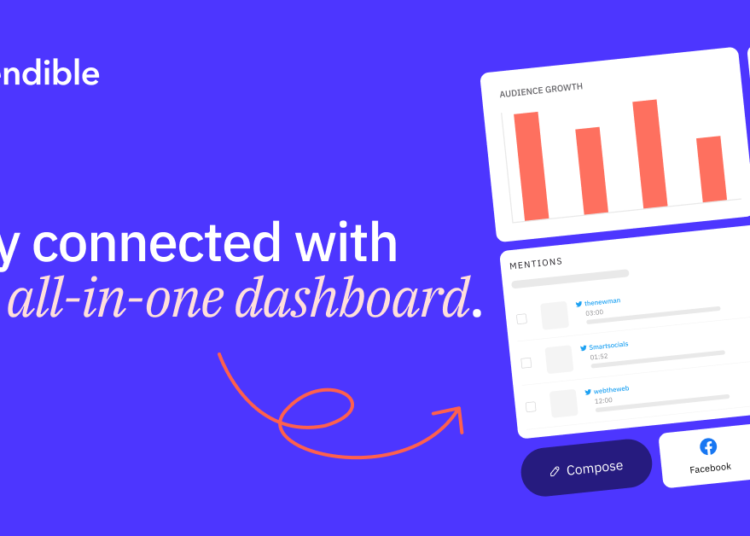
Juggling multiple social media accounts eats up valuable time. A dedicated management tool can streamline this process. This review examines one popular platform designed to control all your channels from a single dashboard.
Founded in 2009, this platform now serves over 30,000 agencies and professionals. It helps teams and solo marketers publish content efficiently. The core promise is to unify creation, scheduling, and performance tracking.
You can manage profiles for Facebook, Instagram, LinkedIn, and more. Key features include a social scheduler and a priority inbox for comments. Robust reporting provides the analytics you need to improve your strategy.
Our goal is to provide a detailed, unbiased analysis. We will cover setup, team collaboration, and advanced features. This includes a clear breakdown of plans and pricing options.
This review cuts through the noise to deliver the facts. You will get the information required for an informed purchasing decision.
Key Takeaways
- This platform is a unified solution for managing multiple social media channels.
- It is trusted by over 30,000 agencies and professional users worldwide.
- Core features focus on scheduling content, tracking analytics, and team collaboration.
- It supports publishing to all major networks, including Instagram and LinkedIn.
- This analysis provides a detailed look at its features, pricing, and alternatives.
- The review is designed to help businesses make a smart purchasing choice.
- Using a management tool saves significant time on daily social media tasks.
What is Sendible? A Social Media Management Powerhouse
An effective social media management tool must serve a wide range of users without becoming overly complex. This platform positions itself as a versatile, all-in-one suite for this very purpose.
It is designed as a comprehensive solution, not a niche product. The software handles the complete workflow from content creation to performance analysis.
The target audience spans from solo entrepreneurs and freelancers to small businesses. Growing agencies and large enterprises also use its team collaboration features. This makes it a scalable option for various business sizes.
Its philosophy centers on core, essential social media marketing functions. The focus is on improving user-friendliness and key features. This approach often results in a more affordable platform compared to bloated competitors.
You get powerful scheduling, engagement, and reporting without unnecessary extras. It may not include every advanced capability like in-depth sentiment analysis. This trade-off allows for a streamlined and focused user experience.
The foundation of the system is its “Profiles.” Each connected account is treated as an individual profile. This includes social media accounts, Google Business Profiles, and even blogs.
Integration support is extensive for best social media management. You can connect Facebook Pages and Groups, Twitter/X, and Instagram Professional profiles. LinkedIn profiles, Company Pages, TikTok accounts, YouTube, and Google My Business listings are also supported.
For content publishing beyond networks, blogging integrations are available. These work with self-hosted WordPress and WordPress.com sites. This adds flexibility to your media marketing strategy.
Sendible is a pragmatic choice for professionals who need a powerful tool. It delivers a unified dashboard for controlling all your profiles. The goal is to provide robust management capabilities that drive real results.
Key Features That Define Sendible
Beyond the initial dashboard, a tool’s value is proven by specific capabilities that handle publishing, engagement, and client relations. This platform delivers a suite of powerful features designed for professional management.
Each function aims to save time and streamline complex workflows. Let’s examine the core components that set this tool apart.
Unified Content Calendar and Smart Scheduling
A visual calendar is central to planning. It provides a week, month, or day view of all scheduled posts.
You can drag and drop items to reschedule instantly. This overview includes queued and sent content for complete control.
Smart Queues automate your evergreen content. You can plan months of posts with preset schedules.
This maintains a consistent publishing rhythm effortlessly. For high-volume planning, bulk scheduling via CSV import is available.
The platform also includes a library of over 300 social holidays. These come with pre-made assets for instant content inspiration.
Priority Inbox and Social Feeds for Engagement
Engagement is streamlined through the Priority Inbox. It pulls important messages from all connected profiles into one stream.
Comments, DMs, and mentions are aggregated here. This eliminates logging into each network separately.
You can filter, archive, and export conversations. The complementary Social Feeds feature provides a real-time activity stream.
It shows the latest updates from the accounts you follow. This allows for broader community monitoring and proactive engagement.
Built-in Image Editor and Media Library
Creating visuals is simplified with a native editor. It includes cropping to platform-specific dimensions.
You can apply filters, add text, and insert stickers. It also creates thumbnails for video posts.
Direct integrations enrich your media options. Access stock photos from Pexels and GIFs from GIPHY within the dashboard.
A full Canva integration is available for advanced design work. All assets are stored in a central media library for easy reuse.
Client Connect and White-Label Options
For agencies, client collaboration is made secure and professional. The Client Connect feature is an onboarding widget.
Clients grant access to their social profiles via your website. This happens without making you an admin on their accounts.
Higher-tier plans offer extensive white-label options. You can fully brand the dashboard with your agency’s logo and colors.
Applying a custom domain presents a seamless service to clients. This option is vital for growing teams and large agencies.
Getting Started: Sendible Setup and Ease of Use
Ease of use begins the moment you create an account and start connecting your social profiles. A smooth onboarding process is crucial for any tool you plan to use daily.
New users are greeted with a clean dashboard. You can immediately opt for a guided product tour. This walkthrough familiarizes you with the core layout and functions.
Adding your first social media account is straightforward. Click the “Add” button next to any supported network, like Facebook or Instagram. You then follow the standard authentication steps and accept the platform’s terms.
The same process works for connecting blogs, such as WordPress sites. This unified flow saves significant time during initial configuration. For agencies, the premium Client Connect option streamlines client onboarding further.
A persistent purple help icon provides constant support. Clicking it opens the Resource Centre. Here you find video tutorials, how-to guides, and a full knowledge base.
The user interface is feature-rich but logically organized. Core tasks like scheduling a post feel intuitive. Mastering all advanced settings may require a short learning period.
Setup complexity scales with your needs. A solo entrepreneur can be publishing in minutes. An agency configuring team roles and client dashboards has a more involved, yet manageable, process.
Your ability to manage content extends beyond the browser. A dedicated Chrome extension lets you share articles directly from the web. Mobile apps are available for both publishing and engagement on the go.
Overall, the platform scores high on ease of use. It delivers a comprehensive feature set without an overly simplistic interface. This balance is a key strength for serious marketers.
Team Collaboration and Client Management Tools
Scaling a social media operation requires more than just scheduling posts. It demands structured team collaboration and clear processes. This is especially true for agencies and in-house teams.
Effective management tools prevent errors and maintain brand voice. They provide the transparency clients expect. These features turn a solo tool into a professional platform for teams.
Approval Workflows and User Permissions
Structured teamwork starts with controlled access. Administrators have full oversight of all content. They can view, approve, edit, or delete any team member’s post.
Custom approval chains minimize mistakes. A content creator submits a draft for review. A manager then approves it before it goes live.
The system of user roles and permissions is granular. Account owners control what each member can do. Permissions include creating drafts, scheduling posts, or viewing reports.
You can also filter the content calendar by team member. This ability makes it easy to track individual contributions. It ensures accountability across all users.
Dedicated Client Dashboards
For agencies, clear client communication is vital. Dedicated client dashboards solve this need. This option is available on specific plans.
These are branded spaces separate from the main dashboard. Clients log in with their own credentials. They can preview scheduled content and provide feedback.
Clients give approvals directly within the system. This streamlines communication and cuts down on email. It provides a transparent window into the workflow.
This differs from the Client Connect widget used for onboarding. Dashboards are for ongoing collaboration. They are a professional solution for growing agencies.
Together, these tools build a secure framework for team collaboration. They prevent errors and maintain brand consistency. This professional approach is critical for scalability.
Analytics, Reporting, and Performance Tracking
Data transforms social media activity from a guessing game into a strategic marketing channel. A strong management platform provides the tools to measure, analyze, and prove your results.
This is where robust analytics and reporting become essential. These features help you understand what works and justify your efforts.
Standard Engagement and Platform Reports
The Reports Hub is your central location for data. It includes several pre-built report types for quick insights.
You will find cross-network Engagement reports. Individual reports for Instagram, Facebook Page, LinkedIn, and YouTube are also available.
The Engagement report shows key metrics at a glance. Track audience growth, total post engagements, and the number of posts sent.
It also highlights your top-performing content and tracks brand mentions. This gives you a clear view of overall performance.
Each platform report dives into network-specific data. For example, you might discover your “Best Time To Post” on Facebook.
YouTube reports analyze watch time and subscriber changes. It is important to note a key limitation due to external API changes.
Twitter/X analytics are no longer available within the platform. This is a result of significant API pricing changes by the network.
Custom Report Builder and White-Label PDFs
For advanced needs, higher-tier plans unlock powerful options. The Custom Report Builder offers incredible flexibility.
This drag-and-drop tool lets you create tailored reports. You can select from over 200 data modules to include.
Build reports focused on specific campaigns, clients, or time periods. This ability turns raw data into actionable insights for strategy refinement.
A major value for agencies is the white-label functionality. You can fully brand reports with your agency’s logo, colors, and domain.
Export these polished reports as professional PDFs for client presentations. Alternatively, share a live link to an interactive dashboard.
You can even schedule reports to be emailed automatically. This saves time and ensures clients receive consistent updates.
These features move beyond simple data collection. They enable professional reporting that builds trust and demonstrates clear value.
Sendible Pricing Plans: Which Tier is Right For You?
The investment in a social media platform should directly align with your team’s size and strategic needs. Understanding the pricing structure helps you select a cost-effective solution.
This software uses a tiered subscription model. Each plan increases user capacity and adds professional tools.
Creator Plan: For Freelancers and Solo Entrepreneurs
The entry-level Creator tier costs $29 per month, or $25 when billed annually. It supports exactly 1 user and 6 social profiles.
This package includes unlimited post scheduling and basic performance reporting. You also get social monitoring alerts and the built-in image editor.
It is designed for individual professionals managing their own brand. The plan covers all essential publishing functions without team features.
Traction Plan: For Startup Agencies and Small Teams
The Traction plan jumps to $89 per month ($76 annually). This significantly expands your capacity to 4 users and 24 social profiles.
Key additions enable real team collaboration. You gain user management and content approval workflows.
Dedicated client dashboards provide professional reporting interfaces. The plan also includes 30 Smart Queues for content recycling.
This tier is the logical starting point for small agencies. It adds the structure needed for managing multiple accounts securely.
Scale, Expansion, and White Label Plans: For Growing and Large Agencies
Larger organizations should look at the higher-tier options. The Scale plan costs $199 per month for 7 users and 49 profiles.
It introduces a content library, Bitly link shortening, and cloud storage integrations. Custom report building and basic custom branding are included.
You also get a dedicated account manager for support. The Expansion tier at $399 monthly supports 15 users and 105 profiles.
It offers all features plus optional single sign-on (SSO). Dedicated customer success management is provided.
The top-tier White Label and Enterprise plans start around $750 monthly. These support up to 80 users and 400 profiles.
They deliver full white-label branding for agency resale. These tiers are built for maximum scalability and service white-labeling.
Choose your tier carefully. Take advantage of the 14-day free trial for the Creator and Traction plans.
For the Scale plan and above, request a personalized demo. This ensures the platform’s advanced client and reporting tools fit your agencies‘ workflow before you commit.
Sendible Pros and Cons: An Honest Assessment
The true value of any software emerges from an honest look at what it excels at and where it falls short. This balanced review weighs the powerful features against the practical limitations you should consider.
Advantages of Using Sendible
This platform delivers a comprehensive suite for professional social media marketing. Its all-in-one nature consolidates publishing, engagement, and analytics into a single dashboard.
For team collaboration and agencies, premium tools stand out. The Client Connect feature streamlines secure client onboarding. Extensive white-label options allow for full agency branding.
Engagement is centralized through the dual Priority Inbox and Social Feeds. This setup saves significant time by aggregating messages and mentions. You monitor conversations without switching between apps.
The content calendar provides exceptional flexibility for planning. Smart Queues automate evergreen content recycling. Bulk scheduling handles a high volume of posts efficiently.
Robust reporting transforms data into actionable insights. The built-in image editor and media library simplify visual creation. A wide range of integrations, like Canva and Google Drive, expands your options.
New users benefit from a detailed Resource Centre. Tutorials and guides accelerate the learning curve. This support improves overall ease of use.
Limitations and Considerations
Despite its strengths, some gaps exist in the platform’s coverage. Notable absences include direct integrations for Pinterest and Twitch. This can limit your management reach on those networks.
Advanced functionality is often reserved for higher-tier plans. The ability to build custom reports and use white-label branding requires an upgrade. This gates essential professional tools behind a higher pricing barrier.
External API changes have notably impacted functionality on Twitter/X. The tool now only supports publishing to that network. You lose analytics tracking and inbox monitoring for X.
Some user feedback mentions the interface having a learning curve. While powerful, the dashboard can feel cluttered initially. The built-in image editor is handy but basic compared to dedicated design software.
The jump from the Creator to the Traction plan represents a significant cost increase. This pricing structure may challenge very small businesses or solo operators. It’s a key factor in your budget review.
Weigh these pros and cons against your specific business needs. If your strategy relies on advanced client reporting and white-label services, the higher plans offer strong value. For solo users needing core features, the entry point is solid, but the platform’s full power unlocks with scale.
Top Sendible Alternatives for Social Media Management
Before finalizing your choice, it’s wise to compare a few leading alternatives that might better match your workflow. While the platform is powerful, other tools offer different strengths.
Your perfect fit depends on budget, team size, and specific feature needs. Exploring the landscape ensures you make the most informed choice.
Some options target niche audiences. Pallyy is great for creators focused on visual content for TikTok and Instagram.
Metricool is an affordable all-in-one tool with strong built-in analytics. SocialBee suits bloggers and very small teams on a tight budget.
For many agencies and teams, SocialPilot stands out as a direct competitor. It provides an intuitive visual calendar and robust scheduling, often unlimited.
The platform integrates with Canva for easy design. It also features a unified inbox for engagement and a content library for assets.
Key for agencies are its white-label client dashboards and reporting. These professional features help you present a seamless service.
Its pricing plans are often seen as cost-effective and scalable. This allows for unlimited client collaboration without high costs.
Consider your primary needs when looking at any management tool. If you require a lower-cost entry point for a team, or a different user experience, these alternatives are prudent to test.
Most services offer a free trial. This gives you the ability to test the dashboard ease and scheduling options firsthand.
Taking this time to review ensures your selected platform truly supports your social media goals and saves you time in the long run.
Conclusion: Is Sendible the Right Tool for Your Business?
This comprehensive review has examined a powerful tool designed to streamline professional social media operations. Sendible delivers a feature-rich, all-in-one management platform with particular strengths in scheduling, team collaboration, and reporting.
The ideal user profile includes marketing agencies of all sizes and in-house teams managing multiple brand profiles. It balances comprehensive features with more accessible pricing than enterprise competitors.
Consider its excellent white-label tools against limitations like Twitter analytics. For agencies serious about streamlining operations, Sendible is an excellent candidate.
The logical next step is to leverage the risk-free 14-day trial for Creator and Traction plans. Request a demo for higher tiers. Testing the platform firsthand is the best way to determine if its blend of power and practicality fits your business objectives.