
Running a small business requires juggling many duties. Managing payroll, benefits, and HR paperwork eats up precious hours. A dedicated platform can streamline these critical tasks.
This service began as ZenPayroll in 2012. It now supports over 300,000 businesses nationwide. The system processes tens of billions in payroll funds annually.
Its core mission is to automate complex administrative work. This saves owners time and reduces costly errors. Everything integrates into one central place.
This review provides a detailed analysis. We will examine features, pricing, and overall fit for your team.
Key Takeaways
- It is a comprehensive, cloud-based people platform.
- The service started as ZenPayroll and now serves hundreds of thousands of companies.
- It automates payroll, tax filing, and HR to save business owners time.
- The platform is built specifically for small businesses and their employees.
- Features include time tracking, employee onboarding, and benefits management.
- It operates on a clear, month-to-month subscription model.
- All tools are accessible from a single, user-friendly dashboard.
What Is Gusto? An Overview for Businesses
In 2012, a solution emerged to tackle one of the most tedious tasks for small business owners: running payroll. Founders Josh Reeves, Eddie Kim, and Tomer London launched their company after witnessing the struggles of family-run operations firsthand.
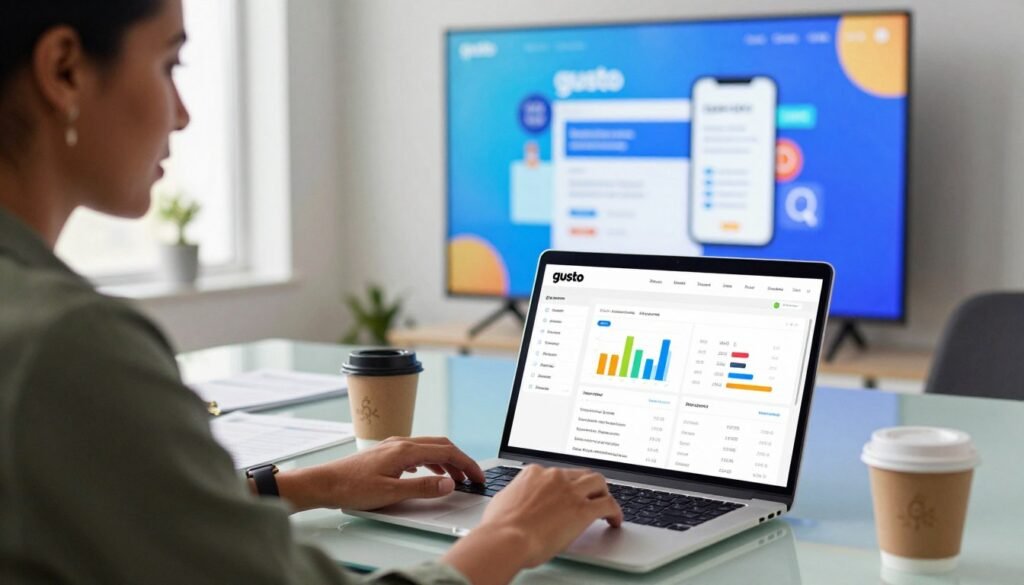
Their shared experience at Stanford and with manual processes sparked a revolution in business administration. The goal was to build a system that could grow with a company.
From ZenPayroll to a Full People Platform
The service first launched as ZenPayroll. It focused solely on automating payroll and tax filings to prevent costly errors and penalties.
This initial product solved a specific, painful problem for new businesses. The founders understood that accurate and timely payment was fundamental.
Over time, the vision expanded. The platform evolved into a comprehensive People Platform. It began handling HR, benefits, compliance, and more.
Today, it serves a vast network of companies. The system processes significant funds annually and offers essential insurance products. Continued growth is supported by a large team and substantial investment.
Mission and Target Audience
The core mission is to help the underdog small business compete. It provides them with enterprise-grade technology and support normally reserved for larger corporations.
The primary target audience is American small to medium-sized businesses. This includes everything from startups to established companies with teams of various sizes.
The platform is designed as the single source of truth for employee information. This central account enables accurate payroll, benefits, and HR management for all employees.
Understanding this background is key. It shows the holistic approach to solving operational challenges and saving owners time. The right tools make complex tasks simple.
Core Features and Functionality
A robust platform transforms complex administrative tasks into simple, automated processes. This section details the key components that make this possible.

Each tool is designed to work together. This creates a unified system for managing your team.
Payroll Processing and Payments
The full-service payroll engine handles all worker classifications. You can run unlimited payroll for salaried, hourly, and contract staff.
Flexible payment options include direct deposit. Timing depends on your plan, offering next-day or two-day funding.
Printed checks and prepaid debit cards are also supported. Some plans include early pay access through a digital wallet.
Tax Management and Compliance
Automated tax compliance is a major time saver. The system calculates all federal, state, and local withholdings.
It then files the necessary forms and makes payments to agencies. This significantly reduces the risk of penalties for employers.
Year-end forms like W-2s and 1099s are generated automatically. Notifications keep you informed every step of the way.
HR Tools and Employee Onboarding
Streamlined onboarding guides new hires through digital paperwork. This includes digital offer letters and new hire reporting.
Essential documents like I-9 and W-4 forms can be signed electronically. The platform provides handbook templates and an organized directory.
These tools create a smooth experience for your employees. It turns a chaotic process into an efficient one.
Time Tracking and PTO Management
Integrated tracking lets employees clock in and out from the app. Managers can review and approve hours in real-time.
Staff can request time off through the same system. You can create custom paid time off policies to fit your business.
This functionality helps monitor project tracking and labor costs. It brings clarity to workforce management.
Benefits Administration and Integrations
Administration for health insurance and 401(k) plans is built-in. The system also manages HSAs, FSAs, and commuter benefits.
Workers’ compensation can be integrated. This creates a central hub for all employee benefits.
Spending and Savings accounts are available for staff. These FDIC-insured accounts help with financial wellness.
Key software integrations connect to your existing tech stack. Popular links include QuickBooks, Xero, and Shopify.
These connections create a seamless workflow. Support for time-tracking apps like Deputy is also included.
Advanced HR and onboarding tools are in higher-tier plans. The savings in administrative time can be substantial.
Gusto Pricing and Plan Breakdown
Transparent, month-to-month pricing allows businesses to scale their administrative tools without long-term commitments. You pay a base fee plus a per-person cost. This structure provides flexibility as your team changes.
Four main subscription tiers exist. Each plan adds more features for managing payroll, HR, and employee support. Additional services are available for a monthly fee.
The Core Plan: Essential Payroll
The Core plan is the entry point for most small companies. It costs a $39 monthly base fee plus $6 per employee each month.
This tier covers all essential payroll and tax needs. Features include full-service payroll and two-day direct deposit.
New hires get basic onboarding through self-service portals. The plan also includes health benefits administration at no extra cost.
For many owners, two-day funding is sufficient. It provides reliable access to funds for your staff.
The Complete Plan: Added HR & Time Tools
Upgrading to the Complete plan costs $39 per month plus $12 per person. A key upgrade is next-day direct deposit.
Faster deposit gives your team quicker access to their money. This can improve the financial experience for workers.
Robust time and project tracking tools are added. These features are ideal for businesses with hourly staff.
You also get employee directories, paid time off requests, and survey functionality. These tools help manage team information and morale.
The Concierge Plan: Dedicated HR Support
The Concierge plan is a premium option for white-glove HR support. It has a $149 monthly base fee plus $12 per employee.
It includes all features from the Core and Complete tiers. The major addition is a dedicated HR support team.
This team acts like an outsourced HR department. You get an HR resource center and handbook building tools.
Compliance training is also included. This plan is for businesses needing expert guidance on complex regulations.
Contractor-Only Plan and Add-On Services
A Contractor-Only plan is available for $6 per contractor monthly. It handles contractor payments and 1099 generation.
This is cost-effective for businesses that only pay 1099 contractors. There is no full payroll base fee.
Many add-on services incur extra monthly fees. Health benefits administration comes with no extra charge.
Retirement and tax-advantaged account options include a 401(k) for $39 plus $8 per participant. Workers’ compensation insurance can be integrated.
Other account types have per-person fees. These include HSAs, FSAs, and commuter benefits.
All plans operate on a month-to-month basis. There are no long-term contracts, so you can change or cancel as needs evolve.
Consider your specific needs for employee tools, time tracking, and HR guidance when selecting a plan. The pricing is clear but costs can rise with team growth and added services.
User Experience, Pros, Cons, and Final Verdict
Before committing to a service, savvy employers assess the user experience, pros, and cons. This honest look separates marketing promises from daily reality. It helps you determine if a tool truly fits your operational needs.
Advantages of Using Gusto
The platform offers an intuitive interface that simplifies complex payroll and HR processes. New users often get up and running quickly. This reduces the training time needed for staff.
Cloud-based access means you can manage tasks from anywhere. Running payroll takes just a few clicks. Many users report processing is completed in a matter of minutes.
A strong portfolio of HR tools is included. You get resources for onboarding, compliance, and benefits administration. The system allows for unlimited payroll runs each month.
There is no long-term contract required, offering flexibility. Extensive integrations connect with accounting and time-tracking software. Automated tax filing saves considerable time and prevents errors.
Drawbacks and Considerations
The per-employee cost can be higher than some basic competitors. This is a key factor for growing teams. Total expenses rise as you add more people.
Customer support receives mixed reviews from users. Some report slow response times for complex issues. The mobile app is often cited as buggy or slow in reviews.
Data privacy practices involve sharing certain information with third parties. The app collects personal and financial data from your account. Employers should review the policy to understand data use.
Some users note aggressive marketing for the service’s banking products. This can be a minor distraction within the experience. It’s a consideration for businesses focused solely on core features.
Is Gusto the Right Fit for Your Business?
This service is an excellent choice for small businesses that value an all-in-one platform. It is ideal for companies without a dedicated HR person. The system manages both W-2 employees and 1099 contractors well.
Compared to alternatives like ADP, it wins on simplicity and transparent pricing. The lack of hidden fees is a major plus. The comprehensive toolset reduces administrative burden for employers.
The final verdict is positive for many U.S. businesses. Gusto payroll is a powerful and reliable solution to consolidate functions. This is true if the cost aligns with your budget and app issues aren’t a deal-breaker.
Companies with complex, international payroll needs should explore other options. Those on an extremely tight budget might also find the per-person cost high. The potential savings in administrative time must justify the investment.
We encourage potential users to take advantage of the online demo. This simulation lets you experience the platform before committing. It’s the best way to see if its workflow matches your support needs.
Conclusion
Investing in efficient people management directly impacts a company’s productivity and morale. For small businesses, this means choosing a platform that automates the hard work.
Gusto simplifies critical tasks like payroll, tax filing, and HR. This saves owners valuable time and reduces compliance risk. Your team gets a better experience with timely funds and easy access to information.
Its evolution into a full People Platform means it grows with you. You can add time tracking, benefits, and expert support as needed. This creates a central place for all employee accounts and insurance needs.
While not the cheapest, the breadth of features and month-to-month flexibility offer strong value. For U.S.-based businesses seeking an organized workplace, it is a top contender to streamline operations.