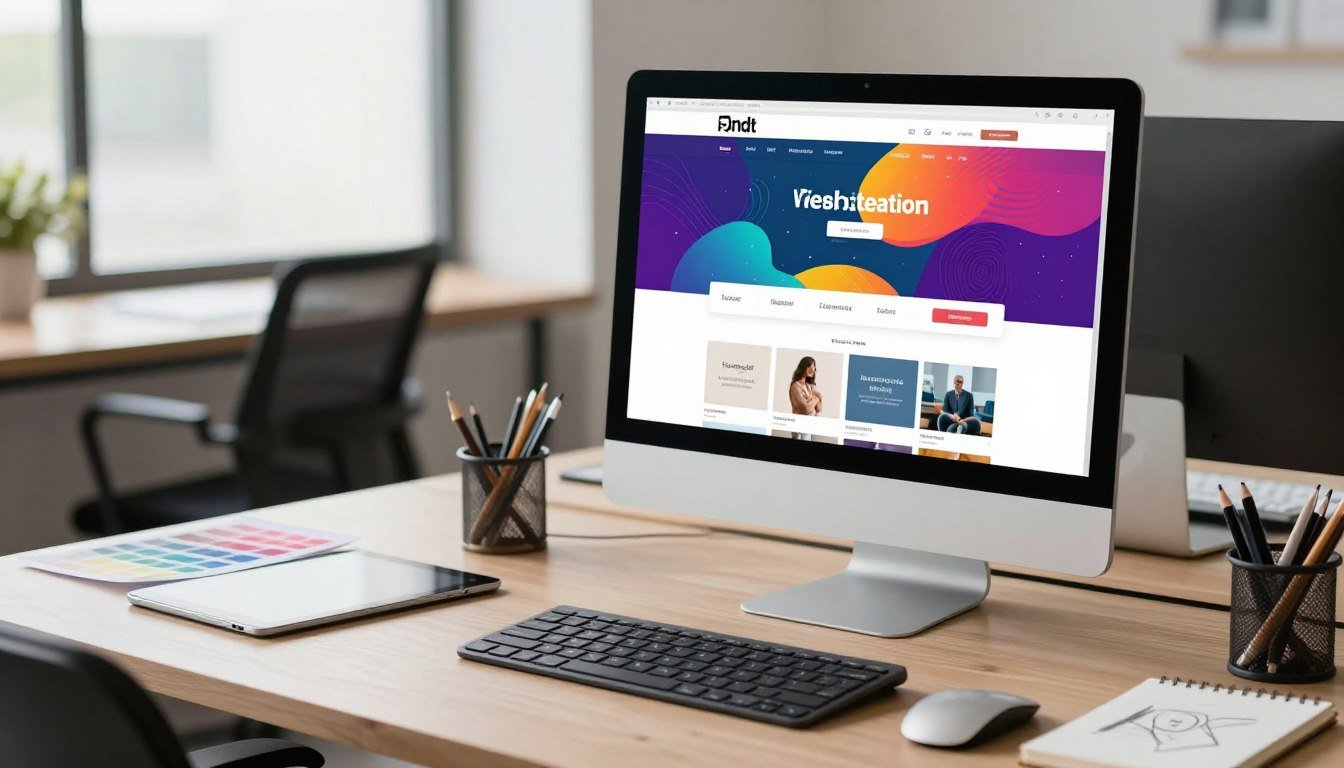
Creating a professional online presence requires powerful tools. Duda, launched in 2009, serves agencies, freelancers, and developers. It provides a robust foundation for client projects and business growth.
The service is a cloud-based, all-in-one website builder. It combines a drag-and-drop editor, modern templates, and reliable hosting. Users can build a responsive website without writing a single line of code.
Beyond simplicity, it offers advanced customization for experienced professionals. The focus on mobile optimization and agency workflows is a key strength. This sets it apart from basic, beginner-focused website builders.
It operates on a subscription model with several plan tiers. There is no permanent free plan, but a 14-day trial is available. This allows businesses to test the extensive feature set thoroughly.
This review will examine Duda’s design tools and ecommerce capabilities. We will also cover its SEO features, pricing structure, and comparisons to alternatives. Understanding these elements helps you make an informed choice.
A major advantage is its white-label branding and client management tools. These are essential for teams selling web design services. They streamline project delivery and improve the customer experience.
Evaluating this builder is crucial for professionals. You need to see if its offerings align with your specific business needs and project requirements.
Key Takeaways
- Duda targets professional users like agencies, freelancers, and web developers.
- It is an all-in-one solution with editing, templates, and hosting in one place.
- Build responsive, professional sites without coding, but with deep customization options.
- Websites are automatically mobile-optimized, a critical feature for modern businesses.
- Access requires a subscription, with a 14-day free trial available for testing.
- This review will analyze its design, ecommerce, SEO, pricing, and competitor comparisons.
- White-label and client management tools are standout features for service providers.
What is Duda? A Website Builder for Professionals
Specialized tools transform how professionals deliver web design projects to clients. Duda, launched from Palo Alto in 2009, was created for this exact purpose. It serves as a dedicated website builder for digital marketing agencies and independent developers.
The system provides a complete, cloud-based solution. It combines an intuitive editor with robust hosting infrastructure. This approach streamlines the entire process of creating and managing client sites.
Built for Agencies and Freelancers
This builder is engineered specifically for professional users. Its core audience includes agencies and freelancers who build sites for clients. The entire platform is structured around their workflow needs.
Key management tools facilitate client collaboration and white-label branding. Teams can work together efficiently with role-based permissions. This focus on professional services sets it apart from consumer-grade builders.
The feature set and pricing reflect this professional audience. It is not a general-purpose tool for beginners. Instead, it offers advanced capabilities for serious web design businesses.
Core Offering: Drag-and-Drop Editing and Hosting
The foundation is a powerful What You See Is What You Get editor. This drag-and-drop editor requires no coding knowledge. Users can build a professional website entirely through visual controls.
You start by selecting a professionally designed template. Every element is customizable directly on the page. This makes website creation both accessible and powerful for all users.
All plans include unlimited storage and bandwidth on Amazon Web Services. This high-performance hosting ensures sites handle heavy traffic smoothly. There are no extra costs for content-heavy designs or growth.
Duda has a strong focus on responsive design. Layouts automatically adjust for all devices. Yet, it provides granular control for device-specific edits when needed.
The typical user journey is straightforward. Sign up for a trial, choose a template, and use the intuitive interface. You can quickly build and publish a fully functional website for any client.
Duda’s Standout Design and Editing Tools
A platform’s core value is often defined by the power and flexibility of its creative toolkit. For professionals, these design and editing tools are the foundation of efficient project delivery. They determine how quickly and uniquely you can build a client’s online presence.
This website builder provides a comprehensive suite for this exact purpose. The features balance intuitive operation with deep professional control. This allows both newcomers and seasoned developers to achieve their vision.
The Powerful Drag-and-Drop Editor
The drag-and-drop editor is the central workspace for all creative work. It offers pixel-perfect control over every layout and element without coding. What You See Is What You Get editing means all changes are visible instantly.
Users benefit from a comprehensive widget library. This library includes contact forms, image galleries, and interactive buttons. Adding these elements is as simple as dragging them onto the canvas.
Beginners appreciate the straightforward visual interface. Professionals can dive into advanced styling options and a developer mode for custom CSS. This dual approach makes the editor adaptable for any skill level.
An integrated free stock photo library is also included. This eliminates the need to search external sites for basic images. It streamlines the entire content creation process.
A Library of Modern, Customizable Templates
Starting a project is faster with a high-quality template. Duda offers dozens of modern, professional designs. These are categorized by industry for a relevant starting point.
Every template is fully responsive. This ensures a perfect look on mobile devices from the start. Yet, each design is also completely customizable.
You can change colors, fonts, and layouts with a few clicks. This flexibility guarantees that the final site aligns with specific client branding. It turns a template into a unique website.
Widget Builder and Dynamic Page Capabilities
For advanced users, the Widget Builder is a game-changer. Available on higher-tier plans, it lets agencies create custom, reusable widgets. This feature streamlines repetitive tasks across multiple client projects.
The Dynamic Pages tool automates content-heavy sections of a site. You design a single page layout once. The system then populates it with data from connected collections.
These collections can sync with tools like Google Sheets or Airtable. It’s perfect for blog listings, team directories, or product catalogs. This automation saves a massive amount of development time.
Together, these design tools enable the rapid creation of functional, unique websites. They provide the range of features needed to meet strict client objectives and tight deadlines.
Superior Mobile Optimization and Responsiveness
Superior mobile optimization is no longer a luxury but a fundamental requirement for engaging online audiences. This website builder excels by providing robust tools that ensure every site performs perfectly on any screen. Its focus on flawless cross-device experience addresses the reality of mobile-dominated web traffic.
Duda automatically creates responsive websites. Layouts adapt seamlessly to smartphones, tablets, and desktops. This foundational responsiveness saves time and guarantees a professional starting point for every project.
Device-Specific Editing Controls
True power comes from granular device-specific editing controls. Designers are not locked into automated layouts. They can tweak fonts, spacing, and element visibility independently for mobile, tablet, and desktop views.
This means a button perfect on a desktop can be resized and repositioned for a thumb-friendly mobile experience. You can even hide certain elements on smaller screens to simplify the user interface. This level of control is essential for polished, professional results.
The system handles technical aspects like flexible grids and media queries in the background. Yet, it allows professionals to override these settings when a custom solution is needed. This balance of automation and control is a key strength.
Ensuring a Flawless Cross-Device Experience
Duda goes beyond basic adaptability. It includes features like sticky mobile menus and prominent click-to-call buttons. These mobile-first design elements directly enhance the small-screen user experience.
Built-in device simulators allow for real-time preview during the build process. You can instantly switch between device views to test functionality and aesthetics. This immediate feedback loop is crucial for efficient design development.
Superior mobile optimization has a direct impact on SEO and user engagement. Search engines prioritize mobile-friendly sites. A seamless experience keeps visitors on-site longer and reduces bounce rates.
For agencies, these tools are invaluable. They enable teams to deliver client sites that meet modern performance standards reliably. Best practice involves starting the design process with the mobile layout. Then, use the device-specific styling options to refine the experience for larger screens.
This comprehensive approach ensures every website not only looks great but also converts visitors effectively across all devices.
Agency-Centric Features: White-Label and Client Management
Managing multiple client projects demands tools that centralize communication and reinforce your brand identity. This website builder delivers a suite of agency-centric features designed for this exact purpose. These tools transform Duda from a simple editor into a complete service delivery system.
White-label branding and integrated client management are the core pillars. They allow your business to present a seamless, professional front. This enhances credibility and streamlines operations for web design teams.
Fully Branded Client Portals and Interfaces
The white-label capabilities are extensive. Agencies can replace the builder’s logo with their own across the entire interface. Custom colors and even a branded domain complete the illusion of an in-house platform.
This means clients only see your brand, not the underlying technology. The client portal is a secure, branded space for each project. Clients log in to review site progress, leave feedback, and access training materials.
This portal centralizes all project-related communication. It eliminates scattered emails and creates a single source of truth. The professional impression significantly boosts client trust and satisfaction.

Integrated Client Billing and Management Tools
Administrative tasks are streamlined with built-in management tools. The integrated billing system handles invoices and payment tracking for your services. You can set up recurring payments directly within the platform.
This reduces the need for separate accounting software. It keeps financial records tied to each client’s project site. The system saves time and reduces errors for busy agencies.
A sophisticated user permission system adds another layer of control. You can add clients as users with specific roles, like content editor. This allows safe collaboration without risking the site’s core design.
These management features are available on the Team plan and above. The White Label plan offers the most comprehensive branding options. It includes a branded login screen and support portal.
Practical use cases are straightforward. Onboard a new client by granting portal access. Use the billing tool to invoice for the initial build and monthly maintenance. These features cut administrative overhead dramatically.
They centralize client communications and improve project oversight. For any agency handling several websites, these tools are not just features. They are essential for scalable, professional business operations.
Ecommerce Functionality for Online Stores
The ability to launch and manage a secure online store is a critical benchmark for evaluating modern website creation platforms. This builder provides a dedicated suite of ecommerce tools for this purpose. It enables the creation of fully functional digital storefronts.
Users can build a complete shopping experience. This includes product catalogs, shopping carts, and secure checkout processes. The functionality is designed for small to medium-sized businesses.
Built-In Product Management and Checkout
A central dashboard handles all store operations. This built-in product management system lets you add inventory, set variants, and manage orders. Processing payments is seamless with integrated gateways like Stripe and PayPal.
Customers enjoy a familiar, trusted checkout experience. Duda also handles essential business features automatically. This includes tax calculation, shipping rules, and discount codes.
All store elements are designed using the same drag-and-drop editor. This ensures the online store matches the overall website aesthetic perfectly. The design integration is seamless for a professional look.
Omni-Channel Sales Syncing
A powerful Omni-channel sales syncing feature manages inventory across multiple platforms. Product information and stock levels stay consistent everywhere. This includes your main website, social media shops, and online marketplaces.
You manage everything from a single dashboard. This saves time and prevents overselling errors. It is a crucial tool for businesses expanding their sales channels.
It is important to note that ecommerce is not included in standard subscription plans. It requires a separate add-on purchase. Tiers range from basic to advanced, costing between $8 and $49 monthly per site.
Duda’s ecommerce is a strong value proposition for its core audience. Agencies can white-label the store management interface for clients. The per-site cost structure is clear for project pricing.
The range of features covers the essentials for most stores. It provides the tools needed to sell online effectively. For professional users, these capabilities are a significant part of the service offering.
SEO and Content Management Capabilities
A website’s success hinges on its visibility and the quality of its content. Duda provides integrated tools for both search engine optimization and robust content management. These capabilities are essential for driving traffic and engaging visitors long after the initial design is complete.
AI-Powered SEO Assistant and Site Audit Tools
The AI-powered SEO assistant automates critical optimization tasks. It generates effective page titles, meta descriptions, and alt text with a single click. This functionality follows best practices to boost a site‘s search engine visibility quickly.
A comprehensive site audit tool provides a deeper analysis. It scans for common issues like broken links, missing tags, and mobile responsiveness problems. The system then offers actionable fixes, making technical SEO more accessible.
These SEO tools are available across plans, but the AI assistant is a premium feature. It is reserved for the Team plan and higher tiers. This adds significant value for professional agencies managing multiple client projects.
Built-In Blogging and Membership Options
For content creation, the builder includes a built-in blogging platform. It offers standard post editing, categorization, and scheduling features. Some users note it has limited advanced capabilities but it covers the essentials for most business websites.
The membership functionality enables the creation of gated, member-only content areas. Clients can use this to offer premium subscriptions or exclusive resources. This adds a direct revenue stream for business websites.
The content management system extends to dynamic collections. These can integrate with external data sources like Google Sheets. This is perfect for managing large product catalogs, event listings, or team directories without manual updates.
Together, these features help agencies deliver optimized, content-rich websites. A common workflow starts with the AI assistant for baseline SEO. Teams then refine the setup using the audit tool’s insights. Finally, they publish blog posts or configure membership tiers to engage the audience.
Collaboration and Team Management Tools
For agencies handling multiple client websites, robust collaboration tools are not optional. They are essential for scalable and efficient project delivery. These management features centralize workflows and keep everyone aligned.
The right platform provides a shared environment for your entire team and clients. It turns a solo project into a coordinated effort. This is critical for meeting deadlines and maintaining quality across many sites.
Role-Based Permissions and Site Access
Security and workflow control start with a granular user permissions system. An account administrator can add users and assign predefined roles. These roles include blogger, designer, or full manager.
This means a content writer can only edit text, not the core design. A client can be given a “reviewer” role to see progress without making changes. This protects the website‘s integrity during design development.
The system allows for creating custom user groups with tailored access. This offers flexibility for complex team structures or specific client involvement. These advanced management tools are available on the Team plan and higher tiers.
In-Editor Commenting for Feedback
The in-editor commenting tool transforms the feedback process. Team members and clients can leave comments pinned directly to page elements. This creates clear, contextual communication.
It drastically reduces back-and-forth email chains. All feedback is stored within the project itself. This streamlines the review cycle and prevents misunderstandings.
For agencies, this functionality is a game-changer. A typical scenario is simple: a designer builds a page. The client reviews it and leaves specific comments on sections. A developer then resolves each note, all within the same interface.
This centralizes all project management and communication. It provides a single source of truth for every website project. The efficiency gains for service-based businesses are substantial.
These collaboration and management capabilities are core strengths of this professional website builder. They empower agencies to deliver better services to their clients with greater ease.
Duda Pricing: Plans, Costs, and Value Assessment
A clear breakdown of subscription plans and associated costs helps professionals make informed financial decisions for their web projects. The platform’s pricing reflects its target audience of agencies, freelancers, and developers. Understanding the value each tier delivers is key to selecting the right fit for your business.

There is no permanent free plan, but a 14-day trial allows full testing. All paid plans include unlimited storage and bandwidth on Amazon Web Services. This provides a solid foundation for building client websites without resource constraints.
Breakdown of Basic, Team, and Agency Plans
The Basic plan starts at $19 per month with annual billing. It is designed for individual professionals or very small teams. This tier allows you to build one website with essential design tools.
You get access to the drag-and-drop editor and a library of templates. Client billing tools are not included at this level. Support is provided via email only.
The Team plan costs $29 per month annually. It is ideal for freelancers who need to manage multiple client projects. This tier supports up to four websites and includes two team member seats.
Key features like the client billing system and widget builder are unlocked here. These management tools streamline invoicing and custom component creation. Support remains email-based.
The Agency plan is priced at $52 per month with an annual commitment. It caters to small agencies with growing needs. You can build up to ten websites and add ten team members.
This tier introduces priority customer support via email and live chat. Advanced features like dynamic pages and more extensive white-labeling options are included. It provides a robust toolkit for service delivery.
The White-Label Plan for Full Brand Control
The White Label plan represents the top tier at $149 per month on an annual contract. It is built for established agencies requiring complete brand immersion. This plan removes all builder branding from the client experience.
You get fully branded client portals and a custom support portal. The number of websites and team members scales significantly. Priority support expands to include phone access for critical issues.
This plan is an investment in presenting your agency as the sole service provider. It maximizes professional credibility and streamlines client management. For businesses selling web design services, the value can justify the cost.
Understanding Ecommerce Add-On Costs
Online store functionality is not included in the standard subscription plans. It requires a separate ecommerce add-on purchased per site. This allows you to pay only for the level of store capabilities you need.
Add-on tiers range from $8 to $49 per month for each website. The basic tier covers essential product management and checkout. Higher tiers unlock advanced features like omni-channel sales syncing and abandoned cart recovery.
This modular pricing is beneficial for agencies. You can tailor costs directly to individual client projects. It keeps the base platform cost separate from specialized ecommerce functionality.
Scalability is also addressed through the option to purchase additional websites. If you exceed the limit on your plan, you can buy extra sites individually. This provides flexibility for growing businesses without an immediate plan upgrade.
When assessing value, this builder is priced higher than some general-purpose alternatives. Its cost is justified by agency-specific tools, unlimited resources, and white-label capabilities. For professional users, these features directly support revenue-generating services.
Choosing the right plan depends on your specific needs. Freelancers often find the Team plan sufficient for its client billing and management features. Small agencies typically benefit from the Agency plan’s balance of tools and scale.
Larger firms that require full brand control will need the White Label tier. Always consider annual billing for significant savings over monthly payments. Evaluating your required features against the cost ensures a smart investment in your business tools.
Customer Support, Security, and Reliability
The backbone of any professional service is dependable support and robust infrastructure. For agencies and freelancers, the platform’s reliability and security features are critical. They ensure client websites remain online and secure at all times.
This website builder provides a structured approach to these essentials. Its customer support and hosting are designed for business continuity. Understanding these elements helps you trust Duda with important projects.
Support Channels: Email, Chat, and Phone Availability
Access to help varies by subscription plan. This tiered system matches support levels with business needs. Basic and Team plans include email assistance only.
Higher-tier Agency and White Label plans unlock priority multi-channel support. Users gain access to live chat and direct phone lines. These faster options are vital for resolving urgent issues.
Phone and live chat operate on weekdays from 12 a.m. to 5 p.m. Pacific Time. A contact form is available 24/7 for all users. This ensures you can always report a problem, even after hours.
Duda maintains an extensive knowledge base for self-help. Many common questions are answered there. This resource is useful for solving minor issues quickly without contacting customer support.
SSL Certificates and AWS Hosting Infrastructure
Security begins with free SSL certificates for every website. These certificates encrypt data between the visitor and the site. This protects sensitive information and builds visitor trust.
Enabling SSL also provides a minor search engine optimization boost. Search engines favor secure websites in rankings. It is a best practice to activate this feature immediately after publishing.
Duda hosts all websites on Amazon Web Services infrastructure. AWS is known for its high reliability and global reach. This enterprise-grade hosting ensures fast loading times and scalable resources.
A content delivery network via AWS CloudFront accelerates page delivery. It serves files from servers closest to the visitor. This improves performance for a global audience.
The service guarantees 99.999% uptime for all hosted websites. This minimal downtime is crucial for business sites that cannot afford interruptions. It provides peace of mind for agencies managing client projects.
An integrated Password Manager adds another security layer. It stores login credentials for third-party services securely within the platform. This reduces the risk of using weak or repeated passwords.
These security and hosting features form a solid foundation. They allow professionals to focus on design and client management. The robust infrastructure handles the technical heavy lifting reliably.
How Duda Compares to Top Alternatives
A strategic evaluation of leading alternatives reveals the distinct value proposition and ideal use cases for each website creation tool. This comparison helps you see where this platform excels and where other builders might better suit different needs.
Each competitor has a primary focus. Some prioritize ease for beginners, while others target specific functions like ecommerce. Understanding these differences is key to selecting the right tool for your web design projects.
Duda vs. Wix: Agency Tools vs. General Ease of Use
Wix is renowned for its intuitive drag-and-drop editor and vast app market. It is a fantastic choice for DIY small businesses and individuals. The platform emphasizes general ease of use and creative freedom.
This builder, in contrast, provides superior agency tools. Its white-label client portals and integrated billing are built for professionals. These management features are essential for teams selling web design services.
Wix offers a broader range of third-party integrations. This builder provides a more curated, all-in-one environment. The choice hinges on whether you value maximum flexibility or streamlined client management.
Duda vs. Squarespace: Customization vs. Design-Led Simplicity
Squarespace wins praise for its stunning, design-led templates and all-in-one simplicity. It is a top pick for creatives and solopreneurs who want a beautiful site quickly. The platform is often more affordable for basic needs.
This platform counters with deeper customization and agency workflow tools. You gain granular control over every element and device-specific editing. Squarespace can feel restrictive if you need to deviate from its template structure.
For a solo professional wanting a portfolio, Squarespace is compelling. For an agency building unique client sites, this builder’s capabilities offer more power. The trade-off is between out-of-the-box beauty and flexible control.
Duda vs. Shopify: Website Building vs. Ecommerce Focus
Shopify is a dedicated ecommerce platform with superior sales tools. It is the undisputed leader for building a complex online store. Its ecosystem is built entirely around conversion and inventory management.
This website builder is a generalist with optional ecommerce add-ons. You build a complete website first, then enable store functionality. Shopify focuses on sales, while this platform focuses on overall web presence.
If your core need is a powerful online store, Shopify is the better choice. If you need a business website that also sells products, this builder’s integrated approach works well. The per-site add-on cost structure provides clarity for project pricing.
Key differentiators set this platform apart. It offers unlimited storage on all plans and superior mobile editing controls. Built-in agency workflow tools are a unique advantage for service businesses.
Regarding pricing, this builder is generally more expensive than Wix or Squarespace. The cost is justified by specialized features for agencies. You pay for tools that directly support revenue-generating services.
Ease of use is also a factor. This platform is intuitive but geared towards professionals. Wix and Squarespace cater to a broader audience with simpler interfaces from the start.
The importance of choosing based on use case cannot be overstated. Select this builder for agencies building client sites. Choose Wix for DIY small businesses. Pick Squarespace for creatives, and opt for Shopify for dedicated online stores.
If switching from another platform, note there is a learning curve. The potential benefits for professional users, however, are significant. The client management and white-label features can transform your service delivery.
Duda Pros and Cons: A Balanced Summary
The true value of a website builder becomes clear when pros and cons are laid side by side. This balanced view helps professionals decide if the platform’s strengths align with their operational needs. It also highlights any limitations that could impact a project.
Advantages for Professional Users
Duda offers a compelling set of features for its target audience. The tools are designed to streamline agency workflows and client delivery.
Best-in-class mobile optimization provides granular control over every device view. This ensures a flawless experience for site visitors on smartphones and tablets.
Comprehensive white-label and client management tools are standout features. They allow agencies to present a fully branded service to their clients.
The intuitive yet powerful drag-and-drop editor balances ease of use with deep customization. Professionals can build a website quickly without sacrificing creative control.
Unlimited storage and bandwidth on AWS hosting provide a reliable foundation. This enterprise-grade infrastructure supports business growth without resource constraints.
For agencies, these advantages translate into tangible benefits. Streamlined workflows save time on project management. Branded client portals enhance professionalism and trust.
Integrated billing and collaboration features centralize operations. This range of features directly supports revenue-generating services.
Limitations and Considerations
Every platform has trade-offs. Understanding these limitations is key for informed decision-making.
There is no permanent free plan, only a 14-day trial. The entry cost is higher than many general-purpose builders. This can be a barrier for solo entrepreneurs or very small businesses.
Ecommerce functionality requires a separate add-on purchase per site. This adds to the total cost of running an online store.
Advanced blogging capabilities are limited compared to dedicated content systems. This may not suit websites where a blog is the primary focus.
Customer support varies by plan. Lower tiers offer only email assistance. Priority support with live chat and phone is reserved for higher-tier plans.
There is a learning curve for users unfamiliar with professional web design workflows. Duda is built for agencies, not casual beginners.
Common user feedback includes a desire for more blog features and a lower-priced entry point. The per-site cost structure for multiple websites requires careful planning.
For professional web design businesses, the pros often significantly outweigh the cons. The management features and white-label capabilities justify the investment.
The value proposition hinges entirely on the user’s needs. If you require agency-centric tools, the cost is justified. For casual users or those needing a simple blog, other website builders may be a better fit.
Conclusion: Is Duda the Right Choice for Your Business?
Selecting the right website builder hinges on aligning its core strengths with your specific business model. Duda is an excellent choice for professional web designers, digital marketing agencies, and freelancers. Its white-label and client management tools provide unmatched efficiency for teams selling web design services.
For individual small business owners or beginners, it is likely not the best fit. Its higher price and agency-focused features are less relevant for a single, in-house website. Consider alternatives like Wix or Squarespace if budget and ease of use are primary concerns.
The importance of mobile optimization and reliable hosting cannot be overstated for any professional project. These are areas where this website builder excels. We recommend using the 14-day free trial to experience its capabilities firsthand.
For agencies, the investment is justified by specialized features that streamline service delivery. Evaluate the total cost, including ecommerce add-ons, to ensure alignment with your pricing strategy. This is a powerful, professional-grade website builder that delivers significant value for its target audience.