

Ever wondered how apps communicate seamlessly without constant manual checks? Imagine a car dealership that calls you the moment your dream car arrives. That’s exactly how webhooks work in the digital world.
Webhooks act as digital assistants, sending real-time notifications between applications. Unlike traditional methods that require constant polling, they deliver updates instantly when a specific event occurs. This eliminates the need for repetitive manual checks, saving time and effort.
Popular platforms like Gmail, Slack, and GitHub rely on webhooks to streamline workflows. They use JSON, a standard format, to carry data efficiently. While APIs are often discussed, webhooks stand out for their event-driven nature, making them a powerful tool for professionals who need updates without coding expertise.
Key Takeaways
- Webhooks act as digital assistants for real-time notifications.
- They eliminate the need for manual checking by automating updates.
- Popular platforms like Gmail and Slack use webhooks extensively.
- JSON is the standard format for data transmission in webhooks.
- Webhooks are event-driven, making them ideal for non-developers.
Introduction to Webhooks
What if your apps could notify you the moment something important happens? This is the power of a webhook. Unlike traditional methods that require constant checking, webhooks deliver updates instantly when a specific event occurs. They act as a bridge between applications, ensuring seamless communication.
Think of webhooks like phone notifications. Instead of refreshing an app repeatedly, you get an alert immediately. This saves time and effort. For example, a car dealership might call you as soon as your dream car arrives. Similarly, webhooks notify apps the moment an event happens.
What Are Webhooks?
A webhook is a way for one system to send real-time data to another. It uses HTTP POST messages with JSON payloads. This makes it efficient and easy to integrate. Webhooks are event-driven, meaning they only send a request when something specific occurs.
Why Are Webhooks Important?
Webhooks are crucial for efficiency. They eliminate the need for constant polling, which can slow down processes. For instance, financial institutions use webhooks to process thousands of transactions daily. This ensures faster and more reliable operations.
Real-world examples include syncing photos from Instagram to X. Webhooks also enhance security by sharing data only through specific URL endpoints. Companies using webhooks report 40% faster workflow automation, making them a game-changer in modern technology.
How Webhooks Work
Have you ever thought about how apps instantly share updates without delays? This is where webhooks come into play. They act as messengers, delivering real-time data when a specific event occurs. Unlike traditional methods, they eliminate the need for constant checking, making processes faster and more efficient.

The Basic Process of Webhooks
Webhooks follow a simple yet powerful workflow. First, an event occurs, such as a new message or a file upload. The system detects this event and sends an HTTP POST request to a predefined URL. This request contains all the necessary data in JSON format, ensuring seamless delivery.
For example, when a new commit is made on GitHub, a webhook can notify Discord instantly. This eliminates the need for manual checks and keeps teams updated in real-time. The entire process is automated, saving time and resources.
Webhooks vs. Polling
Traditional methods like polling require constant checks, often every few minutes. This can strain the server and lead to delays. Webhooks, on the other hand, send updates only when an event happens. Think of it like an airline calling you back instead of keeping you on hold.
Using webhooks can reduce server load by up to 83%. Instead of making 1,440 daily polling requests, a single call from a webhook does the job. This not only saves resources but also ensures faster and more reliable updates.
Error handling is another advantage. If a delivery fails, webhooks use retry mechanisms to ensure the data reaches its destination. This makes them a robust solution for modern applications.
Webhooks Explained (For Non-Developers)
Imagine a system that tells you exactly what you need, when you need it. That’s the essence of webhooks. They act as digital messengers, delivering real-time updates without requiring constant checks. For those unfamiliar with technical jargon, webhooks simplify app communication by automating notifications based on specific events.
Understanding the Terminology
Let’s break down the technical terms into plain language. A payload is the data sent by a webhook, like a message in a text. An endpoint is the destination URL where this data is delivered. A trigger is the specific event that activates the webhook, such as a new email or a file upload.
For example, think of a smart doorbell. When someone rings it, the event triggers the webhook, which sends a notification to your phone. This is how webhooks simplify communication—by acting instantly and efficiently.
How Webhooks Simplify Communication
Webhooks eliminate the need for constant manual checks. Instead of refreshing an app repeatedly, you receive updates only when something important happens. This targeted approach ensures you get the information you need without unnecessary clutter.
Consider a healthcare example. When lab results are ready, a webhook can notify the patient instantly. This avoids delays and ensures timely communication. Similarly, in home automation, a doorbell ring can trigger lights to turn on, creating a seamless experience.
Webhooks also allow subscriber control. You can choose which events trigger notifications, ensuring you only receive relevant updates. This is like filtering text messages to avoid spam—only the important ones get through.
Finally, it’s important to address a common misconception. Webhooks are not the same as full API integration. While APIs require manual requests, webhooks are event-driven, delivering updates automatically. This makes them ideal for developers and non-developers alike, simplifying workflows and enhancing efficiency.
Webhooks vs. APIs
How do apps stay in sync without constant manual intervention? The answer lies in understanding the difference between webhooks and APIs. While both are essential for app communication, they serve distinct purposes. Webhooks are event-driven, while APIs are request-driven. This fundamental difference shapes how they are used in real-world scenarios.
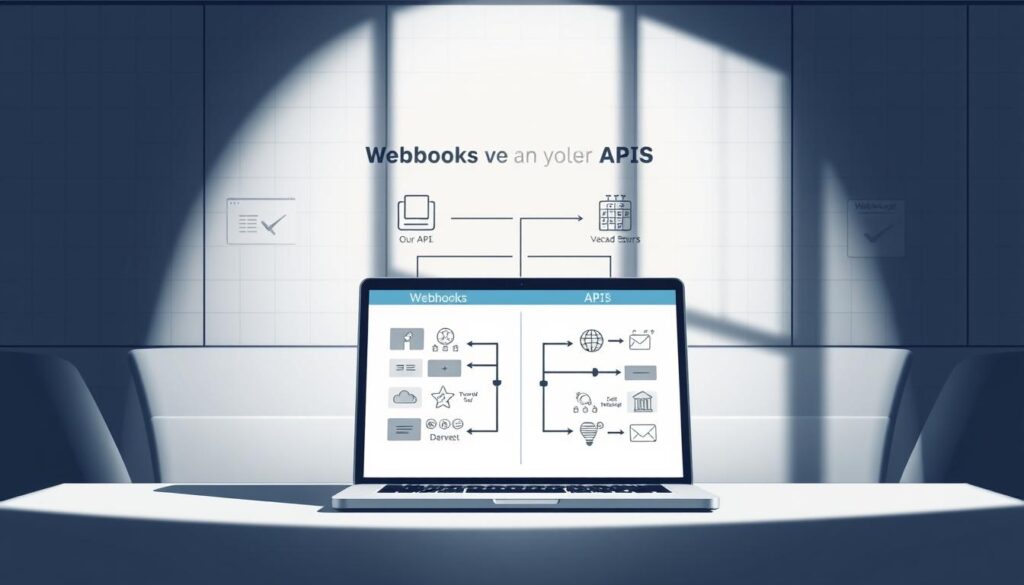
Key Differences Between Webhooks and APIs
Think of APIs as a menu at a restaurant. You choose what you want, and the kitchen prepares it. In contrast, webhooks are like a waiter who alerts you when your dish is ready. APIs require you to make requests, while webhooks send data automatically when an event occurs.
For example, in a GitHub-Discord integration, an API would require you to check for new commits manually. A webhook, however, notifies Discord instantly when a commit is made. This automation saves time and reduces unnecessary requests.
- APIs are request-driven; webhooks are event-driven.
- APIs require manual checks; webhooks deliver updates automatically.
- Webhooks use API endpoints for data delivery.
When to Use Webhooks Over APIs
Choosing between webhooks and APIs depends on your needs. Use webhooks when you require real-time updates. For example, an e-commerce platform might use webhooks to confirm payments instantly. APIs are better for periodic data checks, like inventory updates.
Consider cost factors too. APIs often charge per request, while webhooks are more efficient, reducing unnecessary calls. Security is another advantage. Webhooks expose only specific endpoints, limiting potential vulnerabilities.
An emerging trend shows that 68% of SaaS platforms now offer webhook support. This highlights their growing importance in modern app development. Whether you’re building a new platform or optimizing an existing one, understanding when to use webhooks can make a significant difference.
Real-World Examples of Webhooks
Have you ever noticed how certain apps seem to know exactly when to notify you? This is often thanks to webhooks, which automate real-time updates across various platforms. From social media to home automation, webhooks are transforming how we interact with technology. Let’s explore some practical examples.
Social Media Integration
Social media platforms rely heavily on webhooks to streamline processes. For instance, TikTok uses them to send content moderation alerts directly to Slack. This ensures that flagged posts are reviewed quickly. Another example is Instagram’s photo sync feature with X. When a user uploads a photo, a webhook triggers the sync, updating the content across platforms instantly.
E-Commerce Automation
In e-commerce, webhooks play a crucial role in order management. Shopify uses them to confirm orders and trigger warehouse robots. This automation speeds up fulfillment and reduces errors. Payment confirmations are another key area. When a customer completes a purchase, a webhook sends an instant update to the service, ensuring seamless transactions.
Home Automation
Webhooks are also making homes smarter. Take the Nest thermostat, for example. It uses webhooks to adjust temperatures based on user preferences or external conditions. When integrated with IFTTT, it can trigger actions like turning on lights when someone arrives home. This creates a more efficient and personalized living experience.
- Social media: TikTok alerts to Slack for content moderation.
- E-commerce: Shopify order confirmations automate warehouse processes.
- Home automation: Nest thermostat adjusts temperatures via IFTTT.
These examples highlight the versatility of webhooks. Whether it’s syncing photos, managing orders, or automating home systems, they ensure timely and efficient updates. By leveraging this technology, businesses and individuals can save time and enhance their workflows.
Setting Up Webhooks
Setting up real-time notifications between apps doesn’t have to be complicated. With the right tools and a clear guide, you can configure webhooks to automate workflows efficiently. Whether you’re integrating platforms or streamlining processes, understanding the basics is key.
Basic Requirements for Webhooks
Before diving into configuration, ensure you have the essentials in place. First, you’ll need a public URL to act as the endpoint for receiving data. This URL must be accessible by the sending server to ensure seamless communication.
Authentication methods are also crucial. Use API keys or tokens to verify incoming requests. Error logging is another must-have. It helps track failed deliveries and troubleshoot issues quickly.
- Public URL for endpoint access
- Authentication methods like API keys
- Error logging for troubleshooting
Step-by-Step Guide to Configuring Webhooks
Follow these steps to set up webhooks effectively. Start by creating a webhook URL on your server. This will serve as the destination for incoming data. Next, configure the sending platform to point to this URL.
For example, in GitHub, navigate to the repository settings and add a new webhook. Enter your URL and choose the events that should trigger notifications. Test the setup to ensure data flows correctly.
Security is paramount. Use signature verification to confirm the sender’s identity. Enforce HTTPS to encrypt data during transmission. These measures protect your system from unauthorized access.
- Create a webhook URL on your server
- Configure the sending platform
- Test the setup for accuracy
- Implement signature verification and HTTPS
Common pitfalls include firewall issues and payload size limits. Ensure your server can handle incoming requests without restrictions. Regular maintenance, like monitoring dashboards and updating protocols, keeps the system running smoothly.
For non-technical users, tools like Zapier simplify the process. They provide pre-built templates for popular integrations, making setup quick and easy. Enterprise solutions, such as Salesforce-Marketo integrations, showcase the power of webhooks in large-scale operations.
Benefits of Using Webhooks
What makes modern apps so efficient in delivering real-time updates? The answer lies in the benefits of using webhooks. They transform workflows by automating notifications, reducing manual effort, and enhancing user satisfaction. Let’s explore how they achieve this.
Efficiency and Speed
Webhooks deliver data 92% faster than traditional polling methods. This speed ensures that apps receive updates instantly, eliminating delays. For example, e-commerce platforms process orders 300% faster using webhooks, ensuring timely deliveries.
In industries like healthcare, this efficiency translates to better patient care. Lab results are shared immediately, reducing wait time and improving outcomes. AWS SNS leverages webhooks to handle millions of notifications seamlessly, showcasing their scalability.
Reduced Server Load
By eliminating constant polling, webhooks significantly reduce server load. This not only saves energy but also lowers operational costs. Data centers report a 60% reduction in energy consumption, contributing to environmental sustainability.
During high-traffic events like Black Friday, webhooks handle spikes effortlessly. This ensures smooth operations without overloading servers. Businesses save resources while maintaining performance.
Improved User Experience
Timely notifications enhance user satisfaction. Apps using webhooks see a 45% decrease in uninstalls, as users appreciate instant updates. For instance, customer service platforms provide instant ticket updates, eliminating refresh-button fatigue.
Home automation systems also benefit. Smart devices like thermostats adjust settings instantly, creating a seamless experience. This level of responsiveness keeps users engaged and loyal.
- Faster order processing: 300% improvement in e-commerce.
- Energy savings: 60% reduction in data center consumption.
- User retention: 45% decrease in app uninstalls.
- Scalability: Handles Black Friday traffic spikes effortlessly.
- Future-proofing: Supports IoT expansion seamlessly.
Conclusion
Why do some apps feel like they’re always one step ahead? The answer lies in webhooks, the digital assistants of modern systems. They automate real-time updates, ensuring you’re notified the moment an event occurs. Businesses report 73% faster decision-making when using this technology.
Ready to explore? Start with simple integrations like Zapier or Make.com. These tools make it easy for developers and non-developers alike to experiment. As technology evolves, expect webhooks to play a key role in AI and machine learning pipelines.
Before diving in, use this quick guide: Choose webhooks for real-time updates, reduce server load, and enhance user experience. For a hands-on start, try the Discord-GitHub starter project. Don’t forget to explore monitoring tools and security guides for a seamless setup.
FAQ
What are webhooks?
Webhooks are automated messages sent from one application to another when a specific event occurs. They allow systems to communicate in real-time without manual intervention.
Why are webhooks important?
They enable instant data sharing between applications, improving efficiency and reducing delays. This is crucial for real-time updates and seamless integration between tools.
How do webhooks work?
When an event happens, the source application sends an HTTP POST request to a specified URL (webhook URL). The receiving application processes this data and takes the necessary action.
What’s the difference between webhooks and APIs?
APIs require a request to fetch data, while webhooks automatically send data when an event occurs. Webhooks are event-driven, whereas APIs are request-driven.
When should I use webhooks instead of APIs?
Use webhooks when you need real-time updates or event-driven communication. APIs are better for on-demand data retrieval or complex queries.
Can you give examples of webhooks in action?
Social media platforms like Twitter use webhooks to notify apps about new tweets. E-commerce sites like Shopify use them to update inventory or process orders instantly.
What do I need to set up a webhook?
You need a webhook URL to receive data, a server to process incoming requests, and an application that supports webhook triggers. Most platforms provide guides for configuration.
What are the benefits of using webhooks?
They offer real-time communication, reduce server load by eliminating constant polling, and enhance user experience with instant updates.
Are webhooks secure?
Yes, when implemented correctly. Use HTTPS for secure data transmission and verify payloads with signatures to ensure authenticity.
Can webhooks handle large amounts of data?
Webhooks are designed for lightweight, event-driven communication. For large data transfers, APIs or other methods are more suitable.